
Wesley Fryer, writing on his Speed of Creativity blog, explains how he imports RSS feeds for podcasts from iTunes into his preferred podcast player. This is necessary because he prefers a player other than iTunes.
My situation is similar. I have an android phone and want to use the phone to listen to podcasts during our frequent, long car trips. I recommend the Fryer tutorial, but I did find one change I had to make for my situation. I could not find the URL for the podcast I wanted as described by Fryer and I am not certain why. What I found worked was to use iTunes to locate the desired podcast and then I was able to locate the URL for one episode. This address worked as a way to subscribe in my podcast player.
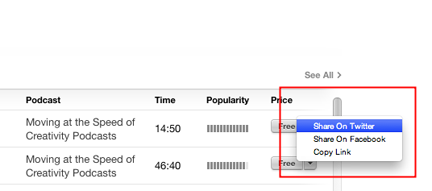
So, to demonstrate, I decided to use the Fryer podcast “Moving at the Speed of Creativity” (same name as his blog). The address identified in iTunes was https://itunes.apple.com/us/podcast/podcast415-igniting-create/id78007370?i=316357907&mt=2. I sent this address to my phone in an email so I could copy the address to my player.
My podcast player of preference on my phone is Podcast Republic.
Podcast Republic asks that you search for the desired feed – in this case I am searching for an episode and not the collection of episodes, but this seems to work.
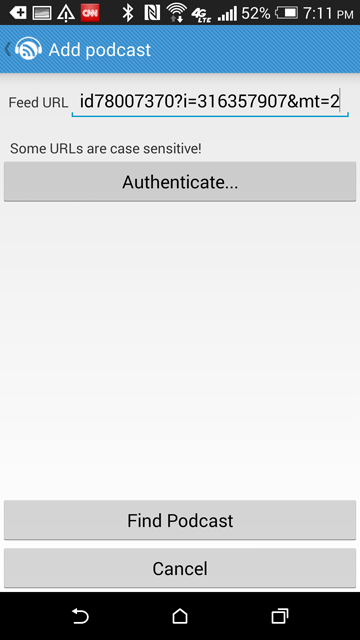
The specifics of the subscription are identified for verification.
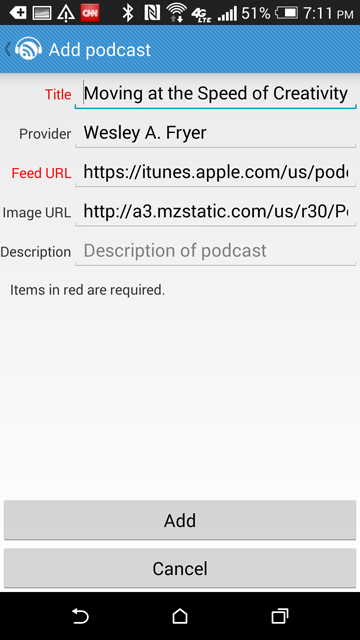
The subscription has been added.


You must be logged in to post a comment.