I have blogged for many years and I follow many bloggers. I have a sense that social media is replacing blogs for many, but I still find great value in finding bloggers who provide content that interests me and following them using an RSS reader (more on RSS later).
I decided to write this post after reading a post from Control Alt Achieve offering a list of 75 education blogs to follow. I admit that in going through the list I found several that were new to me and I did not find mine. Such is life in the blogosphere.
If you are looking to explore education blogs, here is a little different approach you might try. In reviewing many of the blogs on the Control Alt Achieve list, I found many that had not been updated lately and some focusing on topics that did not interest me. I use a specialized RSS reader I can host myself and for those interested in exploring blogs to see what might interest them, I offer access to this feed reader to scan recent posts (day by day) from many different education bloggers.
The reader I operate is called FreshRSS and it can be accessed by anyone from my site. Because others cannot sign in, reviewing recent posts does not cause these posts to disappear which is the way a typical RSS reader works. The reader is to discover new content and as you scroll through the list of posts once read items on the list disappear. If you take a look at my reader, note the two icons I have enclosed in a red box that appear at the top of the screen. The “book” icon provides full access to the content from the blogs I follow. Reviewing topics and what the authors have to say is the way I would recommend finding blogs you want to follow. The “rewind” icon updates the feed if newer content is not displayed at the top of the feed.
The chrome OS provides chromebook users some useful diagnostics. Here is how these diagnostics can be accessed.
Begin with the “gear” icon.
From the settings menu select “About Chrome OS”.
The “About menu” should include the option to launch diagnostics.
Several diagnostics are provided. The data I found most useful concerned the health of my battery as replacing the battery in an aging Chromebook would be a decision point for when to purchase new equipment. I am not a heavy user of my Chromebook and use it to remain familiar with chromebook capabilities and this level of use is reflected in the cycle count for my Google Pixelbook.
Posted inUncategorized|Comments Off on Chromebook diagnostics
The K12 school year is drawing to a close and districts are using different models to finish out the year – all face to face, a combination of face to face a few days a week and remote the rest of the time, students/families pick. Assuming that things continue to improve with the pandemic and the level of COVID illness is drastically reduced in the Fall, what will happen with remote learning?
The Rand Corporation contacted 375 school districts and charter organizations to request insight into the present thinking on where K12 will be at in the Fall.
Some findings:
20% are considering adding a virtual school option to more traditional offerings.
The pandemic has brought attention to certain issues that will continue to be highlighted going forward – social-emotional climate, disparities in learner experiences, and funding.
Posted inUncategorized|Comments Off on Future of remote learning
I am guessing most of us listen to music that we receive as a digital stream. We have decided that it is more convenient and possibly less expensive to stream the music we consume rather than purchasing music that we store. There is also the reality that with a paid streaming service we can listen to pretty much anything that suits our fancy rather than listen to what a free source sends to us.
There are multiple sources for streaming music. For years, I purchased music, downloaded it to my office or home computer and played it from one of these devices. I ripped my own CDs, purchased music through iTunes, and then from Amazon because their $10 per album was a little lower. My collection amounted to more than 5000 songs which amounts to a lot of money, but those who purchase music over many years have invested this much. Apple introduced a service called iTunes Match which allowed me for $24 to stream my songs from one Apple device to another. The advantage for this service is that you don’t have to store your entire collection of songs on each device you want to use to listen to your music. You can offload your music if you want. At this point, I don’t have a stored copy of all of this music because I no longer use the original machines.
I have used several paid streaming services, first Apple, then Amazon, and now Spotify. There may be small differences in the fees, but I eventually moved to Spotify because I wanted to diversify how I spend my money. All things being close to equal, I value maintaining competition especially if the options are Amazon and Apple.
If you follow tech news, you may have read that Apple wrote an open letter to music creators announcing that it was raising its per stream revenue returned to one cent per stream. Apple compared their return rate with the .003 to .006 return per stream of Spotify. This letter to the creatives was also published by the Wall Street Journal. This position challenged a different personal value. I believe online services must compensate content producers in one way or another. For example, I find ad blocking offensive – it may be a way to get back at online services people believe is stealing their personal information, but it also eliminates the revenue for those generating the content that is consumed.
I have been attempting to research the Apple vs. Spotify issue and the situation turns out to be more complicated than the 1 penny vs. a half-penny. There are multiple variables to consider. Streaming music now accounts for 83% of the income from recorded music. Spotify has 32% of the streaming market (Apple has 18%) and generates the largest return to rights holders generating $5 billion in 2020.
An important difference between Spotify and Apple is that Spotify offers an ad-supported option. This option is used by more active participants than the paid tier (199 vs. 155 million). The ad-based tier generates far less revenue (281 million vs. 1.89 billion euros in one comparison). Spotify simply generates less revenue per stream with more users.
Part of the decision content creators need to consider is whether there is benefit in the streams to those who are willing only to view ads. Without these users they would make less revenue unless some significant proportion of these users would become paid, ad-free users.
In evaluating the business model of these two companies it is also important to recognize that Apple has certain advantages. The Apple bundles iTunes as the default in all Apple products and those who use these devices pay a premium for their devices. There are certainly other options, with and without ads, for those wanting free access to music.
Google Earth has released some new timeline imagery showing how the earth has changed because of human behavior. The timelapse video is based on satellite imagery beginning in 1984 (image appearing below is a screen capture). The imagery of receding glaciers is dramatic and for those of us who have visited the same glaciers over time we may appreciate this visualization as the sites will often have markers showing where the glacier was within our own lifetimes.
Posted inUncategorized|Comments Off on Google Earth Timeline shows climate change
I am a big supporter of reading digital books for academic work. I differentiate academic work and pleasure reading to note that academic work frequently involves study and referencing making the opportunity to search the content personally highlighted and annotated of great value especially as a project stretches over time or many sources. I have written previously about the use of highlights and annotations added to Kindle and how this added content can be separated, stored, and searched.
I borrow digital books from a couple of libraries I frequent using Libby. This software (from Overdrive) allows me to get on the waiting list for books, download digital and audiobooks, and highlight and annotate content as I read. When the allocated time for reading the books ends, the content disappears. This means highlights disappear limiting the usefulness of borrowed books for what I have described as academic work. In some cases, books I download in Libby can be read using Kindle software allowing the saving of my highlights and notes. Not all content from libraries work this way and I am sometimes forced to read in Libby rather than Kindle. It turns out there is a way, although not ideal, to export highlights from Libby.
I offer this tutorial because some may find it useful noting that Libby is also used within some K12 schools to provide digitized conent.
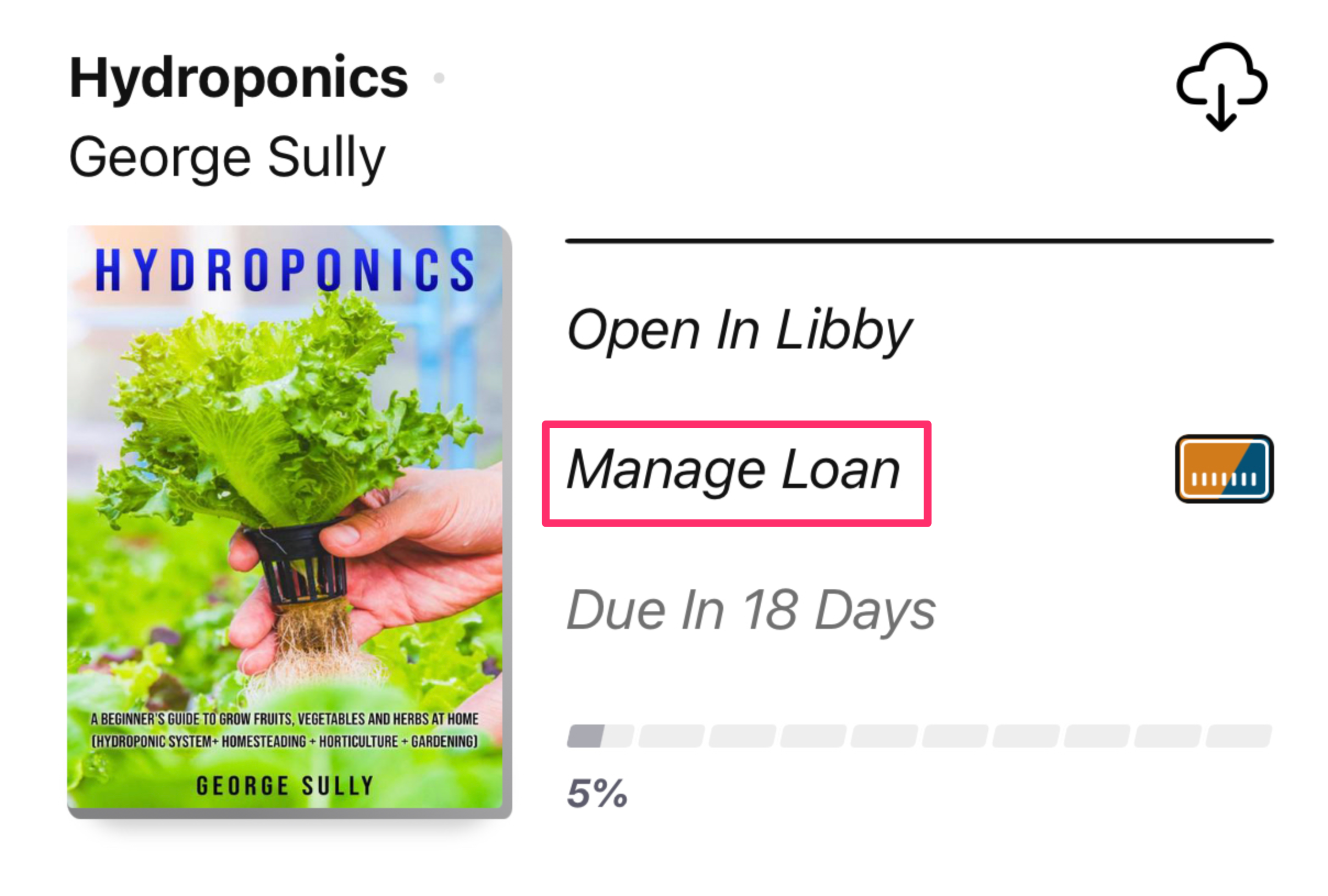
A book that is available will appear in Libby as displayed below. To export highlights you start with the Manage Loan option.
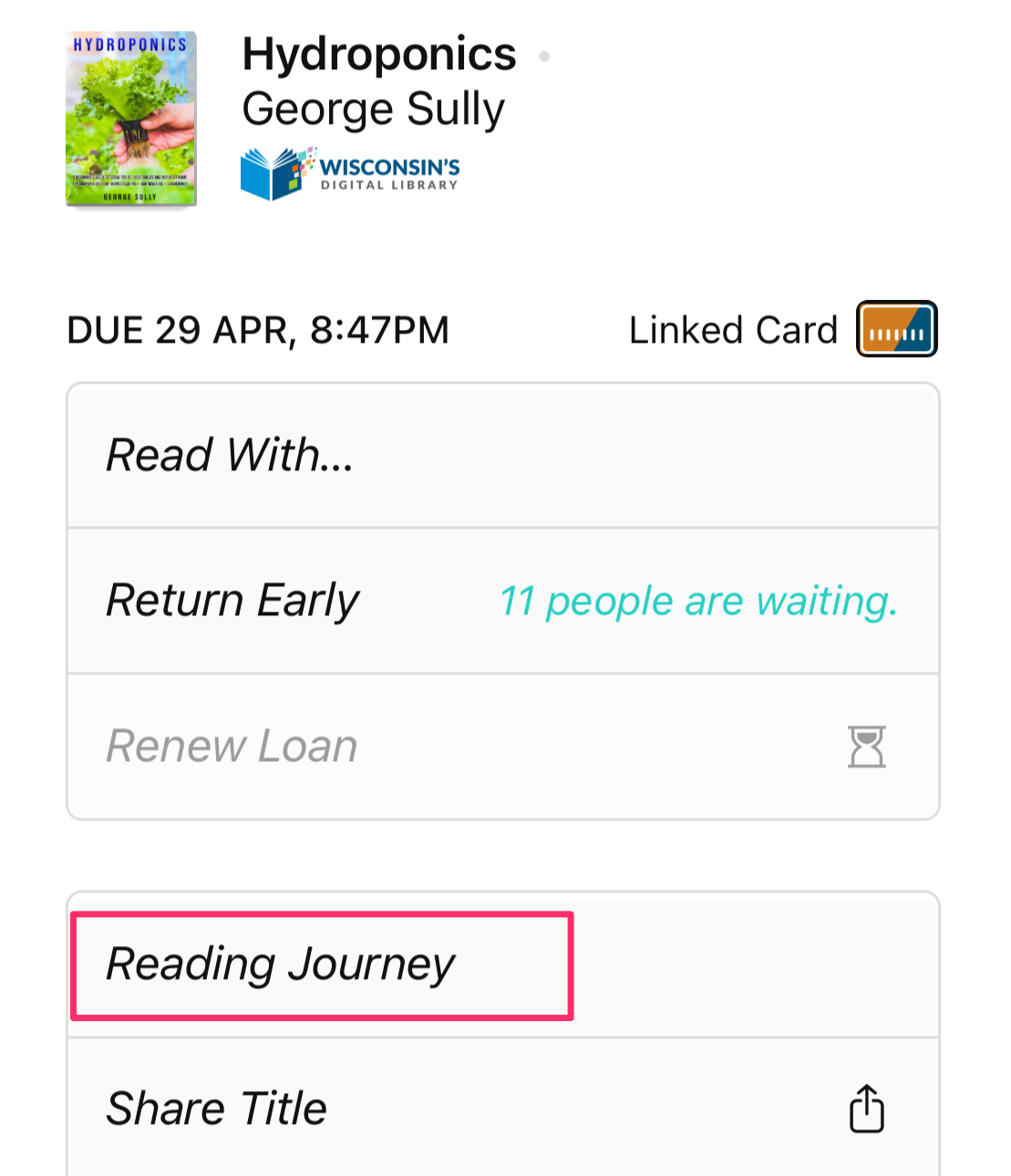
Among the various actions associated with managing a load, Libby users have access to their Reading Journey.
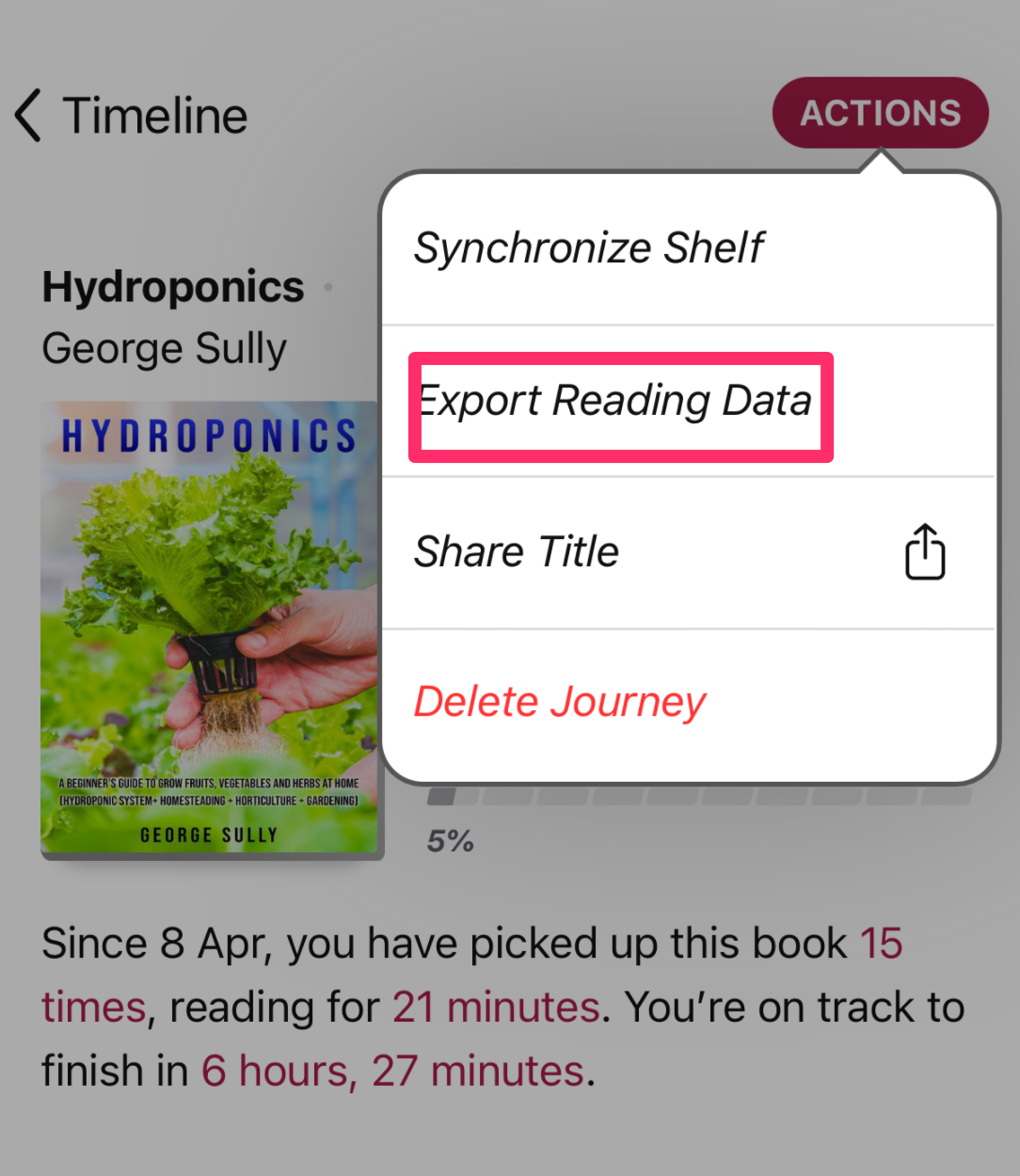
From actions, the goal here is to Export Reading Data.
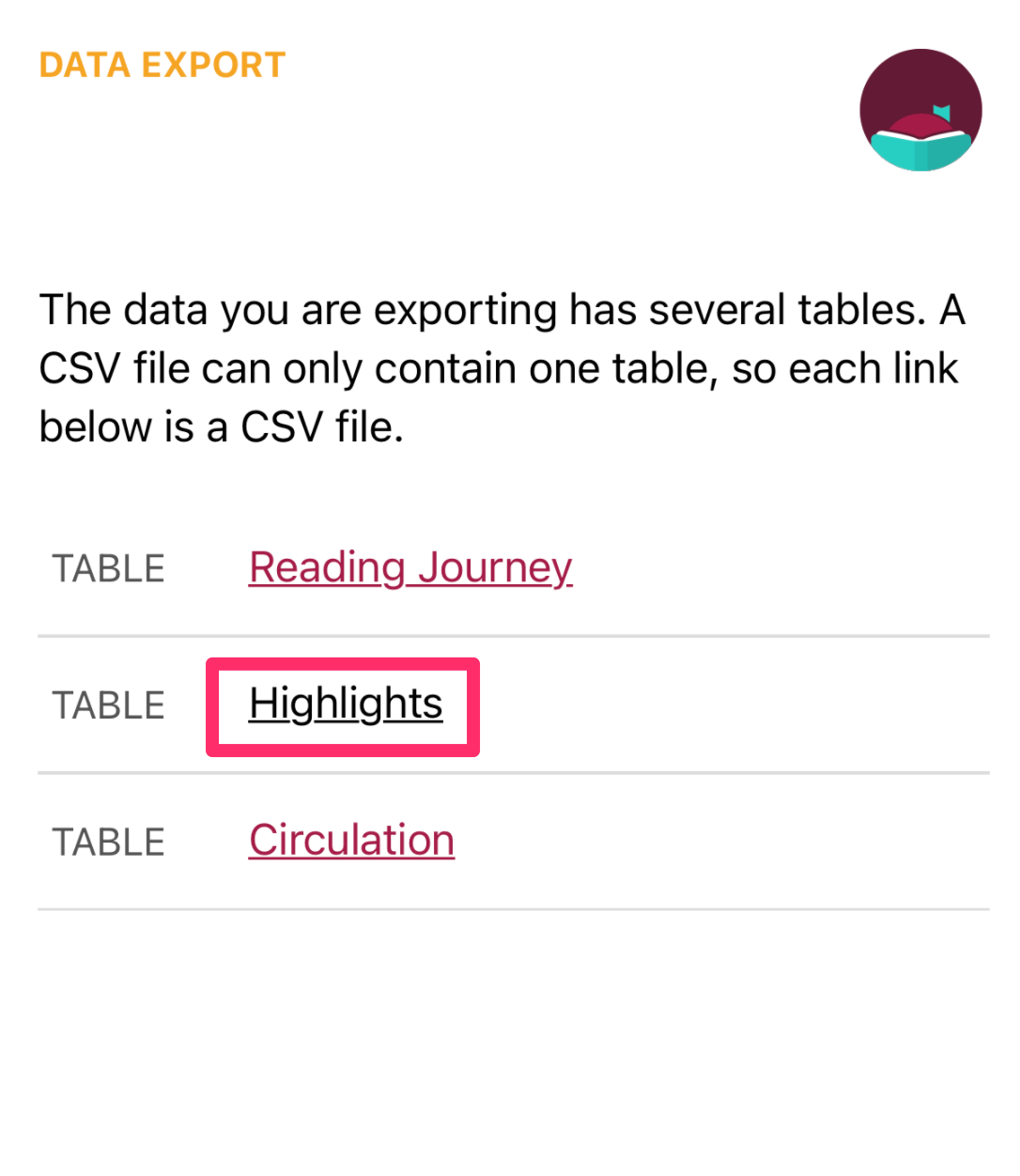
The goal here is to export Highlights.
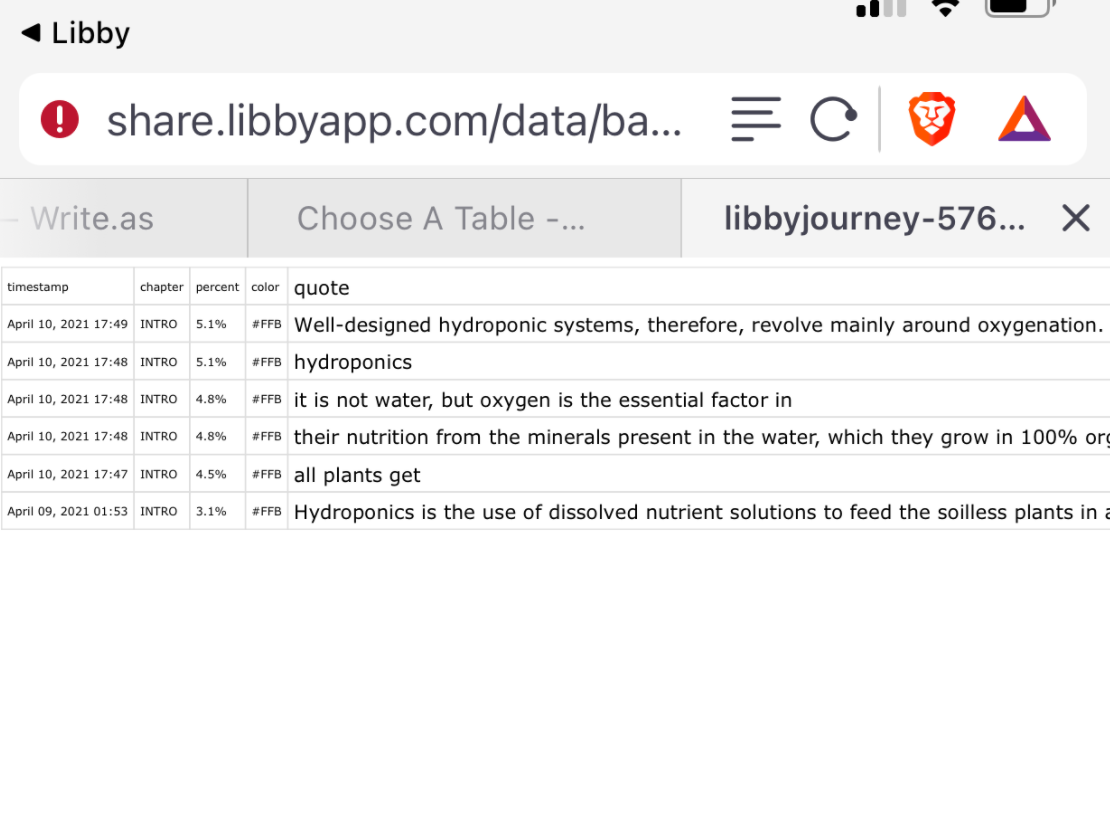
The highlights are stored as a CSV file you want to share to yourself and then open in a spreadsheet.
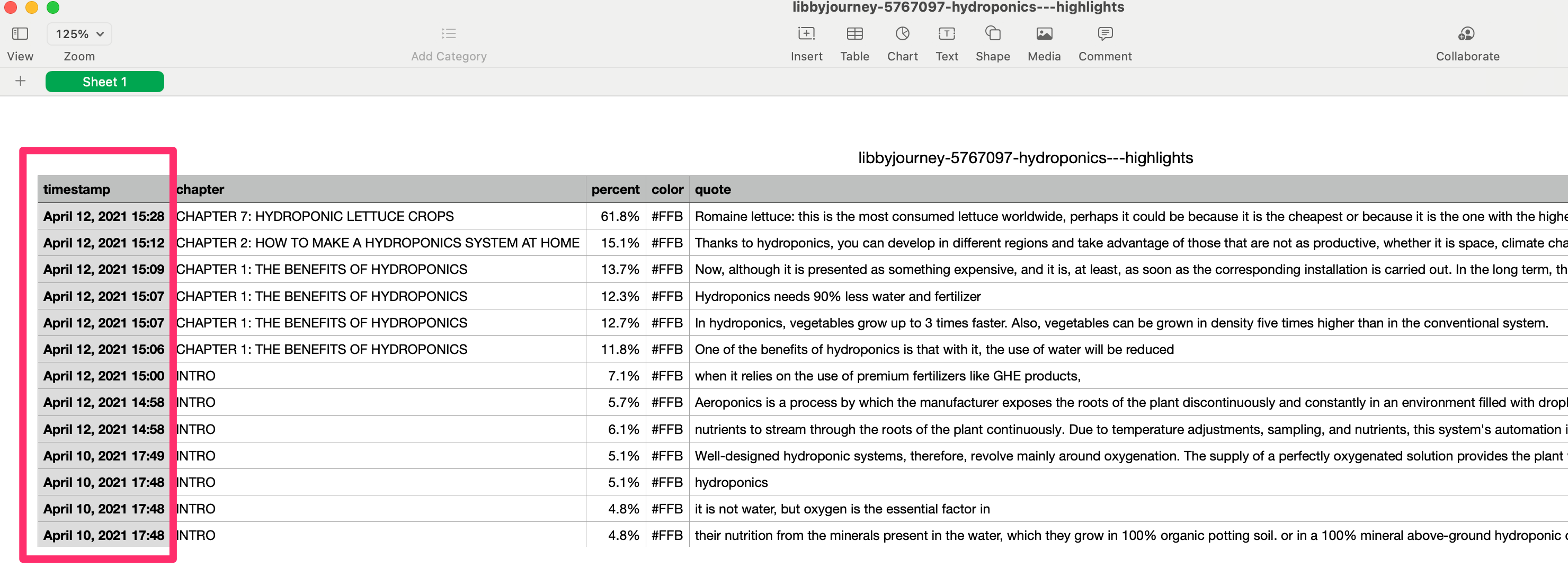
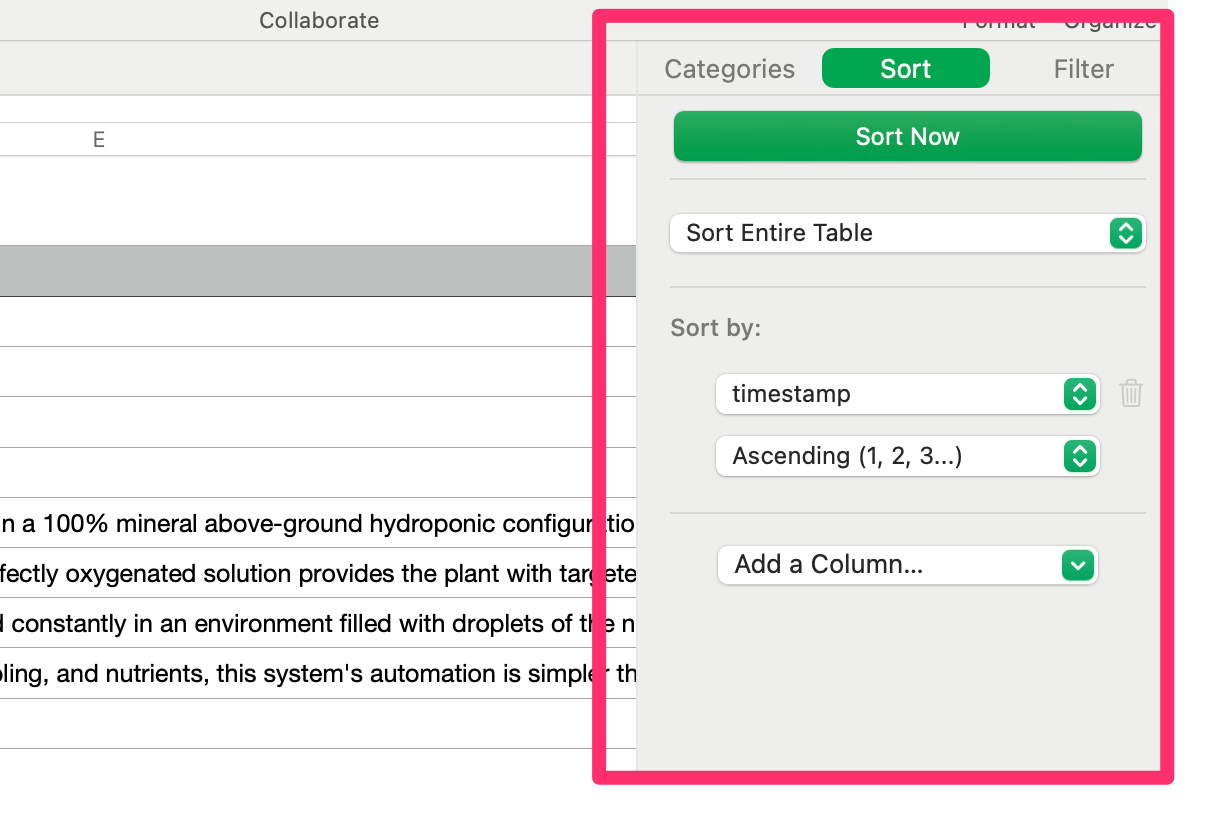
Once in a spreadsheet, you want to sort the entire spreadsheet using the timestamp. The last entry will be the last content highlighted and you will likely want to review highlights from the beginning to the end.
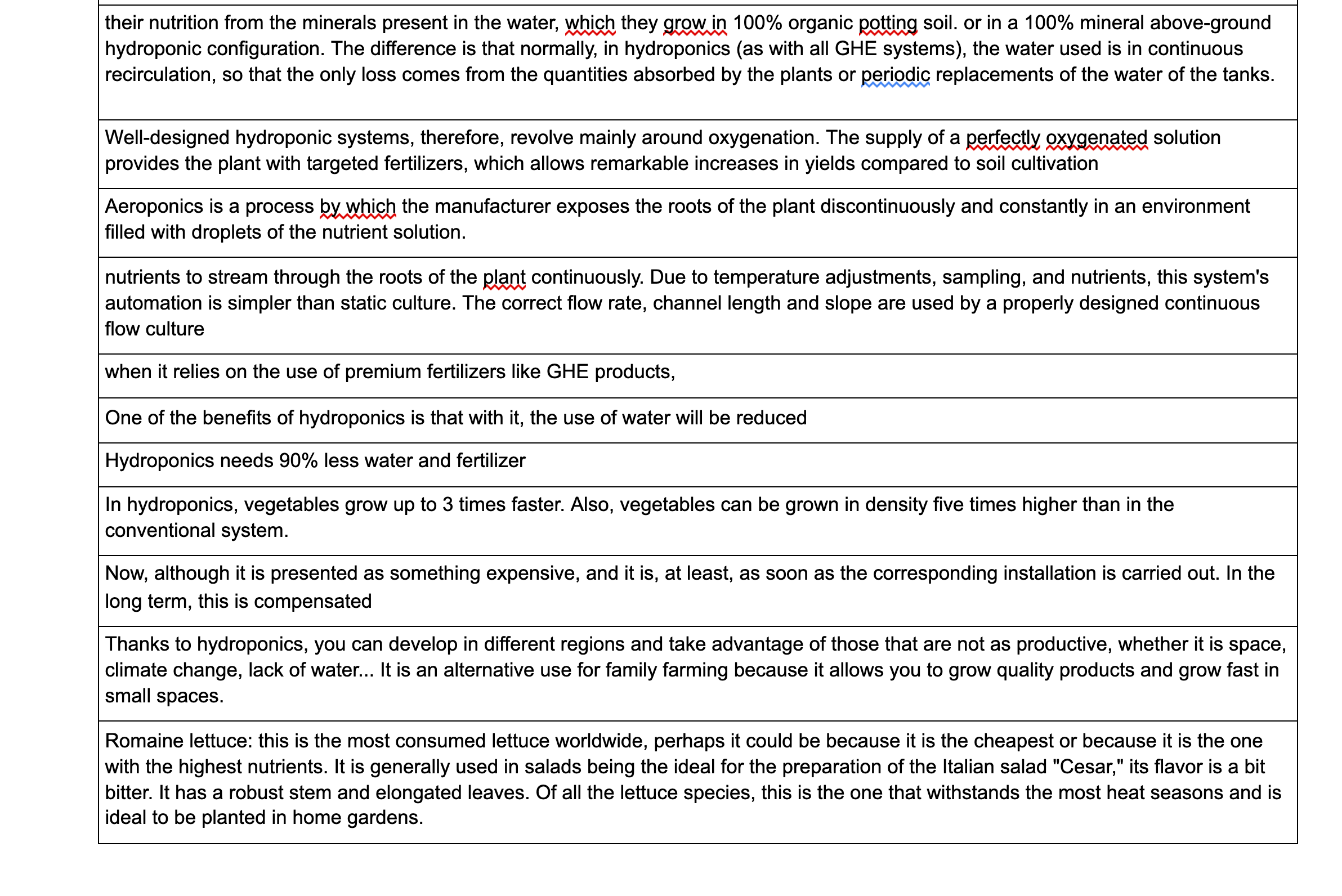
You can keep your highlights in this format, but I like to select the column of highlights and save it as a document. I add the citation for the book to this document for future reference.
Posted inUncategorized|Comments Off on Get your highlights from Libby
We use cookies to ensure that we give you the best experience on our website. If you continue to use this site we will assume that you are happy with it.
You can revoke your consent any time using the Revoke consent button.




You must be logged in to post a comment.