Tech issues for the new administration

The Wall Street Journal had a recent article proposing the 5 tech priorities for the next administration. This was before news of the latest cyber intrusion hit the news and the seriousness of this intrusion into government servers has yet to be fully determined. I happened to discover an interesting thing about news articles from paywalled sources. I can access the WSJ through our Apple+ subscription, but I discovered that by searching for the title of news articles, one can find them from other outlets (try Joe Biden’s 5 Tech Priorities). I have no explanation, but I can verify that I found several word for word sources for the WSJ article.

Anyway, the article listed these issues and speculated what the Biden’s position might be.

Section 230: Section 230 of the Communications Decency act protects services such as Facebook from responsibility for the content posted by users. This is commonly described as the difference between a platform and a publisher. It is a little more complicated as 230 also allows platforms to make good faith decisions in addressing what might be harmful content. Section 230 has become politicized by Republicans claiming that the host companies discriminate against conservative content and there are more general concerns that the application of algorithms that prioritize content implies something similar to publishing. The intent of 230 was to encourage innovation in the online space and it is hard to argue that this has not been the case. Those against protected status also suggest that backing away from the present approach will harm smaller content providers more than the big companies who can afford both lawyers and occasional penalties further limiting innovation. According to the article, the Biden administration is likely to pursue an evaluation of 230.

Net Neutrality: The concept of net neutrality argues that internet service providers (ISPs) cannot differentiate the source of bits requested by consumers. Because so many customers have limited options for Internet access, normal processes of competition do not allow protection for consumers. So, for example, a cable company could prioritize video it was selling and slow video provided from other sources. The Obama administration supported net neutrality. The Trump administration opposed net neutrality. The administration in power controls the 3-2 makeup of the FCC. When the Biden administration appoints the new committee chair, look for a return to the expectation that Internet providers act as common carriers.

AI – the complex and powerful models that control many algorithms have accomplished amazing things, but also have led to concerns of bias. There is international competition of great importance in this sphere, but little effort in this country to consider how or if AI should be regulated. The WSJ offered little in the way of prediction beyond identifying these issues.

China: China is an obvious competitor in developing and deploying technology and obviously has different ways if deploying the capabilities of technology in surveillance. The Trump administration challenged Chinese companies (e.g., Huawei) and products. China also dictates terms to U.S. companies wanting to offer online services in the Chinese market. Our interaction with China complicated by the reality that China manufactures many technology products bought by American consumers at a far lower price that these goods could be purchased through other outlets. The battle between the U.S. and Chinese economies and intentions of global influence will only grow in importance.

The Obama legacy: This is a kind of catch-all category recognizing that the Obama administration seemed friendlier to big tech than the Trump administration. The question raised by the Journal was whether or not Biden will again embrace some of the Obama efforts. For example, will rural broadband be raised in importance? How will big tech companies be treated – as too big and limiting innovation or as important industries to leave alone?

Loading

Posted in Uncategorized | Comments Off on Tech issues for the new administration

iOS Back Tap

iOS offers some techniques if you take the time to learn them. This one was passed on by my wife.

The accessibility features often are ignored if you don’t face difficulties in dealing with your Apple devices. These features can turn out to be quite useful to all of us. I take quite a few screen captures to use in my blog tutorials or just to remember things. I seem to struggle with the simultaneous two button push required to capture the screen. Often, my fingers are slightly out of synch and I change the volume or try to turn off my phone. There is an alternative that works great and is so easy.

The iPhone will recognize taps on its back – two or three taps – and you can assign these inputs to actions. I have no idea how this works because my phone is in a case, but somehow it works. A double tap to capture the screen works great. The setup takes several steps, but is not difficult.

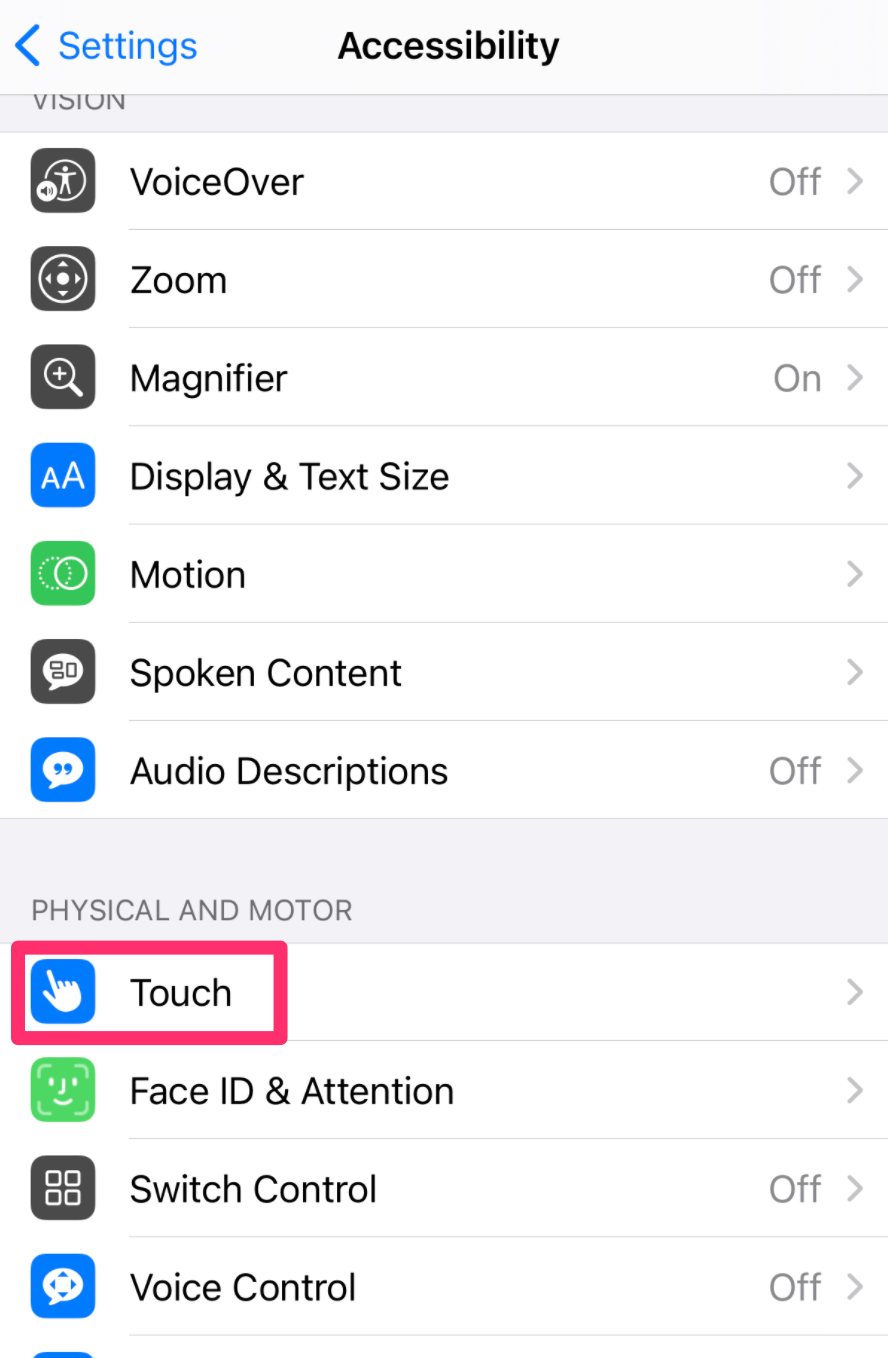
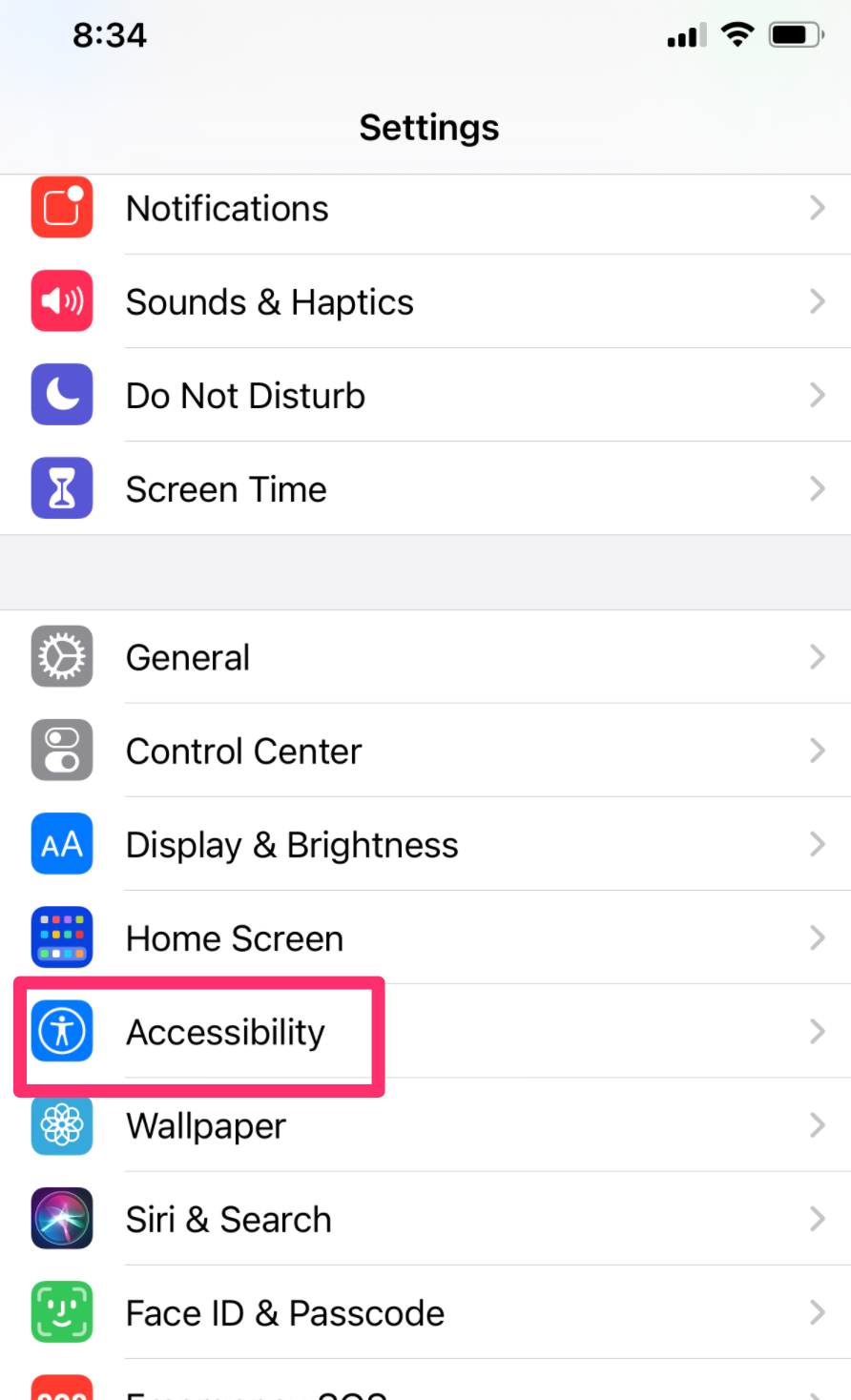
Start with Settings and find accessibility

From the accessibility options select touch.

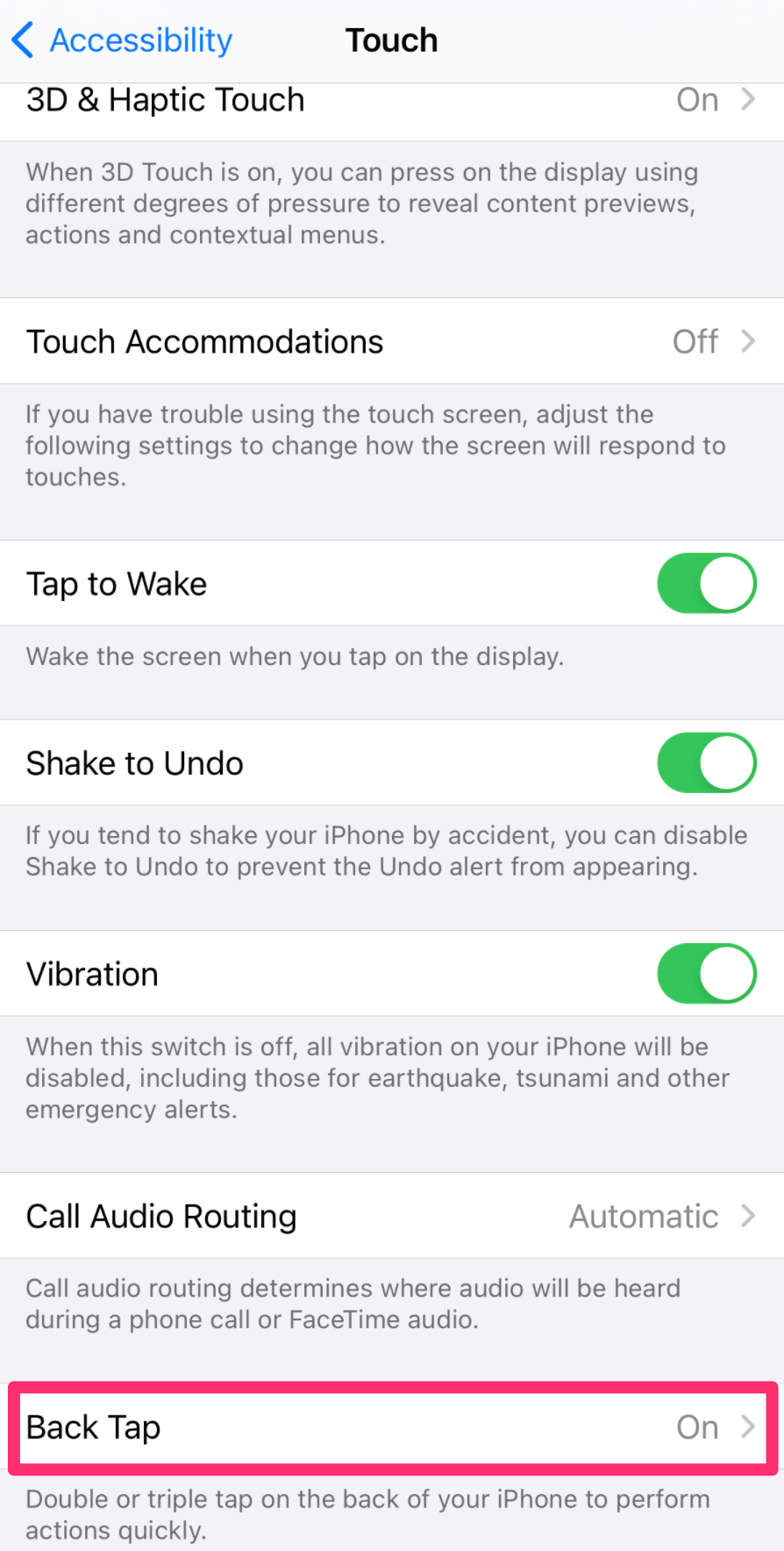
You next want to select back tap and whether you are going to use or three taps.

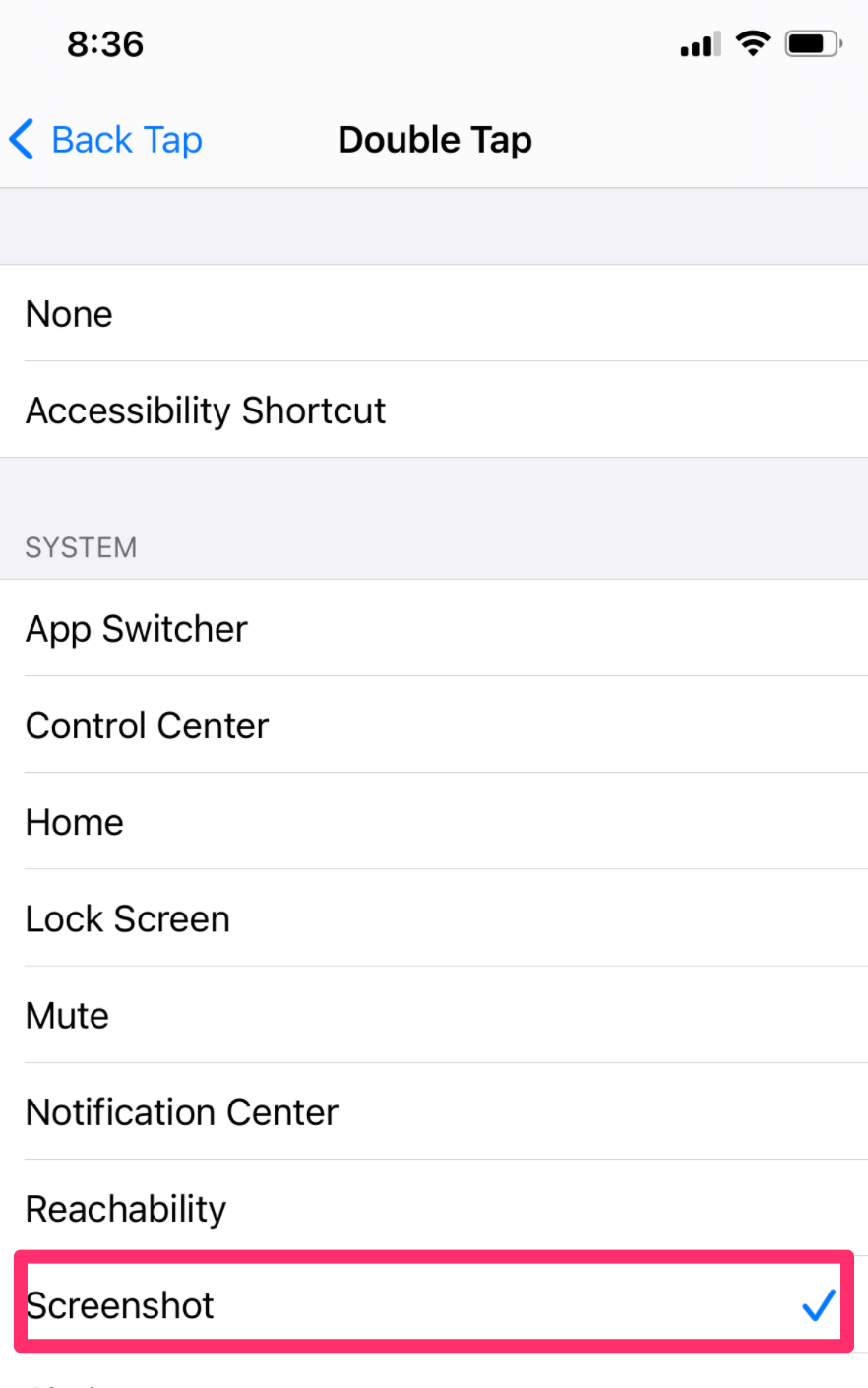
The final step is to select the action you want to be connected with tapping the back of your phone.

There are more options for most of these screens, but I have selected the height of the image that provides the needed information. All images collected with a double tap.

Loading

Posted in Uncategorized | Tagged , | Comments Off on iOS Back Tap

Liker for education?

Perhaps you would like to explore an alternative to Facebook. You have grown tired of the acrimony or perhaps you object to the way Facebook harvests your personal information to target the ads you see.

I have been exploring several alternatives I think may have a chance of gaining traction. Liker is one such alternative and it appears very similar to Facebook allowing new users to feel comfortable (although it will take some time to generate the same social network you may have enjoyed in Facebook).

You can follow/friend others in a manner very similar to facebook. However, if you are looking for a social focus on a specific interest, Like provides two options.

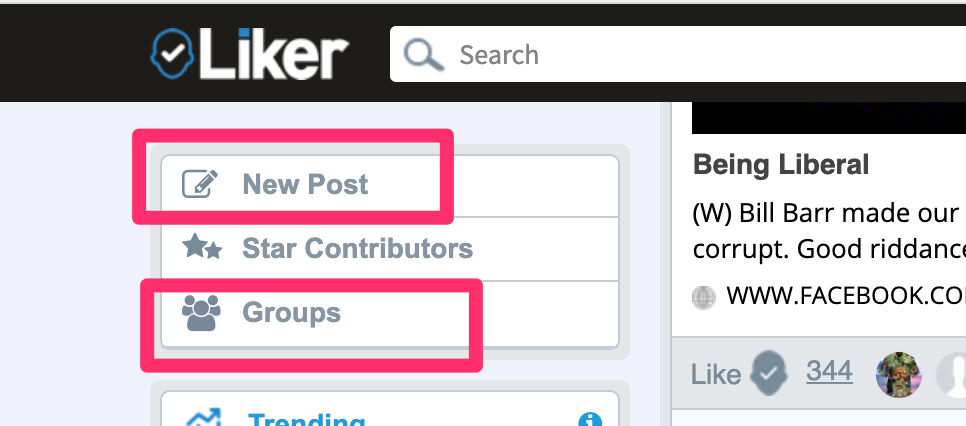
These two options involve assigning a category to your posts. This allows others to follow a category. The second option is to create or join a group. Both options can be reached from the menu appearing in the upper right-hand corner of the Like home page (on a computer screen).

Posts go to those who follow you. This could be friends or those following a category.

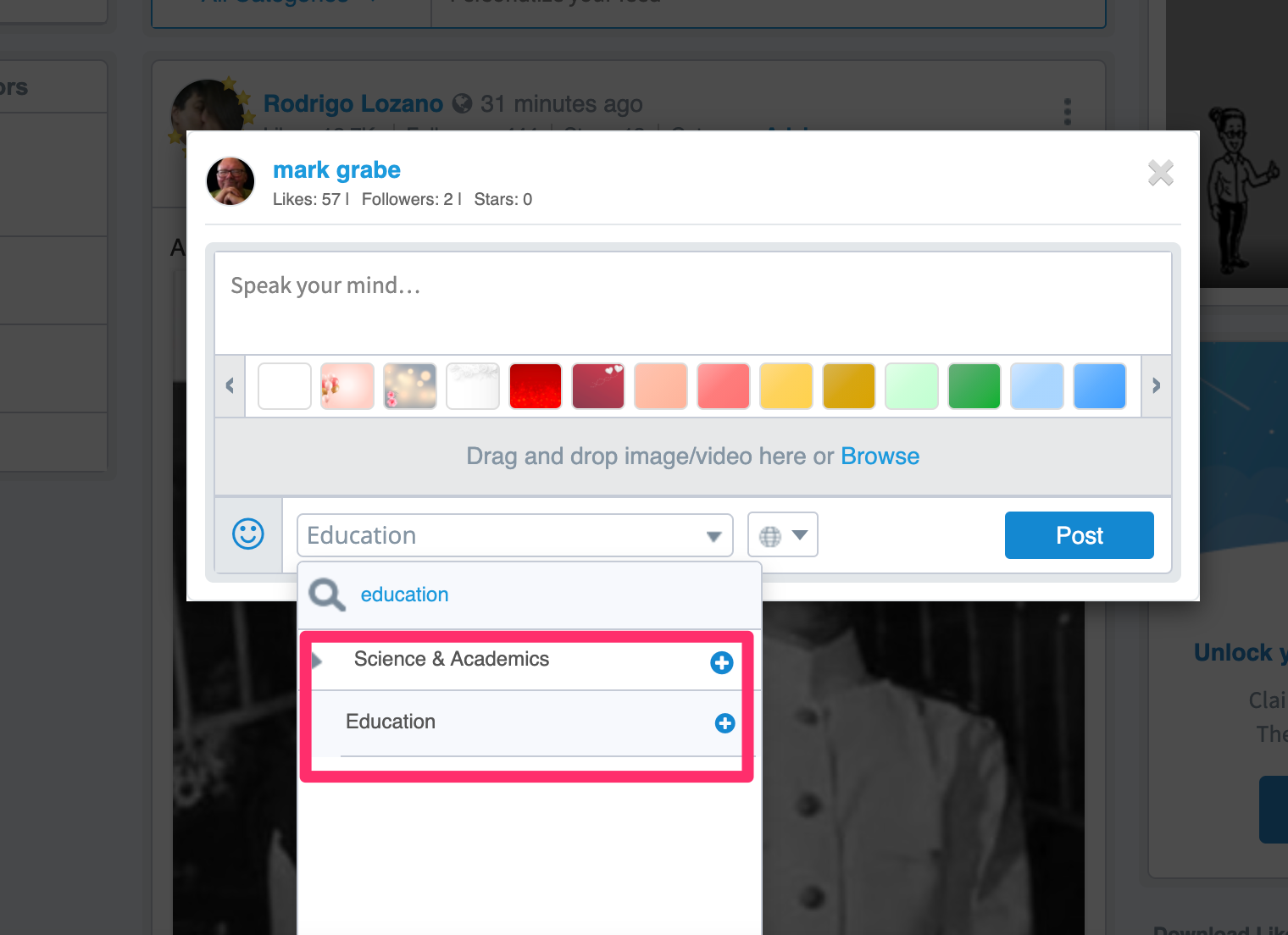
A category designation is assigned by using the drop-down menu appearing below the post window (red box). You can search for a category or scroll through the hierarchical list of categories. Education is contained within the more general category of science and academics. This was not obvious to me. You can also just search of education. Once you assign a category to a post, the categories you have used appear at the top of the scroll list so the categories you use become easy to find.

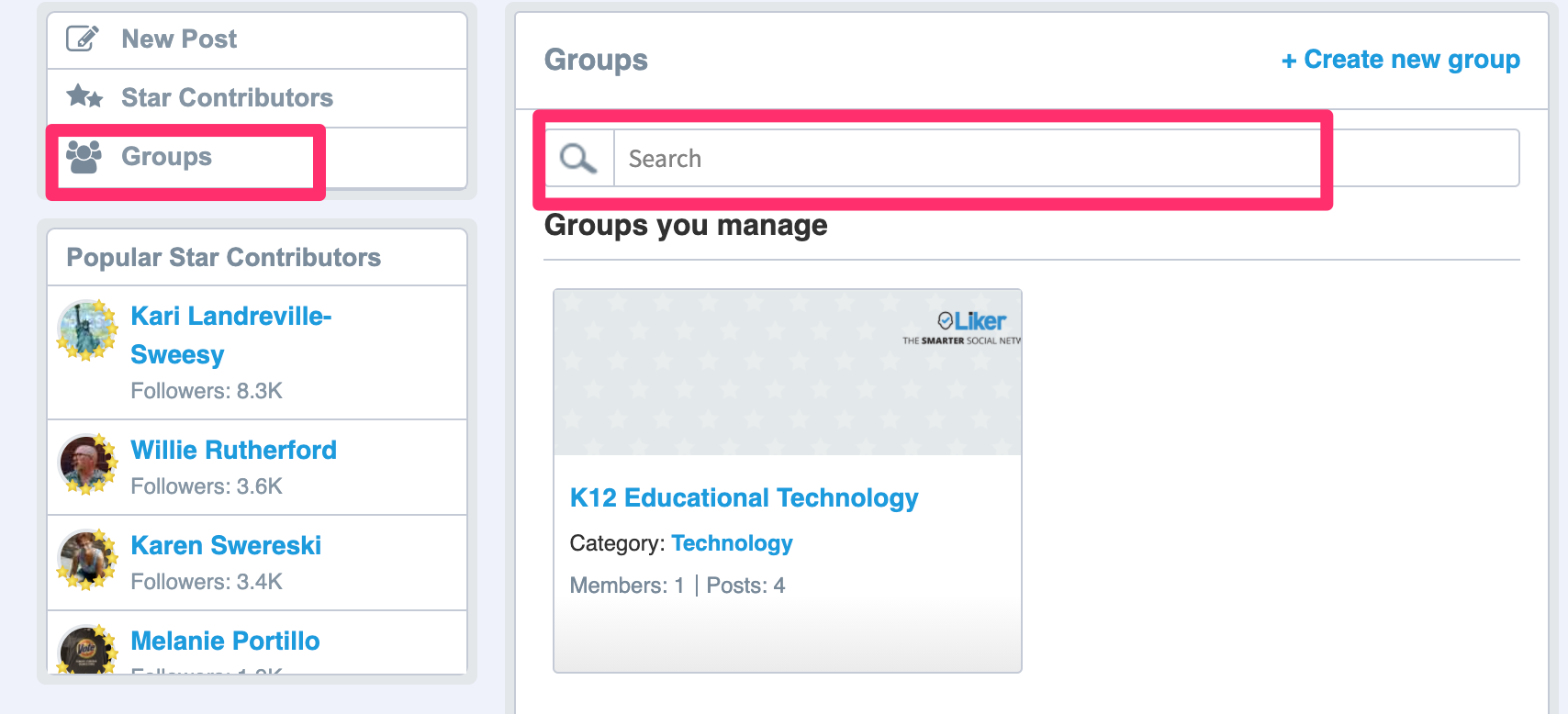
Groups work differently and group posts do not appear in the general feed. Again, access to groups starts in the upper left hand corner. You will then see groups you have already joined, the button to create a new group, and a search window.

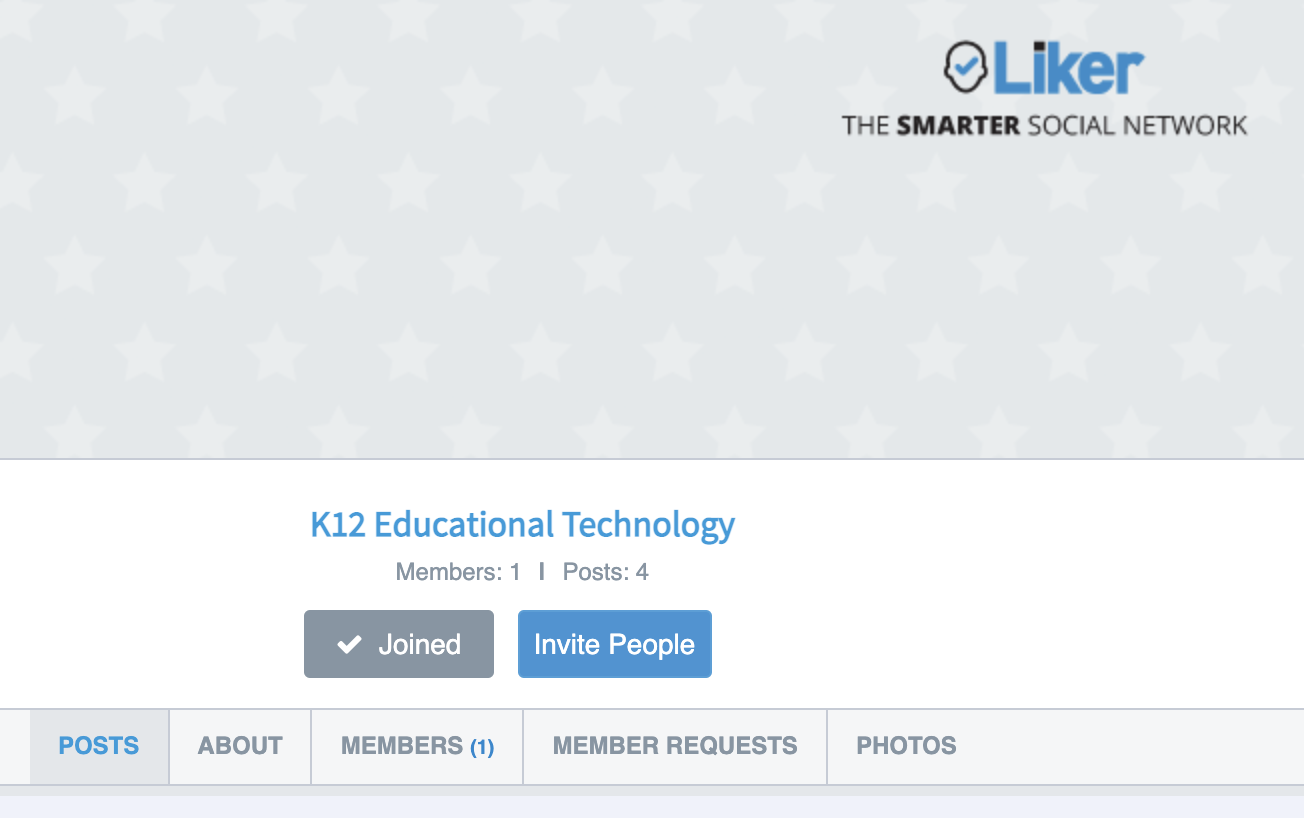
I am trying to start a group focused on K12 Educational Technology. You would find this group by searching education. Starting a group is difficult unless you have an external way to attract users (perhaps a face to face group you want to take online).

If you know people, you can invite them through Liker. I have the edtech group set to require authorization. This is a tough call. It makes joining a little more difficult (I have to respond to a request), but it provides at least one gatekeeper to assure those who join seem to have a relevant interest for belonging.

Loading

Posted in Uncategorized | Comments Off on Liker for education?

Apple challenges Brave iOS compensation to content providers

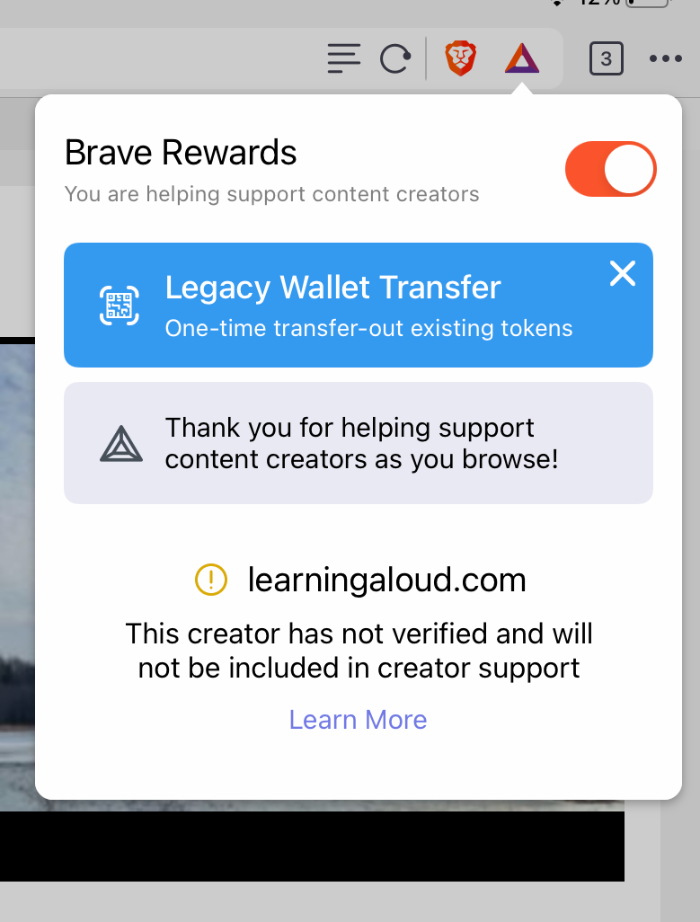
I have been a Brave browser and ecosystem convert for a long time. Brave, which is built with Chrome and allows most Chrome extensions, blocks traditional ads and the collection of personal information that goes along with these ads, but allows user to substitute the viewing of ads provided through Brave without the collection of personal information and encourages the compensation of content creators with part of the money it collects from those who offer the ads. Technically, you can view these ads and collect compensation from Brave yourself, but the amount available is small and I turn around whatever I would be compensated to support content creators.

Apple claims that this approach when used within the iOS violates Apple’s tasks for cash provision and is forcing to remove the method for compensating the user and/or the content creator from apps sold through the app store. For all practical purposes this eliminates iPhones and iPads. You can continue to participate from a desktop or laptop. This seems a significant stretch to me, but I guess Brave takes 30% of this revenue to fund its own personnel and infrastructure costs. The Apple policy would also seem to run contrary to Apple’s promotion of personal privacy and I have long thought the Brave approach was a great compromise – personal privacy and a reward to support content creators. I wonder if Apple would allow the present iOS app if Brave sold it for $4 instead of giving it away

Loading

Posted in Uncategorized | Comments Off on Apple challenges Brave iOS compensation to content providers

A pioneer

Time to invest a little effort to understand and appreciate the pioneers. Doug Engelbart is someone I followed from my earliest tech days and he is even a bigger personal hero of my wife who spent time with him at an Apple Distinguished Educator training back in the day (she was in the 3rd class of ADEs).

Engelbart did the mouse and conceptualized windows. My interest was in his concept of augmented text. Some of these ideas have influenced my thinking regarding text annotation as a way to advance reading.

The Engelbart demo remembered (50+ years later)

Loading

Posted in Uncategorized | Comments Off on A pioneer

123apps Chrome tools

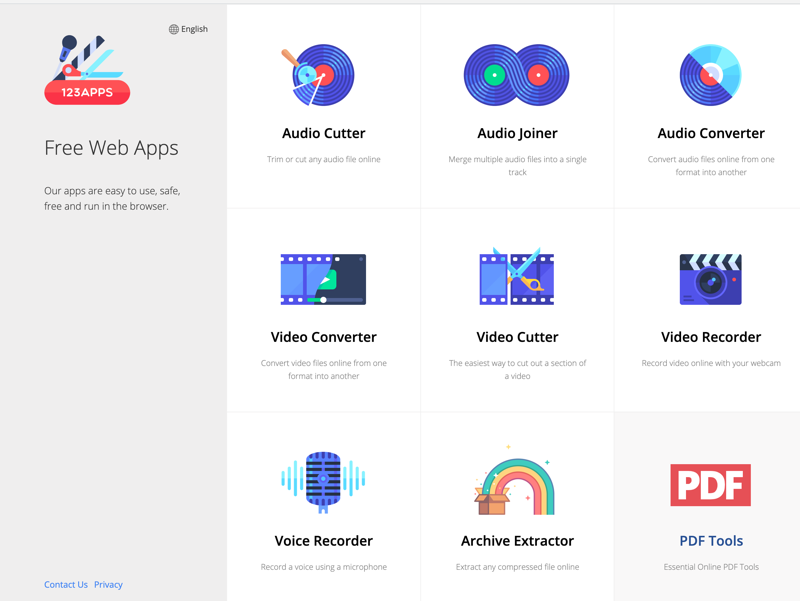
123apps is a great collection for tools for the Chrome browser especially for those relying on Chromebooks. The apps run in the browser from the web site and are ad supported. The ads appear when a given tool is active, but not in the content created.

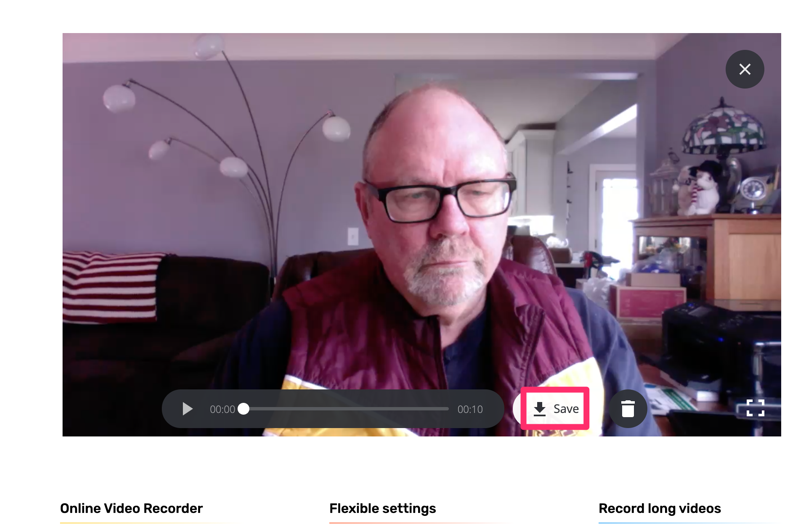
As an example, the following image shows the activated video recorder. Note the red box indicating how you would download a completed video.

The downloaded file will be in mp4 format which could cause some confusion. You can open an mp4 file in your browser, but you may want to use the video converter tool to convert the file into a format (e.g., .mov file) you can open in other applications.

Educators relying on chromebooks should take a look at this service.

Loading

Posted in Uncategorized | Tagged | Comments Off on 123apps Chrome tools