How I work.

I have read descriptions of how others more work with technology and after a recent post on my preference for a service I use frequently, I thought I would describe my workflow. If there is value in posts of this type I would think it would be in the identification of the services used and the reasons these services were selected. This gives others something to consider.

So, I am a retired academic, but I still do a lot of writing. What I write ends up on social media, in blog posts, or as textbooks or related materials for preservice or practicing educators. I maintain a traditional academic approach of providing a context for my comments by connecting to other sources that I am either reacting to or explaining. So, sometime in my workflow I read other content, abstract key ideas, organize these ideas with my own insights or experiences, and then generate a summary. This process may take minutes or months. The longer delays between reading and writing reflect either the storage of ideas for future writing projects or the size of a writing project which simply requires a great deal of planning, organization, and production (e.g., a book).

A number of personal preferences influence the tools/services I use and the capabilities I want. These are not preferences that were thought through and then implemented, but desires that emerged over many years. The following are some things I recognize about how I like to work:

  • I prefer to read on a tablet (iPad) and write using a keyboard with a large monitor.
  • I frequently work from different locations and use multiple devices (phone, tablet, computer). I use mostly Apple hardware, but not always.
  • My reading is done with the intent of using ideas or facts identified now in the future making highlighting and annotation valuable. Ways to search this differentiated content and move it efficiently to a centralized location for storage, integration, and rephrasing are useful. 
  • Accurate citation and maintenance of sources are important.

Raw content inputs to public presentation:

Books 

  • Kindle to highlight and annotate
  • Diigo to download Kindle annotations and use outline function to select and organize ideas
  • Google Docs to integrate and generate content then sent to public outlet (e.g., WordPress, Concrete5, Kindle book)

Scientific articles 

  • Download as pdfs and formal citations from university library into BookEnds for highlighting, annotation, tagging and grouping for long term storage
  • Notes taken from reviewing highlights and annotations entered into Google docs 
  • Google docs used to generate products for public outlet

Other pdfs 

  • Mendeley to store and highlight or Skim to highlight if not interested in long-term storage of pdf
  • Google docs to collect ideas from longer document or documents
  • Google docs to integrate for eventual public outlet

Web content 

  • Diigo for storage, highlighting, annotation, and tagging or Evernote for highlighting and storage for immediate use; 
  • Google docs for collection of ideas from source or sources; 
  • Google docs for integration for eventual public outlet

Bookends – https://www.sonnysoftware.com/

Diigo – https://www.diigo.com/

Evernote – https://evernote.com/

Mendeley – https://www.elsevier.com/en-in/solutions/mendeley

Skim – https://skim-app.sourceforge.io/

Bookends

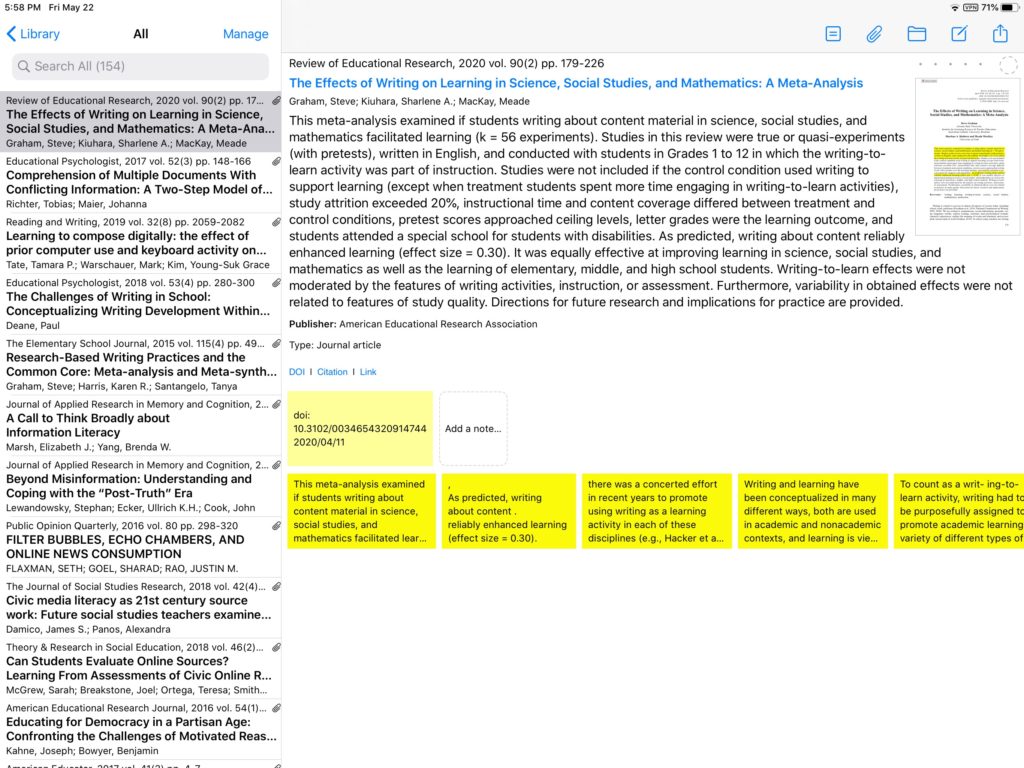
Bookends works on an iPad and a Mac. I use it because it allows me to store journal articles as pdfs, highlight these pdfs on the iPad, and store the formal citations for the articles.
Diigo

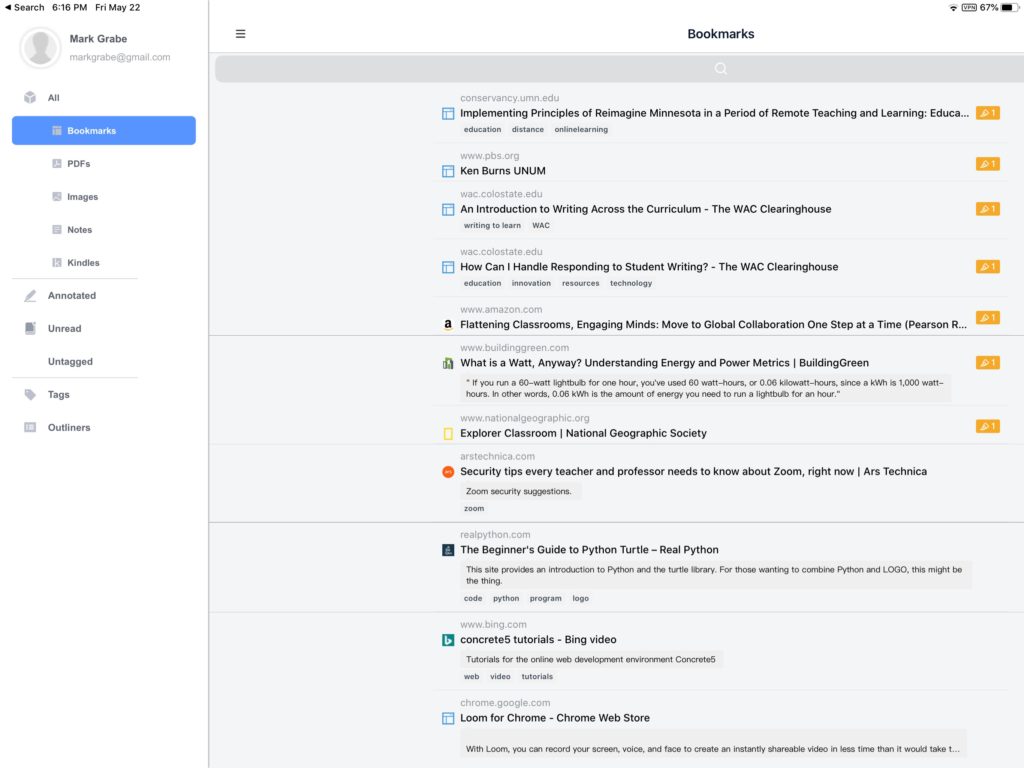
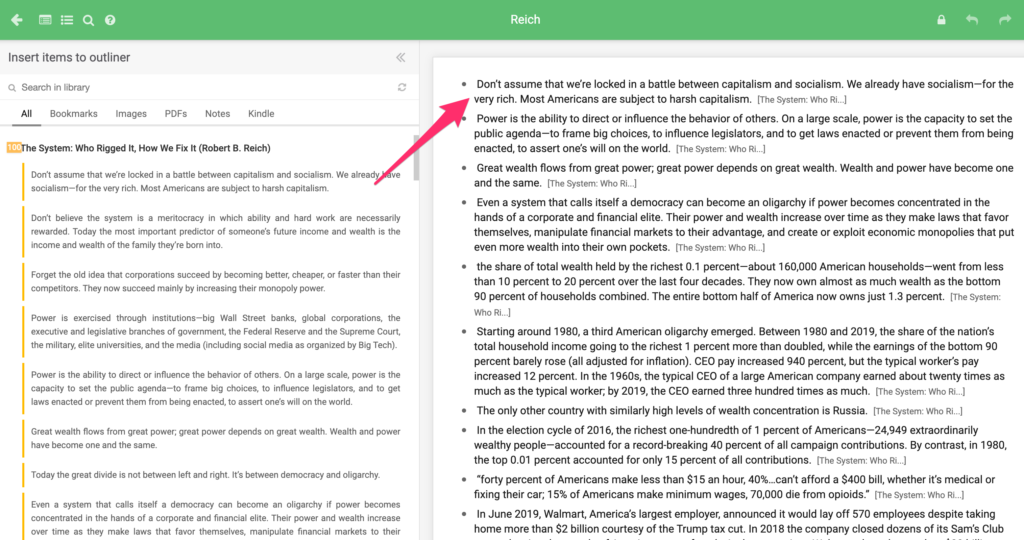
Diigo is a social bookmarking tool with some useful additional feature. It bookmarks web pages and stores the highlights from these web pages (first image). It also connects with Kindle to download the highlights and annotations from Kindle books (second image). Diigo has a built-in outliner allowing the selection of content from stored highlights to be integrated into an outline. Each highlight transferred to the outline contains the identity of the original source.
Mendeley

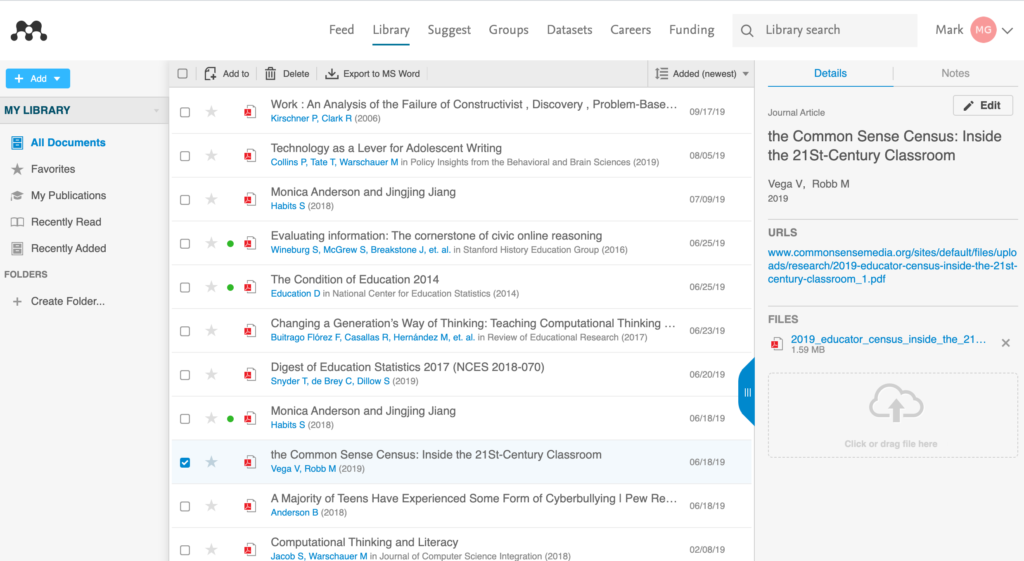
Mendeley is a service for storing and annotating pdfs. I use Mendeley for saving and organizing pdfs that are not journal articles.
Skim

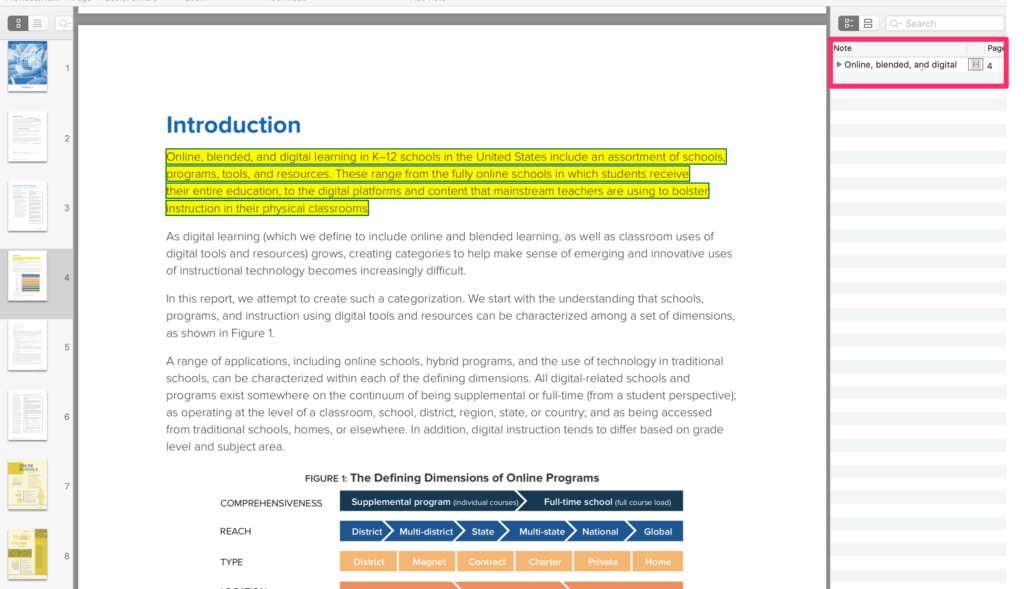
Skim is an open-source I use when I want to highlight and annotate a single pdf for immediate use. Skim shows the highlights in a column allowing an efficient way to review the highlighted comments in context.
Loading

Posted in Uncategorized | Comments Off on How I work.

Watch the birdie

We are all looking for things to do around the house and yard to pass the time until we have greater freedom to move about. I am spending more time gardening. I have also been watching and trying to photograph birds. When I am up north, I see many different birds. Some are not our friends and a couple of the woodpeckers have made large holes our our home for a nest.

My urban home offers fewer nature options unless you count the turkeys that kind of wander about. I have tried feeding birds here until this Spring and we do have a pair of cardinals which is a species we do not see up north.

Four or five years ago Cindy bought me a bird cam she found on sale. I have not really used it, but I thought I would try it to see if I could get some photos of the cardinals. At first, the presence of the camera seemed to scare everything off, but I did see one of the cardinals and so I hooked the camera up to my computer to see what I could find. This is interesting. I am going to have to learn to set the time and date on the camera.

Loading

Posted in Uncategorized | Comments Off on Watch the birdie

New Notion Opportunity

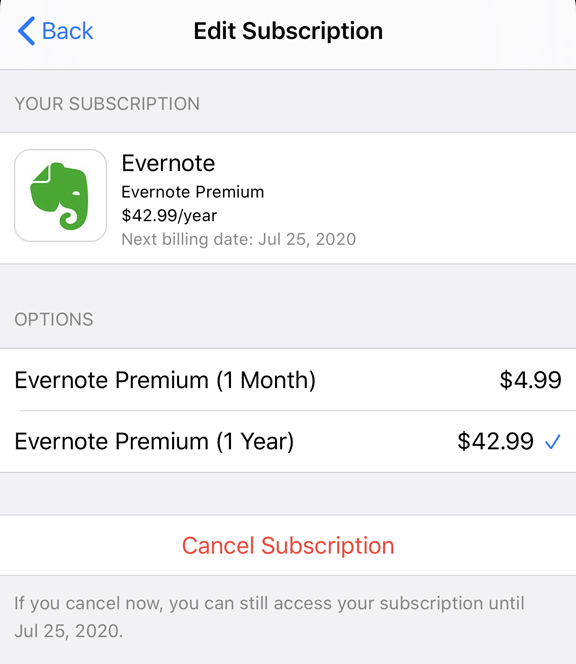
There are many options in the note-taking app space. Note-taking is the label that is used, but the term probably encourages the wrong interpretation. These apps will accept text input provided by a user, but this not the reason I use one. What I want to do is collect resources from web pages, store these resources for later use, read these stored resources including highlighting and annotating, and eventually review these marked up resources in the process of writing something (such as a blog post). I have tried pretty much all of the options and pay for a Premium version of Evernote. The official cost for Evernote Premium is significantly higher than I pay and I am not sure why. I may have an education rate.

So, I get a break for the Premium version and Evernote is great and powerful, but this is still quite a bit of money for the way I use it. This is my frustration, I need more than free, but I use very few of the opportunities Premium makes available.

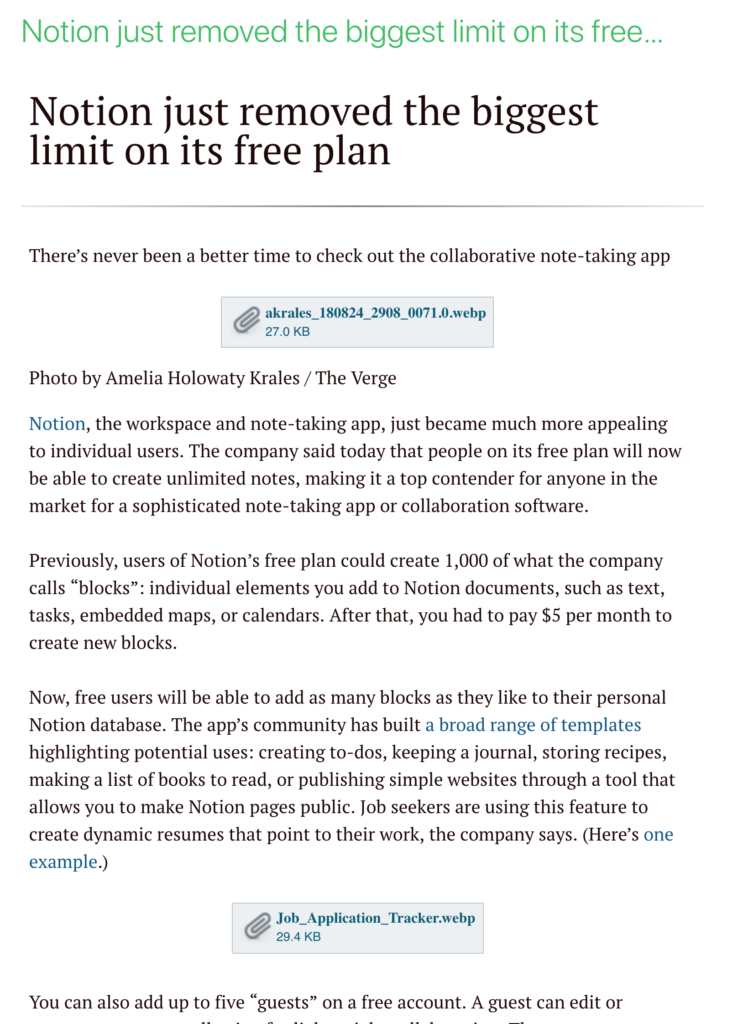
Recently, Notion, another option from this category, announced that it was removing the capacity limits on its free version. This certainly caught my attention. I reviewed Notion a year or so ago when it had the capacity limit for free version (there is also an educator version). I am sticking with Evernote as I will explain shortly, but others should certainly take a careful look at Notion. Like Evernote it has far more capabilities than I use. It offers templates for various uses some of which include sharing such as a type of blog.

My decision not to switch (my Evernote subscription bill comes due soon) is not related to Notion per se, but to what is called a web clipper. This is an extension for browsers that allows the collection of content from a web source for storage in the note-taking tool. Evernote has a great clipper allowing multiple collection capabilities. The extension for Notion is less consistent. It seems to work for some web pages, but not others. What I need is the collection of text so that I can highlight, annotate, etc. in the note-taking application and I don’t want to work on a topic for an extended period of time and then find it has saved some of the resources I have located and not others.

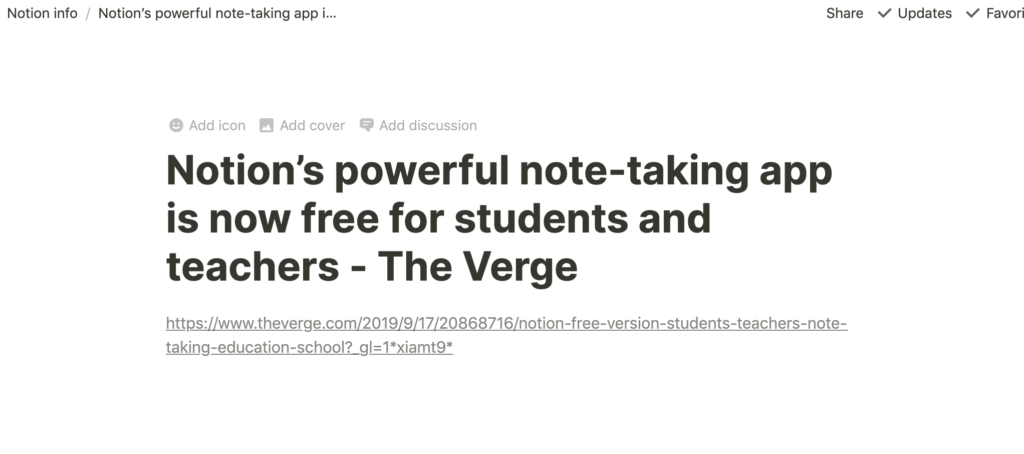
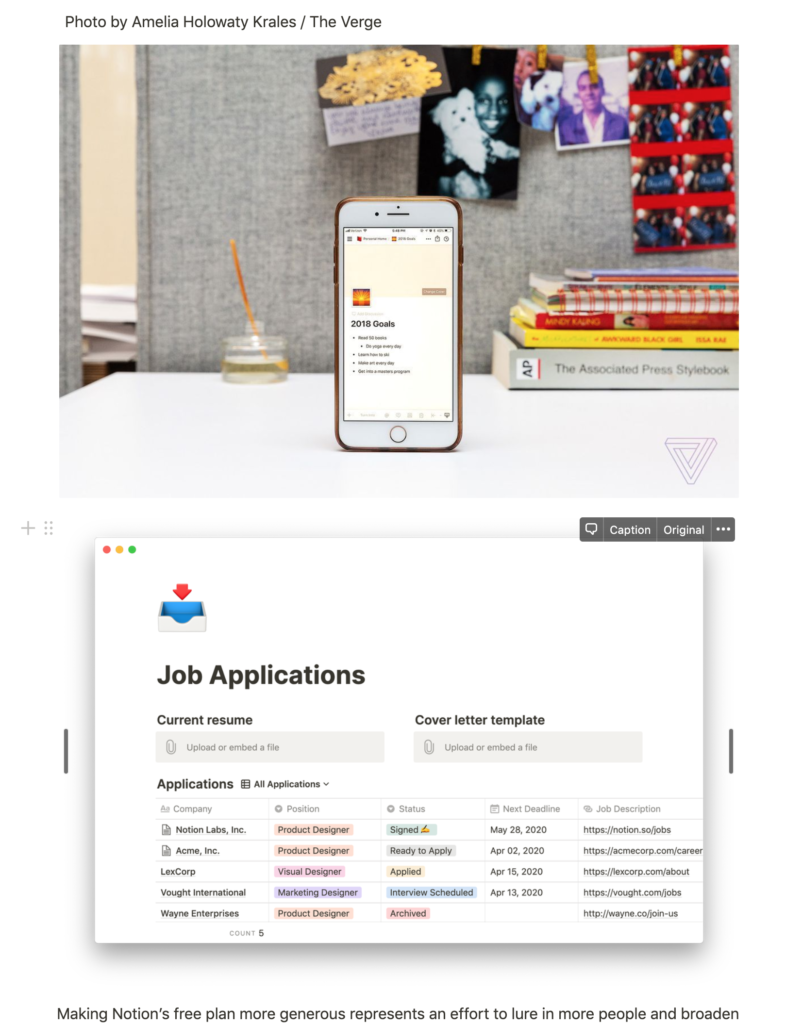
Here is the Evernote content stored from the article from The Verge I reference above.

I tried the Notion Clipper several times with this same article. In one case, it stored the URL and in a second the URL and images. With other web pages it does bring in the text so it is this inconsistency that troubles me.

So, this may or may not be a deal breaker for someone looking for a note-taking service. It depends on your circumstances.

Loading

Posted in Uncategorized | Comments Off on New Notion Opportunity

New Google Photo Sharing Options

Google has added options for sharing photos and photo albums stored in Google Photos. When sharing an album you can now share directly without creating a link. The default will be to enter Google addresses for those you want to share content with. You can still create and share a link to the photos.

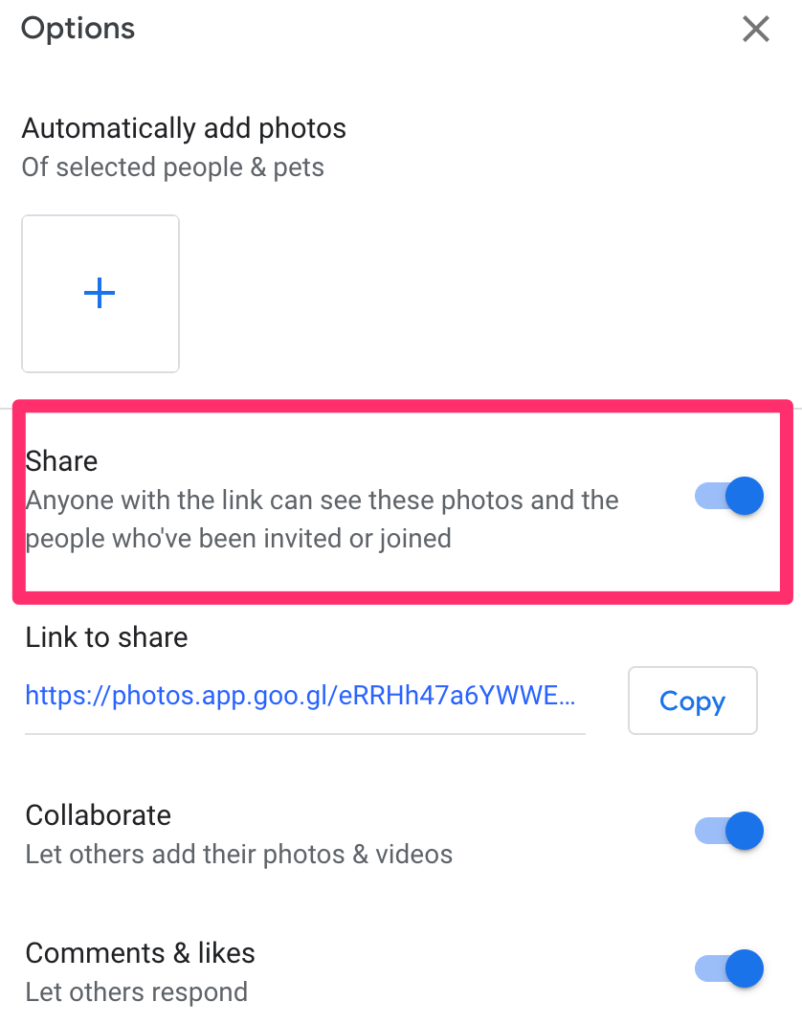
When exploring this option, I learned a bit more about the link-based approach. These new insights involved options for discontinuing a sharing link and setting other permissions on link-based options.

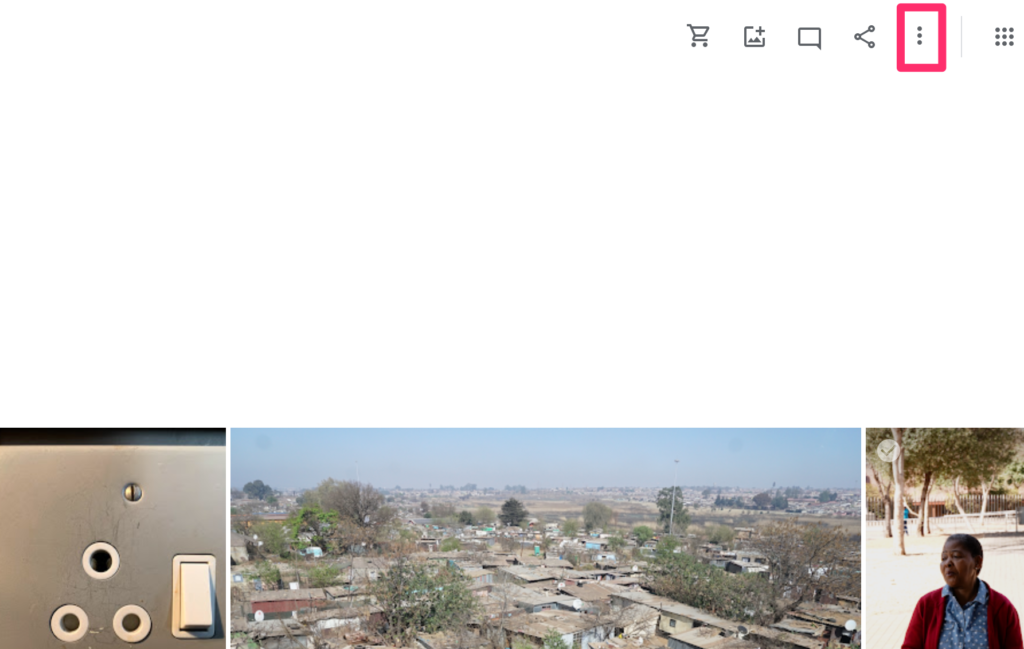
It is a three step process to get to the options. Open an album and use the three dot icon to get to options.

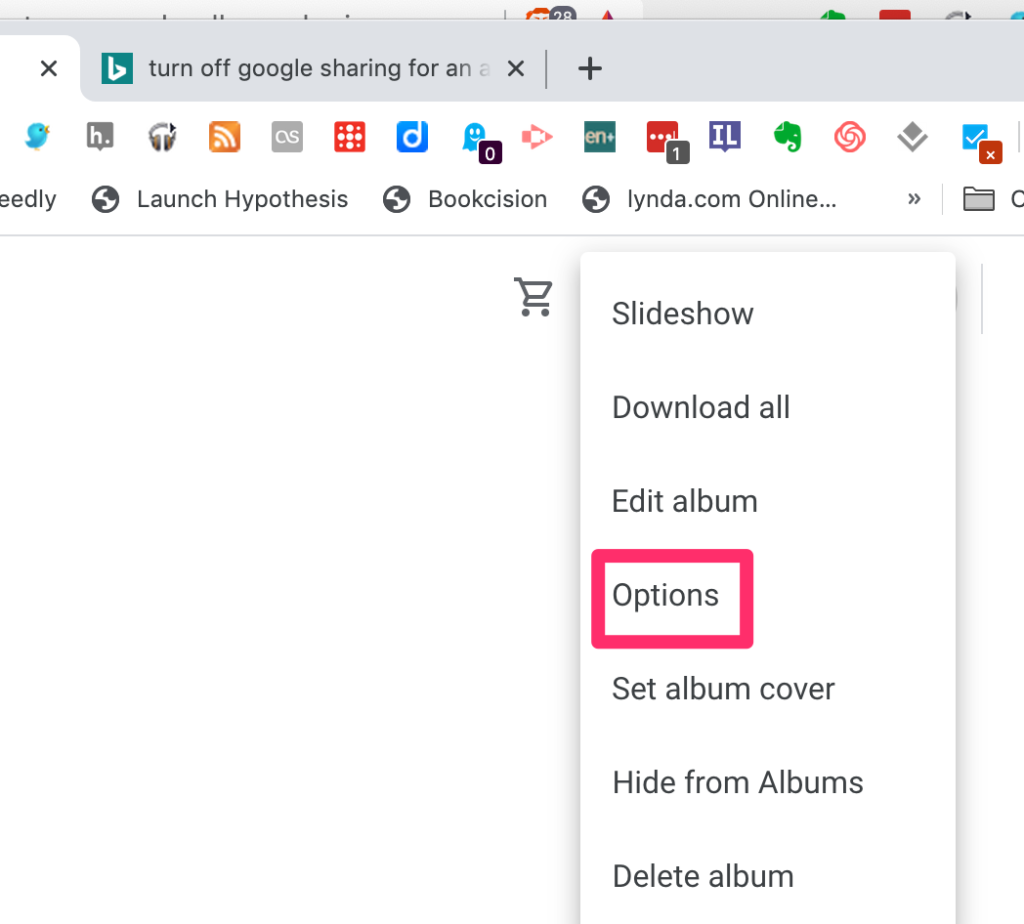
Use Options from the dropdown menu.

Set permissions as desired.

Loading

Posted in Uncategorized | Tagged , | Comments Off on New Google Photo Sharing Options

Evaluating the flipped classroom

The theory of the flipped classroom makes sense. If you only have a fixed amount of time in a face to face classroom, this time would seem to be more effectively spent answering questions and helping individuals with specific issues than presenting. To provide the necessary information, those teaching using this tactic prepare a video for access before class. This tactic may have special benefit when teaching online because separating the presentation and interaction components of teaching allow learners flexibility. The presentation component can be reviewed when the students find most convenient and the interaction component can be either “as needed” at specified times and might be scheduled with smaller groups of students. Because there is more face to face time for questions in courses using the flipped model it is often predicted that students with greater needs will be most advantaged by this approach.

It is important to test the theoretical advantages of any educational tactic. The flipped classroom has received attention from researchers, but it is difficult to conduct applied research (students enrolled in actual courses) with proper controls. A study conducted at the U.S. military academy at West Point provides data from a study conducted according to relatively strong research standards. All studies leave interpretive questions unresolved and I will offer a couple of my concerns at the conclusion of this description.

The study is intended for publication in the journal Education Finance and Policy, but is available online as a preprint. The citation is included at the end of this post. 

The study involved college students taking courses in Introductory Calculus and the Principles of Economics. These courses were selected in part because both involve problem-solving skills and not only the acquisition of information. The study involved the random assignment of sections to either the experimental or control conditions and involved three class periods (one unit in each course). Students at West Point are involved in classes of small size (<20) so there were many sections involved. Instructors taught courses both in the experimental and control conditions. The video components were approximately 20 minutes long and students in the control condition had the opportunity to view the videos as a review after their face to face class although very few did. Students in both the control and experimental classes worked the same problem sets.

Students completed a quiz at the end of the unit and were also compared on questions covering the key unit that were included on the comprehensive final. Immediate benefits for the flipped approach was found in the math course, but not the economics course. No difference were found on the final.

One of the more troubling findings with the positive math data was the determination of who benefited. The advantage appeared due to the performance of white males with higher ACT scores. This outcome contradicts the assumed benefit to those who might benefit from greater face to face attention. Math students watched some of 80% of the available videos and 73% of the econ students watched some of the video. The percent of video that was viewed correlated with quiz score .52. I may have missed in my reading of the article, but I did find that the viewing behavior varied with the characteristics (e.g., assumed aptitude/knowledge) was reported. A result I have found in my own research into who took advantage of the use of an online student environment I created and evaluated was that students with more positive capabilities/knowledge were more likely to use the study tool. Frustrating to those of us attempting to create voluntary opportunities that can compensate for individual differences.

Some personal observations related to issues:

  1. A three lesson study (3 – 20 minute videos) is still a limited exposure to a treatment. It is hard to know if prolonged use as would be the case in a course based on the flipped model would increase or decrease use of the videos.
  2. Students were not totally dependent on the videos as there was assigned reading material.
  3. The use of the videos by student characteristic is an interesting issue and worth investigating in future studies.
  4. These are advanced students with I would assume above average backgrounds because of the nature of admission to the academy. This would seem to limit how generalizable the results are.

Stern, E., Greenberg, K., Moore, O. & Yankovich, M. (in press). Effects of flipped classroom instruction: Evidence from a randomized trial. Education finance and policy.

Loading

Posted in Uncategorized | Comments Off on Evaluating the flipped classroom

Educators speak

The pandemic has caused all of us to evaluate our daily routines and balance safety with work issues. There seems great pressure to open schools as many with other forms of work depend on teachers to care for and educate their kids. Exactly how this can be done within existing resources to both meet quality education expectations should a different approach be required for some time and to do so meeting requirements for the health of children and teachers has yet to become clear.

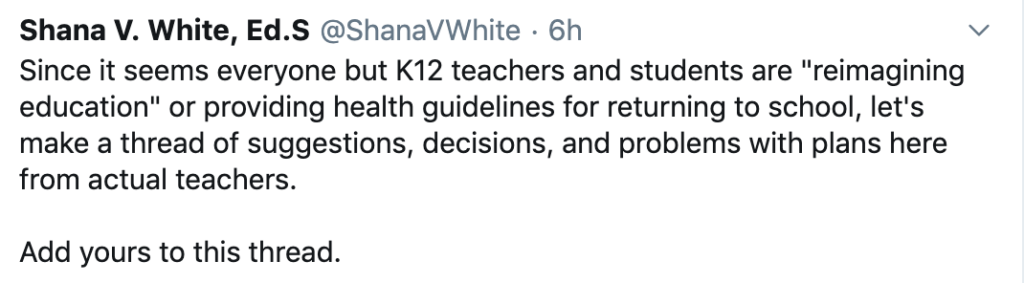
I understand that educators feel others seem to be providing suggestions that educators regard as impractical or unproductive so I liked this twitter request. The request generated a 150+ responses when I reviewed the replies. The opportunity clearly raised an opportunity many felt was useful.

In reviewing the replies, I must say I was disappointed, but maybe not surprised. This is a difficult situation. I would guess 75-80%+ of the responses addressed problems and challenges. There were so few actual suggestions or positive comments I began responding to each thanking the contributor for their recommendation or recommendations. Within only a few minutes, I received replies from multiple individuals in response to my comments on their posts. This surprised me and I take it as maybe a sign that others should recognize similar contributions.

We do need positivity. Merchants are concerned for their businesses and worried they won’t be able to continue to support employees. Parents are frustrated with their efforts to meet employment obligations and assist in the education of their kids. Everyone is concerned with the real threat to the health of families and relatives. At some point, we do accept that the challenges are quite real and need to encourage those with ideas for how we can move forward and do the best we can under the circumstances we face and may face for some time.

If you see this post soon after it is uploaded, you might use Twitter to locate the request for input and either add your suggestions or thank those who come up with useful ideas.

Loading

Posted in Uncategorized | Comments Off on Educators speak