Wunderlist goes to Microsoft

Wunderlist was my todo app. Maybe you don’t use a todo app and I admit I used one only when deep into a project and wanting to keep track of specific things I needed to do. Wunderlist was free, but there are other free todo apps. What I liked about Wunderlist was that it could be installed as a Chrome extension and it would appear any time you opened a blank tab. This seemed to be a great way for me to remind myself that I had a todo list and what happened to be on it. It was not intrusive. Most of the time I was not interested and I would just enter the address I wanted to view and that site would be loaded.

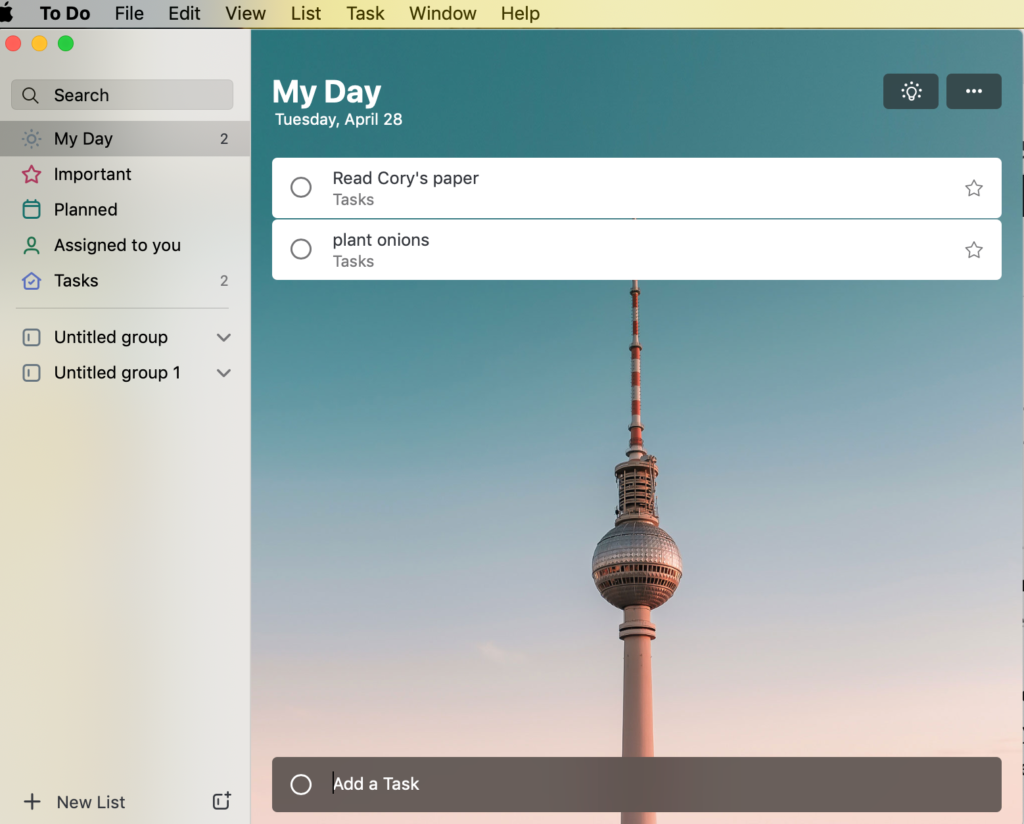
Wunderlist was purchased by Microsoft. You can migrate your Wunderlist todos to Microsoft To Do, but I want an approach integrated into Chrome. The new MicroSoft product linked from the old Wunderlist address is nice looking, but a standalone product.
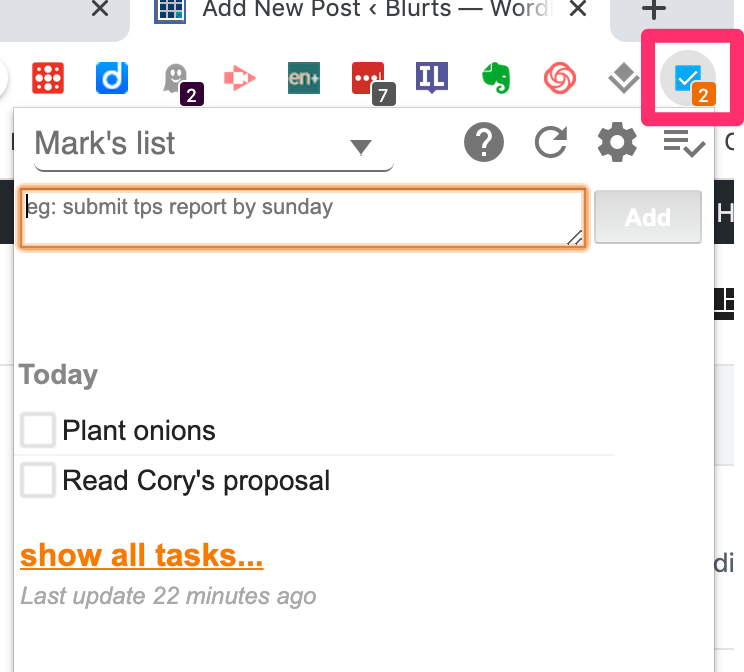
I have switched to Chrome extension called Checklist for Google Tasks. It seems crude in appearance, but it works. It is triggered by a menubar icon that drops down a space within which are the todo items.
Loading

Posted in Uncategorized | Comments Off on Wunderlist goes to Microsoft

SeeSaw Class Blogs

I encourage teachers I work with to write, read, and make use of blogs in their classrooms. Typically, my recommended platforms are Blogger or WordPress. I recently became aware that SeeSaw includes an embedded class blog tool. This tool allows control of public access, teacher moderation, and control of commenting. The video that follows provides a simple description of this tool.

Loading

Posted in Uncategorized | Comments Off on SeeSaw Class Blogs

YouTube for Kids

YouTube offers age-grouped collections of videos for children and adolescents through a version of YouTube labeled YouTube Kids. Before I go further I acknowledge that some have issues with this program. There are two issues; a) videos may contain ads and b) videos may be inappropriate. People have various views on how serious these issues are. Google claims it selects videos carefully for the different age groups served by YouTube kids. Google also claims the same for the ads. It is possible to use the service without ads and to designate what channels children can see, but the best of these controls requires participation in a paid plan. What I describe below is the fee (ad supported) plan.

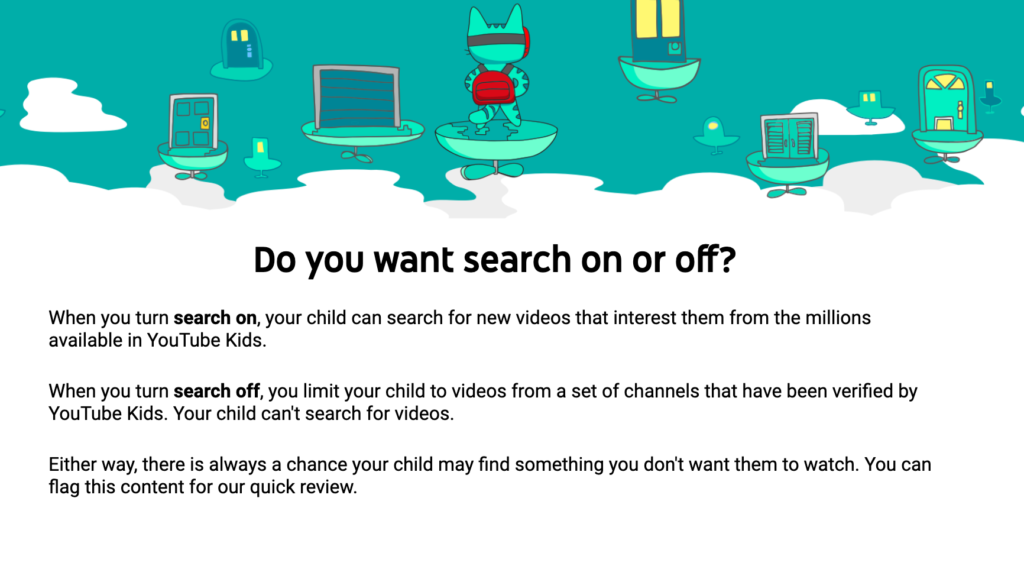
A parent or guardian sets up a YouTube Kids account. There are a couple of settings to consider at this point – a) the age group of the child and b) whether you want to allow searches.

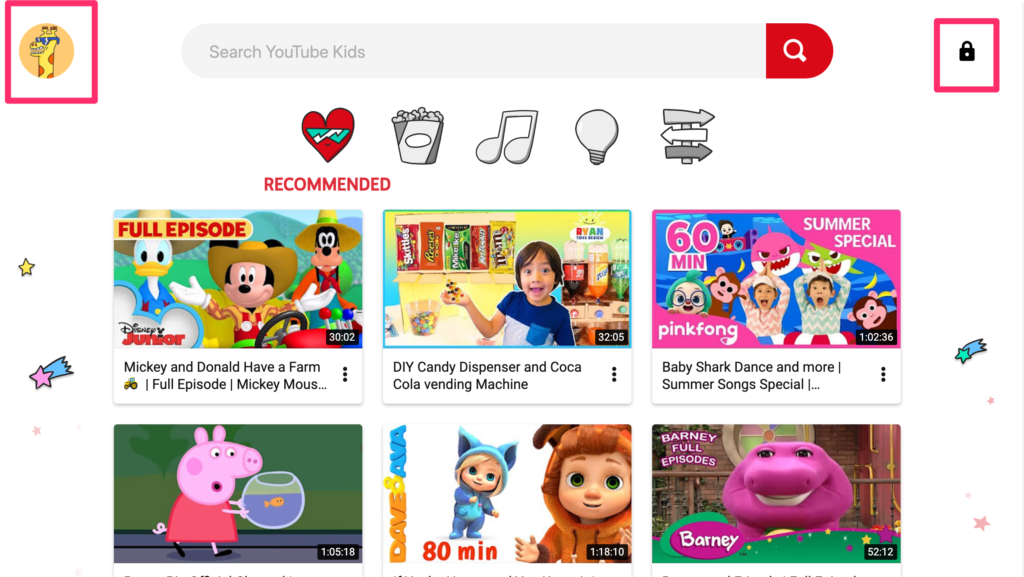
The video access screen looks like this. Across the top are icons for movies, music, and educational content. The content associated with a selected category appears below. This account has been set up to allow searches. The two red boxes offer a parent/guardian options. The lock icon allows adjustments to the settings for a particular child. The icon in the left shows the history of videos viewed. If for some reason content that has been viewed does not meet parental approval, there is a way to block content from that channel.

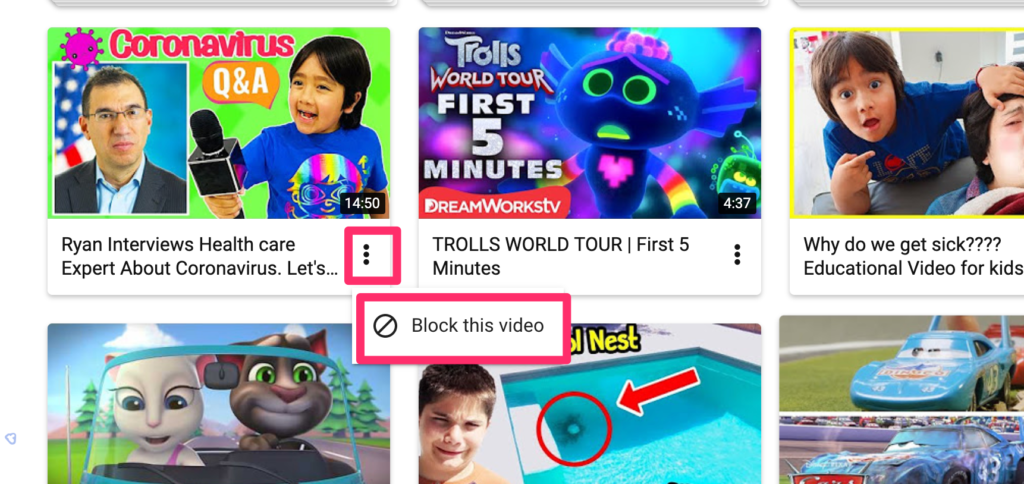
In the lower right-hand corner of the image for most video channels, you should see three dots. Selecting this icon allows the channel to be blocked.

Adults may have a different reaction toward children viewing ads than toward their own exposure to ads. Perhaps adults might try to block all ads. Note that Google does offer the opportunity to subscribe to a service that blocks YouTube ads. I have this service as a secondary benefit of paying for Google Play Music. When blocking ads it is important to consider that ads provide revenue for Google and for some content creators. The subscription option provides an alternate way to support these services.

Loading

Posted in Uncategorized | Comments Off on YouTube for Kids

Zoom security upgrade

Zoom is making some security adjustments in response to widespread criticism. For business customers, Zoom now allows the selection of a server location avoiding the concern that content would be routed through China. Education users will now have passwords by default (the individual initiating a session could require this previously) and provides a “waiting room” allowing the initiator to control entrance to a meeting. These enhancements should limit that intrusions of unexpected visitors in a meeting.

Zoom was quickly challenged by Google Meets in the education space in response to the security risks in Zoom. Now, I see Facebook is offering a group video opportunity for up to 50 users.

Loading

Posted in Uncategorized | Tagged , | Comments Off on Zoom security upgrade

Paul Kirschner – Distance Education

Kirschner is an academic I follow and he has made an effort to identify principles for online education. I like what he has to say because he describes some basic ideas for secondary students. Kirschner is a fan of Loom as a way to demonstrate key ideas. [My own Loom YouTube tutorial]

A short outline of key ideas. Among the topics Kirschner emphasizes is the metacognitive demands students must exercise when working independently.

Loading

Posted in Uncategorized | Comments Off on Paul Kirschner – Distance Education

News – a version for kids

I heard that NBC and Lester Holt are starting a nightly news program for kids. In attempting to find more information I found this story from Variety that highlights the new NBC program, but also provides information about other efforts based on roughly the same idea.

I found the first NBC program available from YouTube.

Loading

Posted in Uncategorized | Comments Off on News – a version for kids