
Perhaps you start your day by asking your Echo to provide your daily update. A new AI tool called Huxe now allows you to accomplish a similar goal but in multiple ways that you can personalize. Huxe is a new venture created by some ex-engineers who worked on Google’s NoteBookLM and the service is similar in some ways to the audio overview available through that product. Presently, Huxe is available for iOS and Android.
Huxe is a free service, but it only make sense that ad or subscription versions must be on the horizon.
There are basically two ways to use Huxe. The most basic functions allows you to select from designated topics and the tool than creates a sort of podcast with two speakers based on recent “news stories” associated with those topics. You can access this feed repeatedly in a day and the feed will be different. The podcast identifies you, remembers when you last connected, and provides basic weather information at the beginning of each session related to your area. One of the most unique feature is that you can intervene while the podcast is playing, ask a question, and the AI tool will pause to respond. The idea is that you can go deeper whenever something is presented that you want to know more about. More about this feature later.
The second basic and less well-promoted capability allows a user to create what amounts to their own personalized “station” based on a prompt rather than the selection of designated topics, request new “episodes” from this station at later dates, and share this station with other users of Huxe. I have read multiple descriptions of Huxe available through web searches and I want to concentrate here on this second approach.
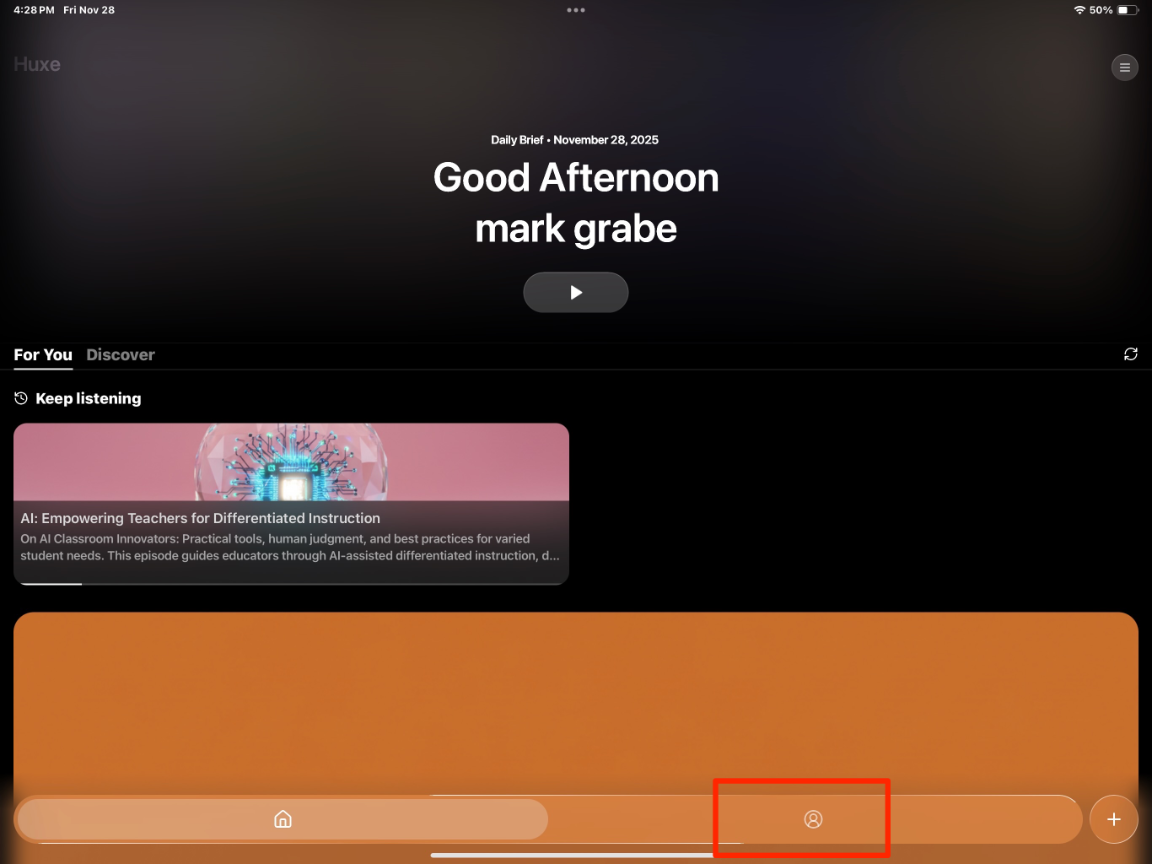
The following image shows the screen image you encounter once you have set up your Huxe account. The “play button” stands ready to play what I have described as your “daily brief”. To get to the personally created stations and the option to create your own, you use the icon within the red box at the bottom of the image.
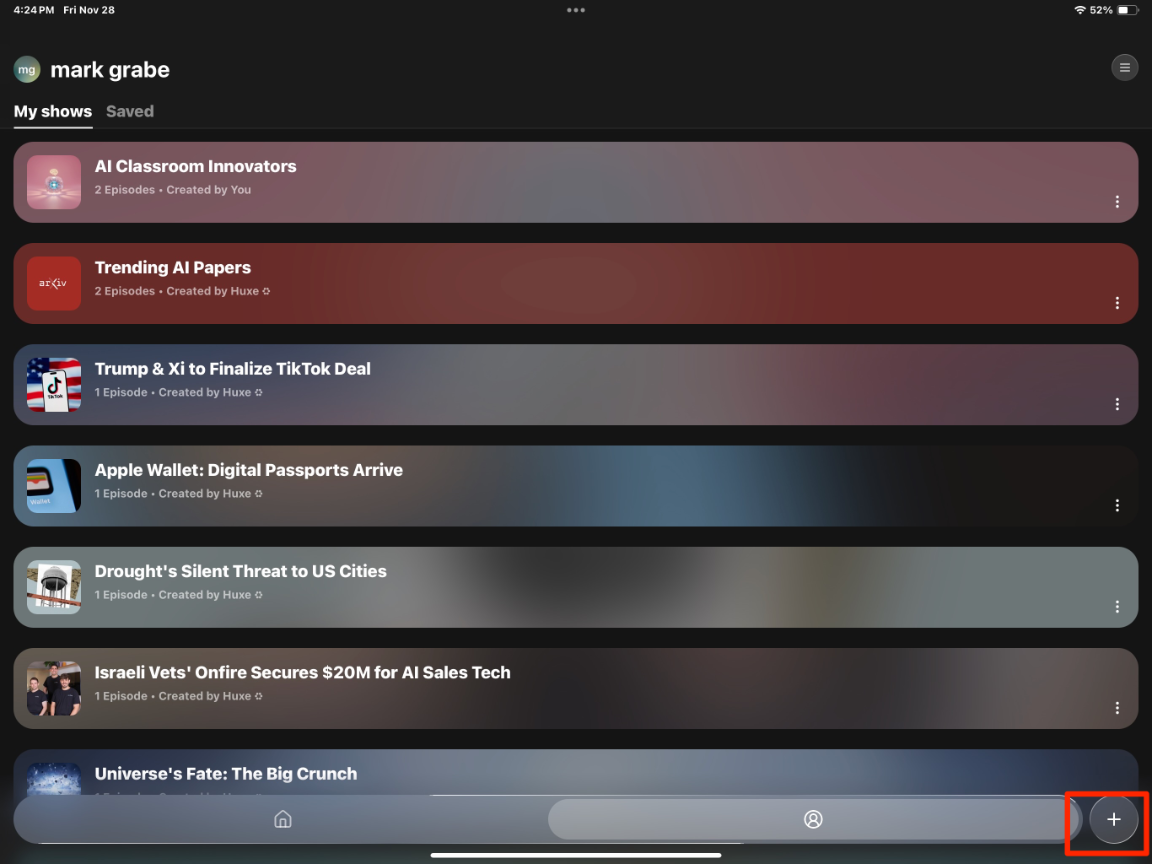
This link opens up access to “shows” developed by others with the button allowing you to create your own appearing in the bottom right (see red box in following image).
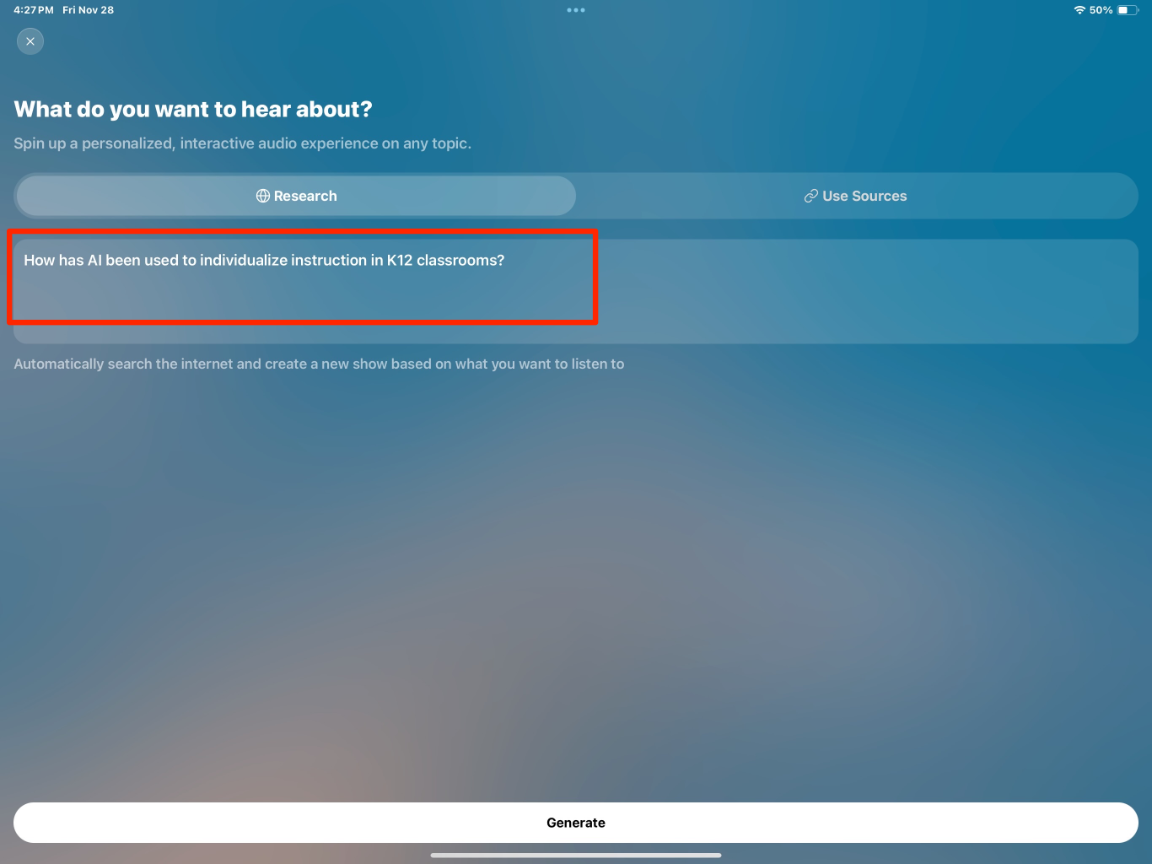
At this point, you have the opportunity to enter a prompt to generate the topic you want to follow. My prompt for this example was “How has AI been used to individualize instruction in K12 classrooms.”
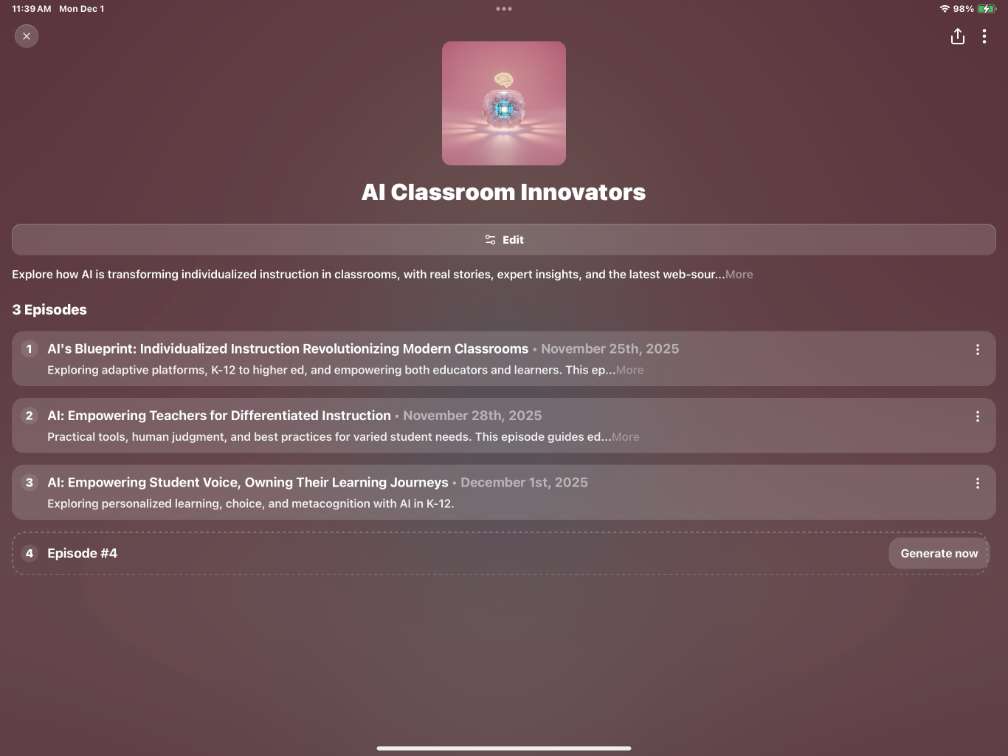
Unlike the “Daily Brief” which changes each time you connect, the “Shows” are created once, but you can then generate additional episodes using your original prompt.
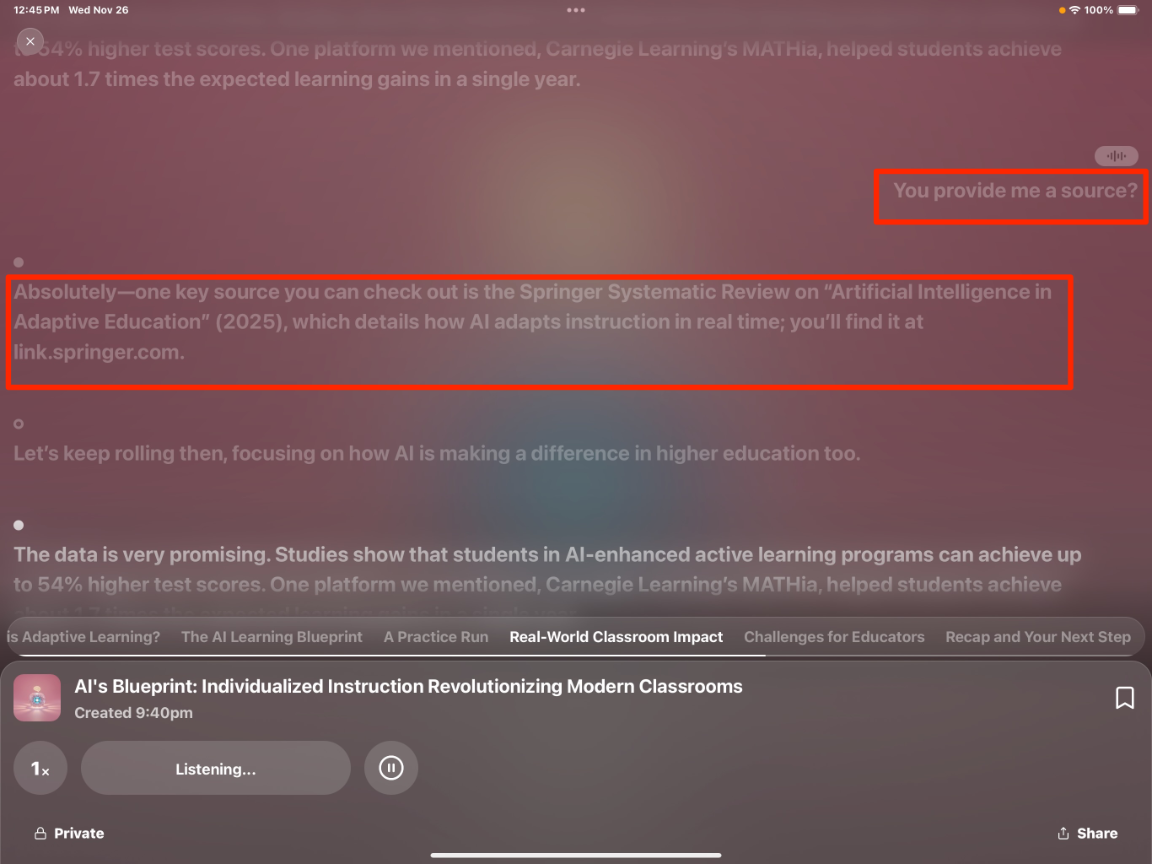
As I suggested earlier, one of the unique capabilities of Huxe’s AI audio shows is that you can interrupt and ask a question. In the following image, you can see the point at which I interrupted because I was interested in a study being described and wanted a citation so that I could read the original study. Huxe responded with the title of the study and I was able to search and find the study.
Summary:
Huxe is an AI tool allowing access to audio programs created as daily briefs or personal shows. The personal shows can be shared. A useful feature allows the listener to interrupt a program and ask a question which the AI tool will then stop to answer. I rely on full text primary sources for what I consider my serious work, but Huxe seems a great way to access a useful morning brief to listen to while I have my first cup of coffee.

You must be logged in to post a comment.