
I have written several posts about using AI plugins in Obsidian. Part of this process requires you to connect the plugin to an AI service. This is done by interacting with the AI provider (e.g., OpenAI, Anthropic), creating an account, and obtaining a key that the plugin uses to authenticate your use of the AI service and charge you against the credits you have purchased. While Obsidian is free and the AI plugins may or may not be, you must pay for your AI activity. In comparison to the typical $20 a month AI subscription fees, my expenses for use of AI within Obsidian are very small – typically only less than a couple of dollars a month. I have also secured access to a couple of AI services (OpenAI and Anthropic) so I can compare and contrast the content they generate.
Adding Anthropic AI Capabilities to Obsidian
Here is a quick, complete explanation of the process for obtaining an API key, intended for those who have not yet explored it.
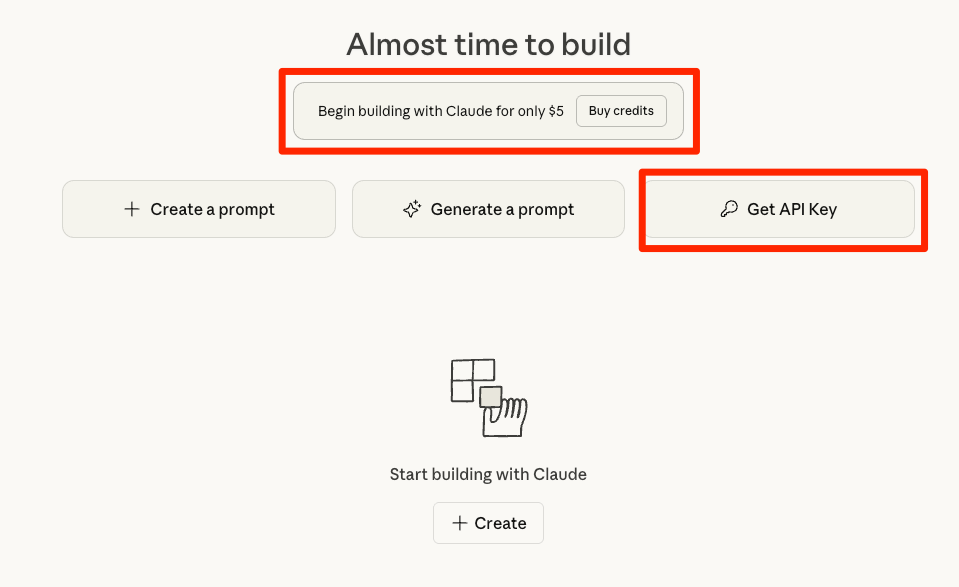
The site for securing Anthropic API access is console.anthropic.com. The page you will see when you use this link is shown below. You will need to provide a credit card to cover the initial $5 fee. This is not a subscription, but an amount from which the costs you generate are subtracted. This is plenty to get you started and more than I have spent in a given month. You can add to this amount at any time if necessary. The Get API Key button initiates this process.
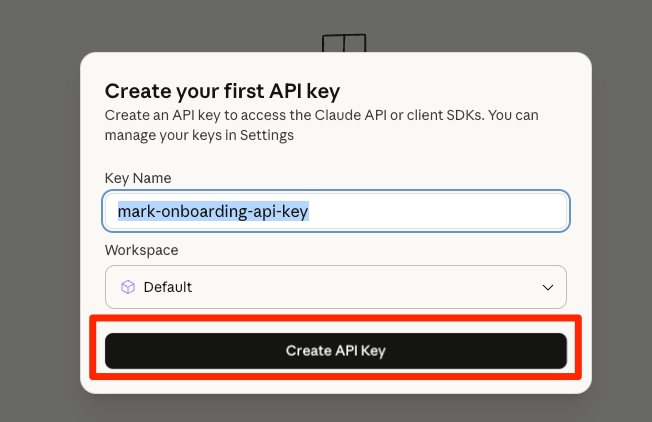
If this is first use of an API from Anthropic, you will encounter the following. Change the name of the API if you want; you don’t make use of the name, but a long alphanumeric key that will be provided.
Your key will look something like the following. I have blurred a portion to protect my account. Copy this key. I keep a copy in a secure place, but this key is what you will add to your Copilot options.

The Copilot plugin is listed among your community plugins in Obsidian. The Copilot options are accessed using the gear icon.

API keys should appear near the top of your options. You access using the Set Keys button.
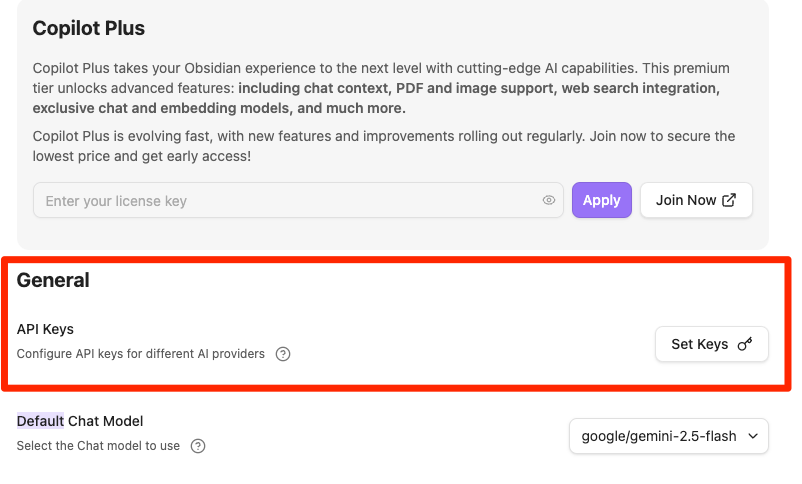
Adding the API to the Copilot Plugin
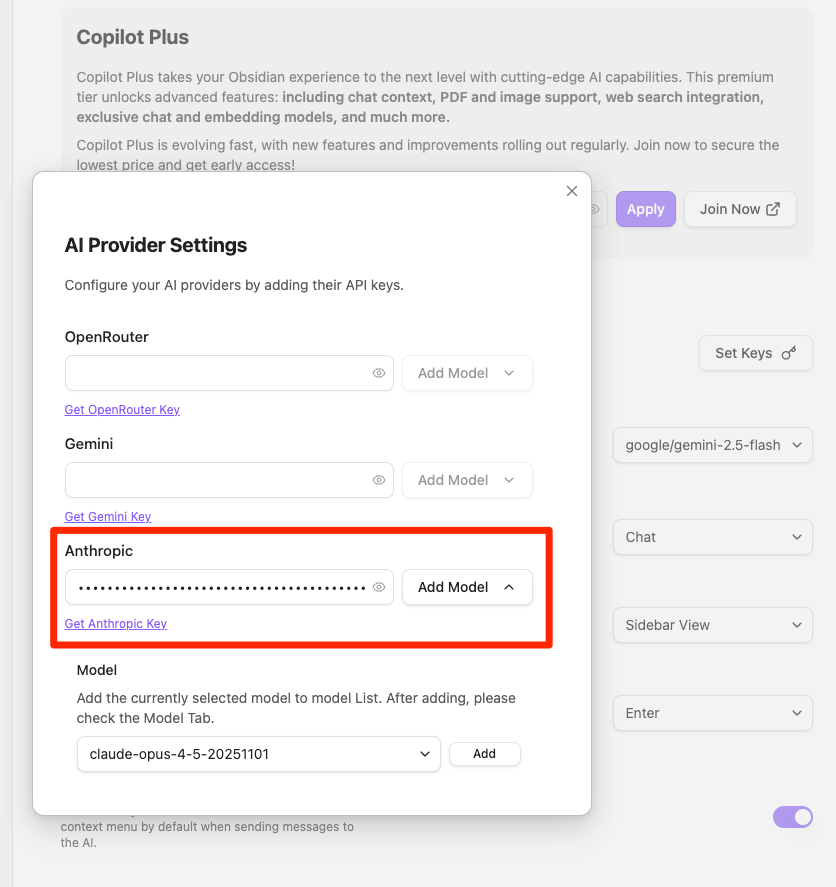
Copilot supports multiple AI services. The key you copied should be saved into the box associated with Anthropic.
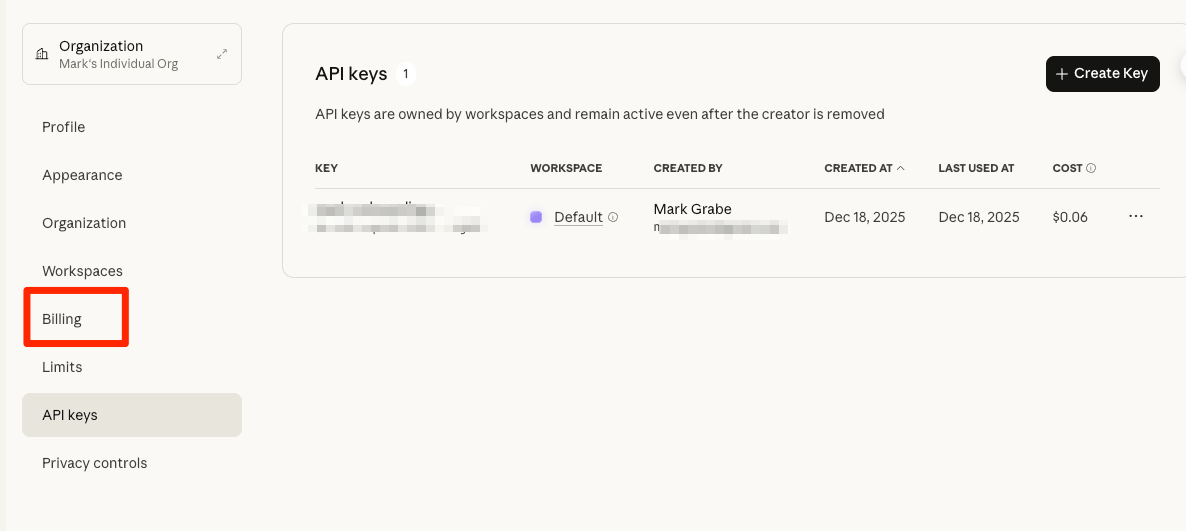
Back in the Anthropic Console, you can view your spending using the billing option.
Summary
This post explains how to access the Anthropic API to use AI with Obsidian content via the Copilot plugin. I found APIs (both OpenAI and Copilot) to be easy to use with Obsidian and much less expensive. You pay for your level of activity rather than a monthly subscription. Another advantage of Obsidian is its support for exploring multiple AI services. One final comment about Copilot – you must select a model associated with the AI company from which you have paid for service. Copilot lists many different models, but only those for which you have a key will work.

You must be logged in to post a comment.