Best language to develop computational thinking

There is an expression that keeps popping up in my head – “if the only tool you have is a hammer, everything starts to look like a nail”. I admit I cannot attribute the expression to anyone and it certainly did not first come from me, but it does seem to state an important concern.

This expression makes me think of those who see coding and computational thinking everywhere. I had this reaction when I encountered this ad for “How to code a sand castle“. The book is focused on coding for the very young and I would argue that the ad itself is a superior example of coding in a way not obvious to the writer. I will explain this later.

I am not suggesting that learning a computer language or languages cannot be in important vocational skills. I wrote code in several languages so I certainly understand the value of the skill. However, I wrote code because I needed to have computers and servers do something that was important for my work. I did not write code as a purposeful way to develop my personal cognitive skills.

I think it is time for a careful analysis of what computational thinking really is and what is the best way to develop this skill or skills if they really are unique and important. My definition for coding consistent with what I understand computational thinking to mean would go something like this. Coding is the “symbolic representation of a process in a way that would allow an unskilled entity to execute that process”. When I wrote code in BASIC, assembly language, hyperscript, or PHP, I was trying to get computers to do something that I understood, but had to express in a way the computer could understand.

Coding might also be described as “careful description”. You have to be careful (exact) when explaining something to a computer. Perhaps my vague language – description, entity – is starting to hint at where this post is going. 

What do I propose as the best language for developing computational thought? I would suggest it is whatever language you are already comfortable using. It would be English for me. Writing a tutorial for a naive learner (the entity) requires pretty much all of the skills of computational thinking – planning, completeness, careful analysis of the skill to be transferred. This is what I find somewhat ironic in the written product generated by the writer attempting to explain the process of building a sand castle as an example of coding. If a kid explained to another kid how to construct a sand castle as visualized by the explainer, wouldn’t this meet my definition of coding? It is true a human learner helps you out in ways that a computer cannot, but a good writer cannot depend on the assistance. 

Why not take the more general symbolic process (writing) and modify the task to require the important skills of computational thinking? This makes more sense to me than taking a symbolic tool (python, a language using block code) with limited applications (communicating with a computer) and hoping that skills utilize will transfer to other applications. There are certainly reasons to learn a specific symbolic tool. I had to. But, this was made necessary by a very specific application and not as a general cognitive skill. 

Loading

Posted in Uncategorized | Tagged , | Comments Off on Best language to develop computational thinking

Upgrade to WordPress – Build with Blocks

The WordPress platform I have known and loved is moving to a new approach. Instead of entering text within the familiar window that resembles a word processor, you now assemble posts using blocks. This seems to be the way online tools are going. I doubt it will modify my behavior as a blogger, but I bet it will expand the use of WordPress as a way to create sites. I have not used SquareSpace, but I imagine the new WordPress will function more like SquareSpace.

What you see here is the paragraph block. It offers the options for modifying the text content within paragraphs. 

Loading

Posted in Uncategorized | Comments Off on Upgrade to WordPress – Build with Blocks

Supporting online learners with vision problems

I recently came across a post from a past student, now faculty member, complaining about the lack of accommodations for vision impaired students in online content. He stated that this was a personal issue as he was losing his sight. I must say that this was the first I knew of his vision issues.

Since I create online content intended for student use, this did cause me to consider this situation. I admit that I do not take the time to add “alt text” to images I include and recognize this as an expectation for vision-impaired students. This got me thinking about why. I am aware of this issue and recognize that it is easy enough to do when working with higher level web design tools such as Dreamweaver. Adding an image presents you with options for that image – use as a link, etc. and includes a textbox for an alt text.

This led me to wonder about tools such as WordPress (the tool used for this blog). I recognize I could use the html view and enter an alt text tag manually, but I doubted that most users who know how or be willing to do so. I assumed that there would be another option and I was right (see below). The section for setting attributes of the image appears on the right-hand side.

This is a sample view of the WordPress tool for adding media showing where the alt text input can be added.

Since many folks now use the “page” option from blog software to create web sites rather than to blogs, I first assumed this was an issue. I figured out that I was probably not using the software as intended. My typical behavior was to upload an image at the time I was creating a blog post and then immediately using the “Insert into post button”. This strategy allows some attributes of an image to be set after it appears in the blog post (image size, justification). It does not allow an alt text description. The proper approach, I assume, is to upload the image, select that image within the library, set the desired attributes, and then insert into post.

A couple of years ago, I converted a wiki textbook I had created into a page-based WordPress site. I know that none of the images in this work are tagged. I am guessing there is not an easy way to update the images to include alt text descriptions.

Loading

Posted in Uncategorized | Comments Off on Supporting online learners with vision problems

Your Next Read

I am a year or so behind in getting through the books I have purchased and unless I stop watching programs and listening to podcasts that recommend books this will not change. However, you may not be in the same situation.

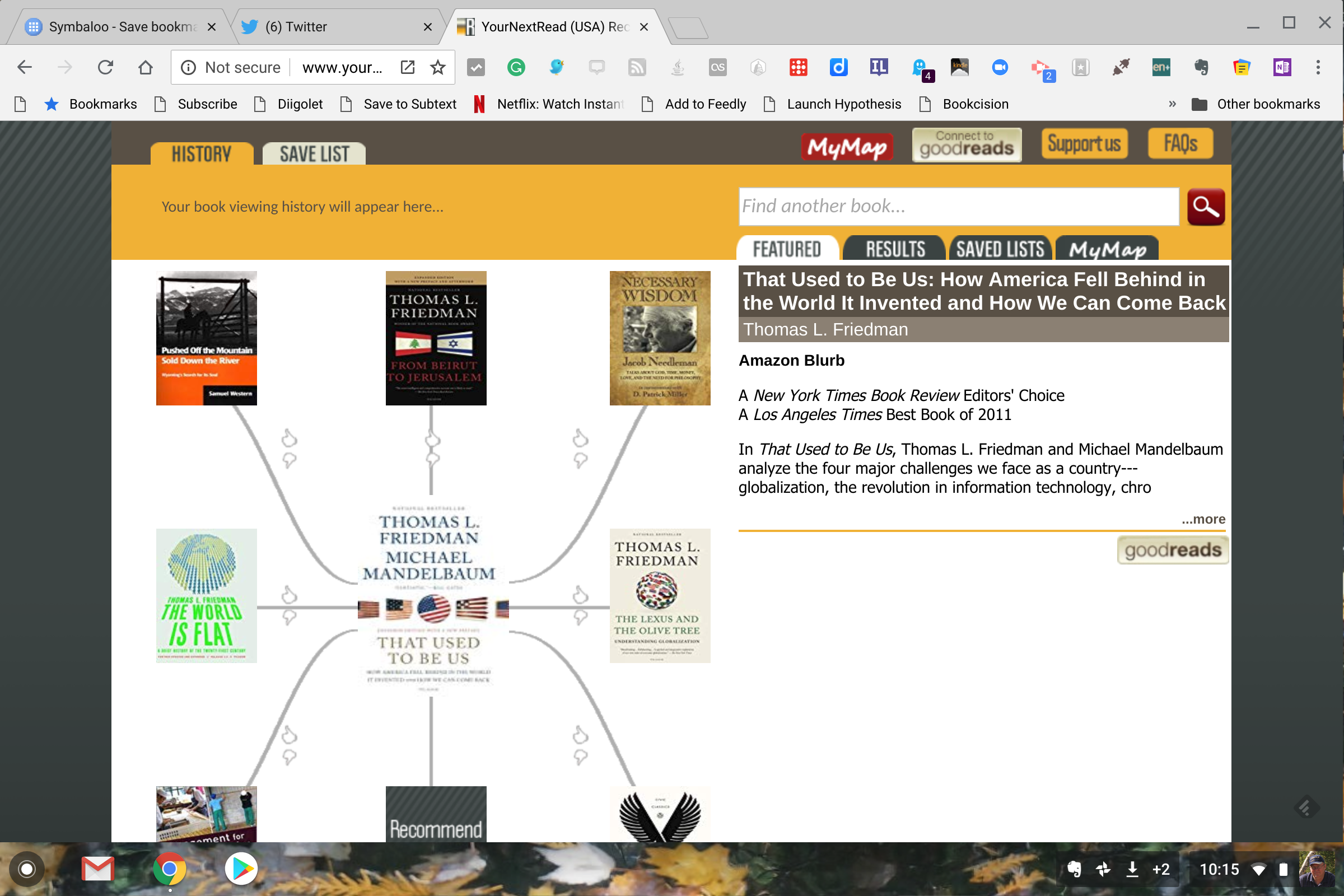
Your Next Read (credit to Richard Byrne for suggesting this service) builds a web of suggestions from a book you like. I created the following web based on Friedman and Mandelbaum’s “That used to be us”. I was surprised to find when I attempted to enroll (which allows the storage of information on your choices) that I was already a participant.

A closer look at the image above will indicate that a user can contribute to the web of suggestions in two ways – adding a recommendation and weighing in on linked books that have already been read to indicate a reaction to the book.

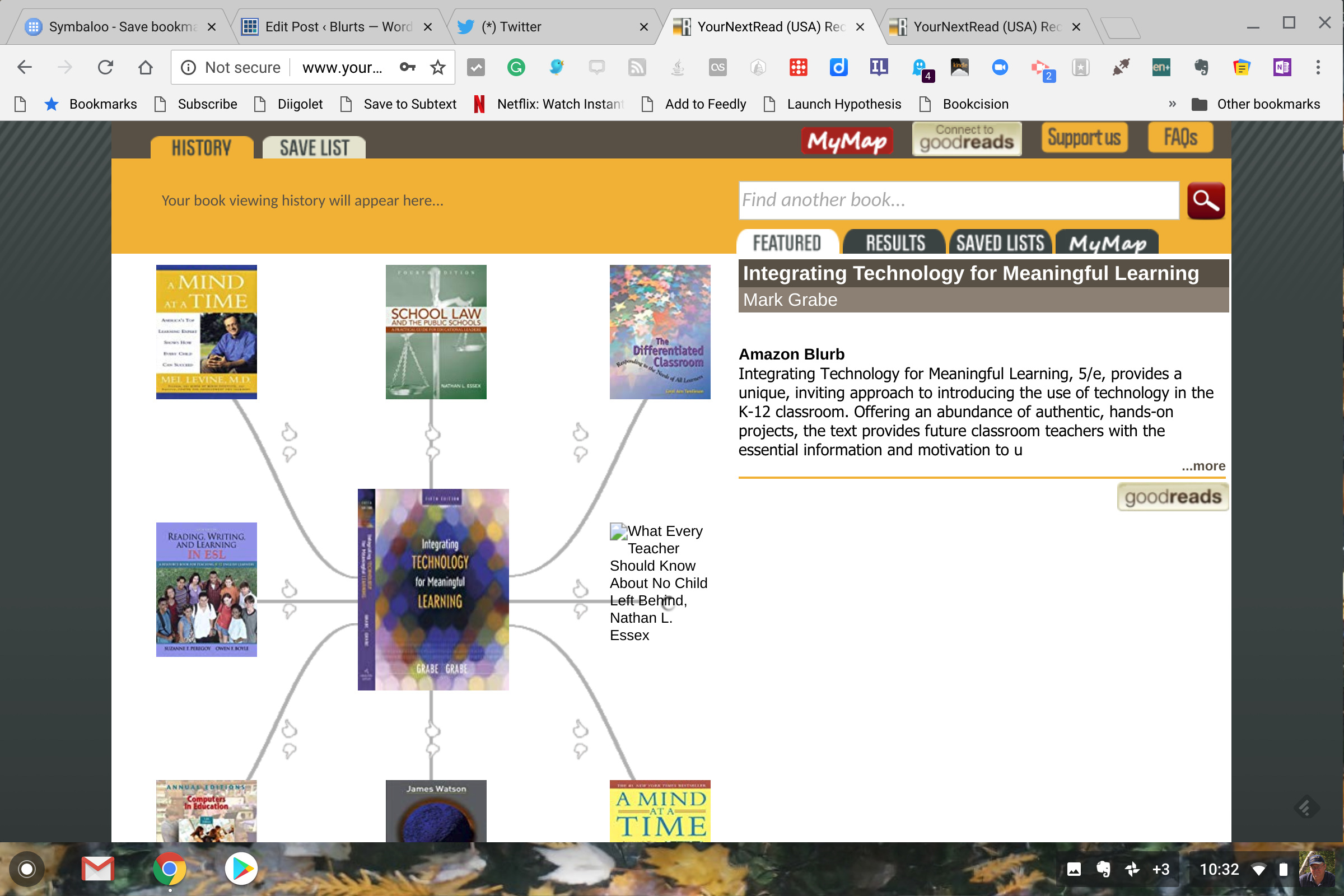
I must admit I could not resist looking at the web generated for one of our books – Integrating technology for meaningful learning. Unlike the Friedman book, I have not read any of the suggestions.

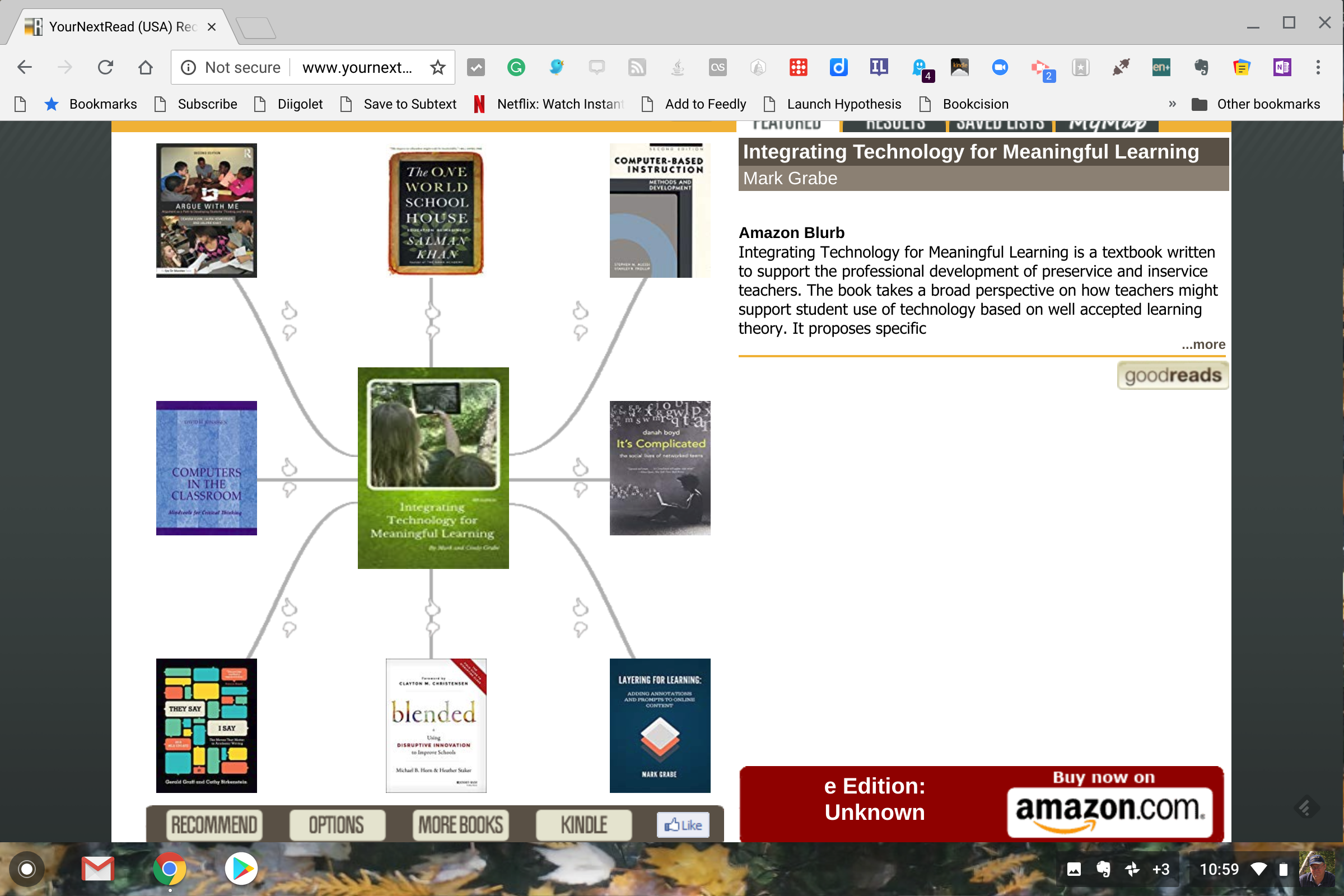
Since I know the books that played a role in our writing the book, I thought I would construct a web of my own. This is not a complete web (only so many options were allowed), but I think it would be a good starting point for others.

This seemed to work although the service deleted a couple of my recommendations (the last two I think) in favor of allowing others to make suggestions. I guess this makes sense given their approach to using reader input.

Loading

Posted in Uncategorized | Tagged | Comments Off on Your Next Read

Cost of online education

As I am preparing my Fall online course, I happen to come across this article on the cost of online education.

The three main reasons for higher online tuition were, in order, “Added costs of online instruction and support services,” the “Added cost of online course and program development,” and “Added costs of online program marketing.”

Of course, the cost of education and tuition are two very different things. The article I referenced focuses on the higher cost of tuition. Students taking online courses save huge amounts of money in transportation and living expenses which many seem unable to differentiate when it comes to the understanding of the “rising cost of college”.

I would add a few other factors that should, but not always are included. I am not a fan of the large capacity online course. They remind me of the old days of correspondence study based on a read a chapter in this book and send in your answers to these questions covering that chapter. Even having taught many online courses I find the experience frustrating and far from as effective as face to face courses. Interaction online is strained and much of the interaction in higher level courses on campus do not occur during formal class meetings. Theoretically, these experiences can be approximated online, but I fear this seldom happens with the fault going to all parties. For these reasons, I believe present online approaches offer a better learner experience with smaller class sizes.

Loading

Posted in Uncategorized | Comments Off on Cost of online education

Seeking clarity

When considering the priorities of education, I am moving toward the position that present times argue for an increased focus on critical thinking. There seem few proponents of this position possibly because this capacity is such a general skill it has few specific advocates. There are plenty of folks championing coding for all. There are specific things to be done that these folks can champion – e.g., hour of code, HS programming courses. There is a natural advocacy group – the ACM. STEM is another initiative easily promoted. It seems science, math, and tech advocates can tie their causes to employment, national productivity, and saving the environment. There is also the potential for selling tech toys, professional development, and computers.

My advocacy for developing argumentation as a component of critical thinking lacks some of these advantages. How would the skills of argumentation be introduced into the curriculum? What course or courses would be involved? Is argumentation a natural part of a speech class or a writing skill? Is it part of science? How about learning about the political process? Are educators prepared to develop such skills? If no content area claims the skill, it seems unlikely teachers are systematically prepared to develop this capability.

I see bits and pieces here and there even though most might not appreciate what the subskills can be assembled to offer. I came across this interactive template offered by Eric Curts. Research shows we are pretty good at stating our own perspective, but not so good at being able to concretely state the reasons and evidence advanced by those with whom we disagree. If this is the case, an exercise such as this could be used to work on this deficiency.

College students learning to write persuasively may have used a popular text with the title “They say, I say“.  I am partial to the work of educational researcher Deanna Kuhn and her research on the development of argumentation skills in K12.

My point is that the prioritization of the topics and skills we chose to develop in K12 and higher ed students should be considered carefully. I an not certain that present priorities are actually a good reflection of present needs.

Loading

Posted in Uncategorized | Tagged | Comments Off on Seeking clarity