I am running a quick price promotion beginning this Friday for my book Designing Instruction Using Layering Services. The beginning price is $.99. I hope to attract educators and those who support classroom educators who are interested in the potential of adding components (e.g., questions, comments, discussion prompts) to existing online content (web pages and videos) to make these raw materials more effective as instructional resources. The book describes the types of additions that can be added and explains how to use specific tools for generating these additions. The focus of the Kindle book is explained in greater detail in the Amazon description. Amazon promotions run for only a few days and the price increases gradually from the introductory price to the normal price.
Posted inUncategorized|Comments Off on Amazon Book Promotion
I have stumbled on an academic food fight of a sort. The National Council of Teachers of English (NCTE) have authored a position statement arguing educators need to increase their focus on media education. This translates as a greater emphasis on digital media and popular culture noting that multimodality now represents the normal state of human communication. As a practical consequence, students would focus more of their time on news literacy, media production, digital citizenship, and mass communication and popular culture.
Of course, an increasing emphasis on such topics requires an adjustment in what has traditionally been taught. This adjustment has resulted in a backlash arguing secondary students already read few or no actual books and engage in very little writing.
I assume both positions have merit and that external forces such as increased STEM attention and the lack of writing in other areas of the curriculum bear some responsibility. I find it hard to ignore the dangerous reality that now openly exposes all citizens to political events argued openly in ways that ignore truth and require critical interpretation and an understanding of purposeful bias and manipulation to refute. I am a science educator by training, but see more science as inadequate given politicians promoting alternate realities that too many accept.
It is fashionable for those who collect and then distribute information to describe their workflows and the tools that are involved. I have a workflow that begins with reading content from multiple sources. When the content I consume is online, I use extensions added to my browser to temporarily store content so that I can go through it after my “research” phase to generate what I write. What I require in such situations is an extension that is often described as a clipper.
I have tried several different content collection tools but mainly rely on Evernote. I do pay for Evernote ($42) as an Apple subscription. You may see the price listed as $69 or even $99, but use Apple to subscribe if you to use this service at the $42 price. This post is not about Evernote, but it does have several features I see as worth the money and it works great on the devices (mostly Apple) that I use.
I read a review of the One Note Clipper as a favorite Chrome extension elsewhere and decided to take another look. Microsoft does offer a One Note clipper and there is a free online version of One Note.
The process with a clipper is first to locate a web page you want to keep and then activate the clipper from the icon menubar. The clippers I use both offer options for storing content in different ways. Storing here means the download of the content to the tool – One Note in this case. The Full Page option stores the content as you see it in the browser. The second image shows the One Note interface allowing access to the content that has been stored. In this case, I was collecting information about pruning my tomatoes.
I like to collect first (after skimming) and read more carefully later. I want to highlight in this more careful reading and this does not work with the full-page format. Use article format if you want to highlight. The stored content will look different but can be accessed for annotation.
Microsoft discontinued the desktop version of One Note for the Mac some years ago. The web version works fairly well and does allow a free option.
Questions are one of the most effective learning tools easily made available to both educator and student. I like to describe answering a question as using an external task to manipulate a cognitive behavior. Whatever the fancy models and descriptive language used to discuss cognition, learning is fundamentally about thinking. Answering or attempting to answer questions requires thinking and the type of thinking can be manipulated by the type of question asked.
One of those fancy labels used to describe a certain category of thinking is retrieval practice. Despite the many research studies focused on retrieval practice and its benefits (e.g., it is better to engage in retrieval practice than the typical study behavior students do without any guidance), it seems difficult to get educators and learners to see the development of retrieval practice activities or to voluntarily spend time engaged in retrieval practice as a productive activity. I have no explanation. Perhaps it just seems too easy or maybe the process by which it works is not obvious.
Answering questions is about much more than memorization. This has been shown to be the case even when the question task simply asks for the recall of a term, name, or definition. I will probably try to explain this in detail at another time, but for now understand that the effort to retrieve activates other information related to the specific item of information to be retrieved. In other words, remembering or trying to remember one thing makes us think about related things. We may use these other things as part of the effort to retrieve (e.g., remembering a face in an effort to remember a name) or this can work in the opposite way. We recall the name we want, but also visualize the face and recall other information about that person. Bringing a bunch of related stuff into our awareness (we call it working memory) tends to encourage the discovery of new relationships. We likely call such discoveries understanding.
Directing thinking with multiple choice questions.
Anyone who has ever been a student has experienced, many different types of questions. One basic distinction is between what might be described as short answer and multiple choice questions. For all of you flashcard lovers, the typical flashcard is a short answer type question and if you make and use yourself, you must judge whether the answer that you silently brought to mind is correct or incorrect. There is nothing wrong with this as a learning task, but there are also advantages in multiple-choice items which offer some advantages in shaping thinking through the answers as well as the question stem and allow for automatic scoring. Scoring is obviously important for student evaluation, but the data generated can also be useful for simply guiding learning. Digital flashcards offer some interesting opportunities for both short answer and multiple choice study activities.
I usually think of short answer questions as easiest for students to create for their own study effort. Multiple choice questions are not typically that easy for educators to create, but they are typically in a better position to do a good job with this type of question understanding the broader context of the content and the different ways information could possibly be used. Again, once created and delivered in a digital format, the multiple choice questions easy to distribute and easy to use. Perhaps it is useful to have students experience teacher created activities within the same environment students use to create their own activities. It is important to encourage students to develop their own study strategies and actiities.
I have used Flashcard Deluxe as an example for many years when discussing study activities with teachers. I have decided the multiple choice option for this tool is challenging to figure out on your own. There do not seem to be online tutorials that explain the process of creating this question format. I offer my own approach in the following video.
One final observation. Study questions seem to moved on from files shared to students (e.g., Flashcard Deluxe) to online activities. I see the efficiency in the online approach, but the file-based approach seems most appropriate for student created activities. I understand by my own logic I seem to be saying that MC activities created by educators are moving online, but some educators may still prefer to create and distribute activities to student devices.
It is growing a little late for this post this season as I have saw loons near our lake property several weeks ago, but better late than never. This site was a recommendation from the woman doing the weather on our local station and I was reminded. It is worth a look each Spring.
Journey North is a great site from the University of Wisconsin focused on seasonal change and migration. It has lesson ideas for educators. I would describe this as a citizen science site collecting and reporting data provided by local observers. I could have submitted my first observation of a loon on our lake and the date the ice was out as data points.
In addition to the website, there is a Facebook page (see image below) so you can receive updates in your Facebook news feed.
Bonus pic – This image was captured with my iPhone at dusk in front of our cabin. I didn’t want to get too close because one loon was on their nest, but it is an interesting shot.
Posted inUncategorized|Comments Off on Journey North
I read somewhere that every blog post should include a relevant image. The intent is to provide an element that increases interest. I also know that unnecessary images can generate a distraction that can tax working memory. With blog posts, I go with trying to include at least one image.
The Noun Project is the source of most of the line art you find in my blog posts. You can use individual images with attribution. I pay $20 a year as an educator to include images without having to add attribution.
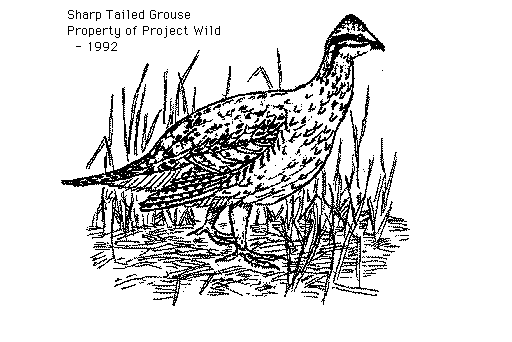
The North Dakota Clipart collection is the result of a personal collaboration with North Dakota Game and Fish many years ago. The original collection was sold on disks for classroom use. Eventually, I added the image collection to my server for open access. I am not the artist, but from the beginning I was responsible for digitizing and sharing the images. This collection is only available as GIFs so there are limitations when enlarging the size of the images.
We use cookies to ensure that we give you the best experience on our website. If you continue to use this site we will assume that you are happy with it.
You can revoke your consent any time using the Revoke consent button.










You must be logged in to post a comment.