Educators may be concerned with the direction Twitter has taken and are looking for alternatives to explore. Maybe, you are just curious to see what else is out there. My recommendation would be that you give Mastodon a try.
Mastodon might seem a Twitter clone with a larger character limit. This is not completely accurate, but the experience is similar enough that any Twitter-experienced educator would be comfortable with the initial experience and have little difficulty getting started.
Mastodon is a decentralized social service often described as an example of a fediverse. A fediverse is a collection of servers hosting services that are compatible and members of a given service (called an instance) can communicate with others on different instances. Those who describe this arrangement often draw a comparison to email. You made use of one service (gmail, Apple mail, your school’s email server), but can send to and receive emails from individuals using other services. Mastodon functions something like multiple Twitters – you are a member of one instance, but can follow individuals on other instances.
Mastodon instances vary in their focus – some are general and some address a specific interest. I have used Mastodon for some years so my exposure was through an original, general instance. I have since joined several other instances and follow individuals on instances I have not joined. Mastodon has become much more popular lately so you will find enough traffic on a focused instance to keep you interested.
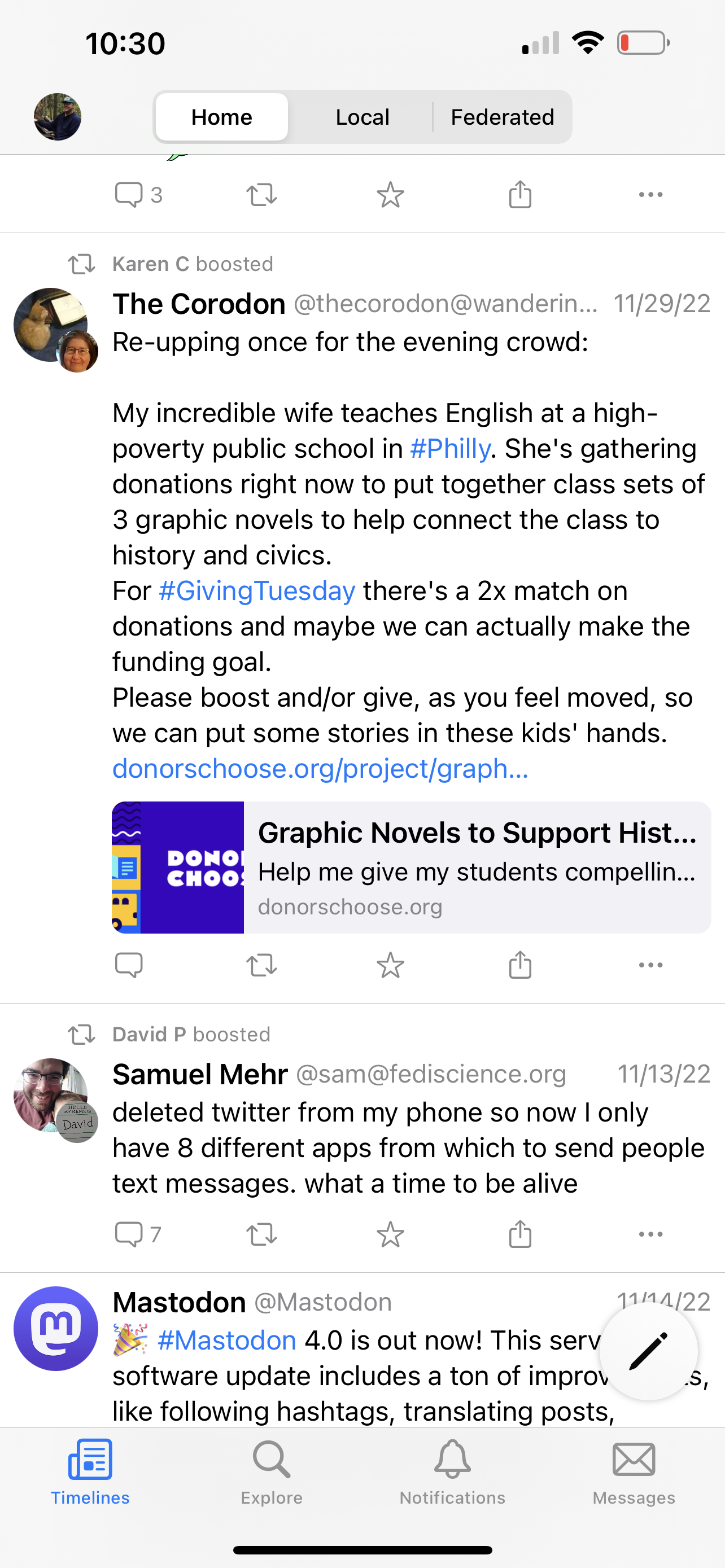
There are a few more terms that will help you are a new user. The following image shows the screen from my phone running an app (Metatext) for connecting to Mastodon instances. It does look a lot like Twitter. Across the top, you will see three buttons – home, local, and federated. Home will display posts (called toots ;)) from the people you follow. Local shows all posts from those on the instance you have used to connect. Federated will show you posts from all instances your instance follows (this is up to the individual running your instance).
Here is my suggestion. Join an instance or two. I would suggest mastodon.education for educators to get started. You can do this from any browser. Local will assure that you see some activity even when you have yet to identify individuals you want to follow. As you find people posting content that interests you, select the name and you should find a follow/unfollow button. Install a Mastodon app on your phone or tablet, if you use these devices for most of your social media. Apps are available and you should visit your app store to try some alternatives. I use MetaText.
As you gain experience, you will encounter other instances and individuals on other instances to follow. I prefer to spend most of my time in one instance (twit.social) and I visit other instances on occasion to see what is going on and identify individuals I want to follow.
This is a second post intended to bring AI tools to the attention of educators. This post is focused on an AI writing tool capable of generating extended prose in response to a question/request. Educators should make the effort to explore this service and consider how student use of the tool may have implications for how they structure writing assignments.
Everything from notes to essays and research papers has long been assigned to influence learning. Aside from being tasks that develop writing skills, such tasks involve an external activity that can be shaped to influence cognitive processing to improve learning, understanding, and application. These additional benefits of the application of writing are commonly described as writing to learn. AI has reached a point where technology can now generate a credible written product in response to a description of what you want written. When used inappropriately, the substitution of AI for personal effort would seem to circumvent both the development of writing skills and writing to learn. “When used inappropriately” is the key phrase here. I can also imagine benefits for a writer making use of such tools. The difference will depend on how tasks are structured by educators making assignments and by writers concerned with developing skills and knowledge.
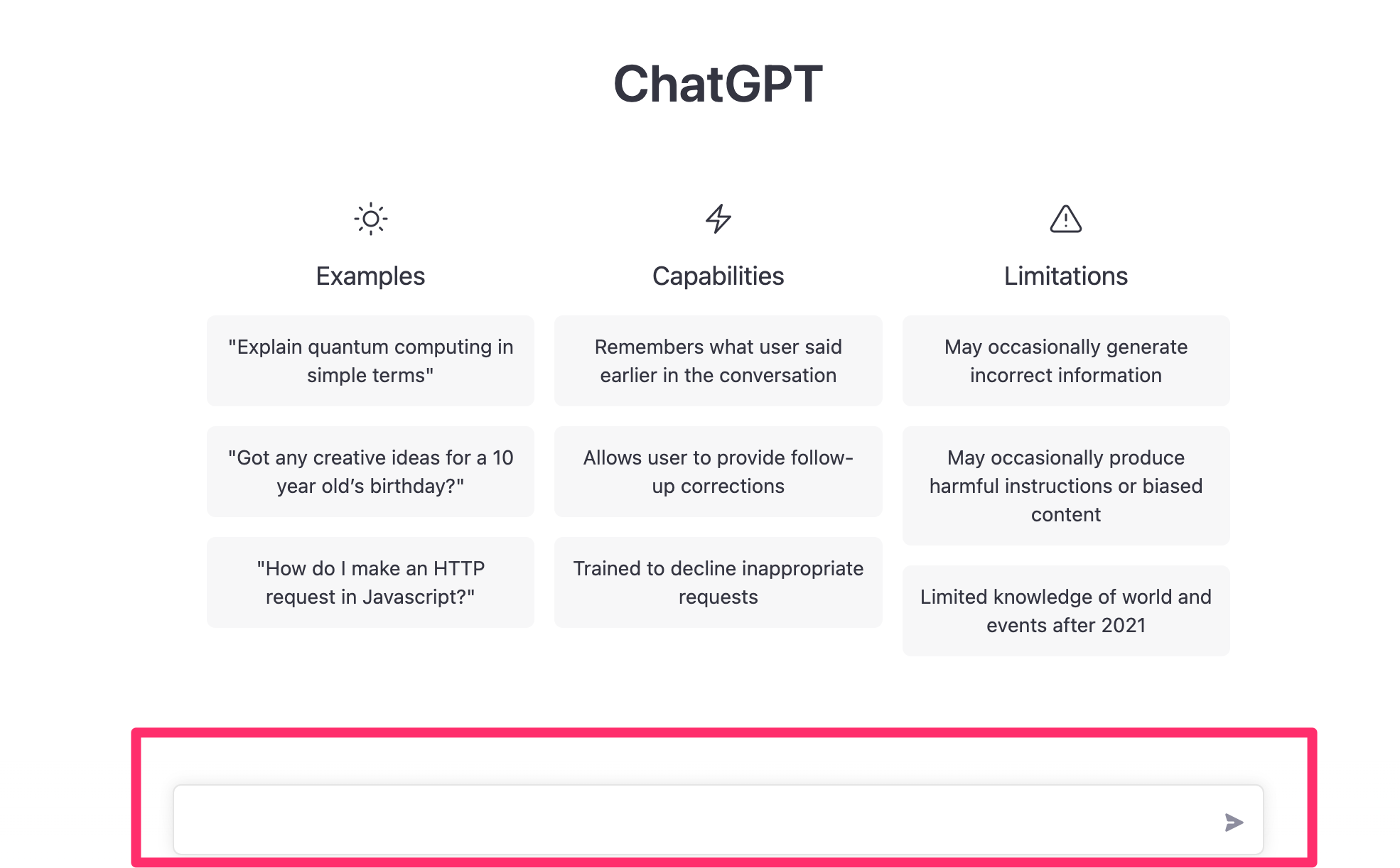
The online service I want educators to explore is ChatGPT. It is presently a free service based on OpenAI. Exploration is as simple as this. Sign up for an account. Open ChatGPT and enter a request in the text box and see what response you get.
Here is an example of one of my requests.
Me: Should high school students take notes with a laptop or tablet?
ChatPT: It is ultimately up to the individual student and their preference, but there are pros and cons to both using a laptop and a tablet for taking notes.
Using a laptop for taking notes can be advantageous because it allows students to type their notes quickly, which can be useful for keeping up with lectures. Additionally, laptops typically have a larger screen and keyboard, which can make it easier for students to view and interact with their notes. However, laptops can also be a distraction if students are tempted to use them for other purposes, such as checking social media or playing games.
On the other hand, using a tablet for taking notes can be useful because it is often lighter and more portable than a laptop, which can make it easier to carry to and from class. Additionally, many tablets come with stylus pens, which can be useful for students who prefer to take handwritten notes. However, tablets may have smaller screens and can be more difficult to type on, which can make it harder for students to keep up with lectures.
Overall, the best choice for taking notes will depend on the individual student’s needs and preferences. Some students may find that a laptop is the best option, while others may prefer a tablet. It may be helpful for students to try out both options and see which one works best for them.
——
I thought it was interesting that the AI system interpreted my question a little differently than I intended. I was interested in the distinction between taking notes in a notebook and using technology, but my question was not specific enough to communicate this intent. My reaction to the answer was that I probably would not be able to differentiate this response from the response an undergrad in an education course might generate.
Here is the thing that is key to understanding what you are reading. This response is not like the response from a Google search that found a response someone had written. This response was created based on a vast store of content – created and not copied. Try taking sections from the response and using the section in a search. You will find appropriate content on the same topic, but not a match to the section of text from your query.
The point about writing to learn is this. I had the AI tool generate this product with me having to do very little thinking. I did not have to search my memory for information. I did not have to generate new ideas by extending what I already knew. I did not have to summarize new information I read in an effort to answer the question. I generated a written product without writing to learn. I might as well have borrowed the response from another student and turned it in as my work.
So, this is now a reality. What are you going to do understanding students can use this and soon even more powerful tools? It is time to think about the situation and consider strengths and weaknesses.
I think AI writing may replace or at least support more traditional search. If I wanted an answer to the question, the AI generated content certainly gives some things to think about. Maybe this is as far as I need to go for personal use. However, if generating a product for others more is needed.
I find the lack of citations an issue. For some forms of writing, expecting citations might be part of an approach that still offers hope for writing to learn. When I write for someone else with more professional intent, I feel I must provide citations to support positions I take. This was the way I was trained and I offer a way for readers to find the research and data I have in mind when I make suggestions. It happens to be a pet peeve when it comes to some of what I would describe as “popular literature” educators read when looking for suggestions to guide their practice.
Reliance on sources and citations would be an expectation important to emphasize for certain kinds of writing. I think of generating a list of citation backed notes as a component of what might be expected of the Flower and Hayes writing process model. So, an AI query might be a source for ideas in generating a longer written product, but ideas from such a search would require associated citations in a final product.
Requiring citations and including a primary submission of notes and citations used in preparation of a manuscript would be expectations I would recommend for the generation of longer written products.
One final thing and this was probably predictable. I asked the AI writer whether AI use by students could reduce what they learn by writing. See the following response.
Using an AI service to complete writing assignments could potentially limit the learning process for students in a few ways. First, using an AI service to generate writing can prevent students from developing their own writing skills, such as brainstorming ideas, organizing their thoughts, and expressing themselves in their own words. Second, relying on an AI service to do the work for them may prevent students from engaging with the material in a meaningful way and truly understanding the subject matter. Finally, using an AI service to complete writing assignments can limit the creativity and originality of the work produced, as AI-generated writing may be limited in its ability to come up with new ideas or to think outside the box.
Educators need to develop an awareness of the emerging capabilities of AI. I mean this in a couple of ways. First, tech-knowledgeable students are probably already using AI (e.g., using a system that works math problems) and educators should consider the implications. How should these capabilities in the hands of students modify assignments? What type of assignments would encourage productive use? Second, how might educators use AI capabilities themselves to increase efficiency and provide new ways of doing things.
I have been exploring AI capabilities made available through services I use and I intend to share examples as a way to raise.
Example 1: AI summarization in Glasp
Glasp is an online service I use to highlight and annotate online sources and save this content for future use. Glasp includes an AI summarization tool that will generate a summary of the annotations and notes I have taken from a single source. Among the alternatives for what I might do with these summaries is the option of sharing a summary to Twitter (summaries may have to be shortened to meet Twitter requirement for length).
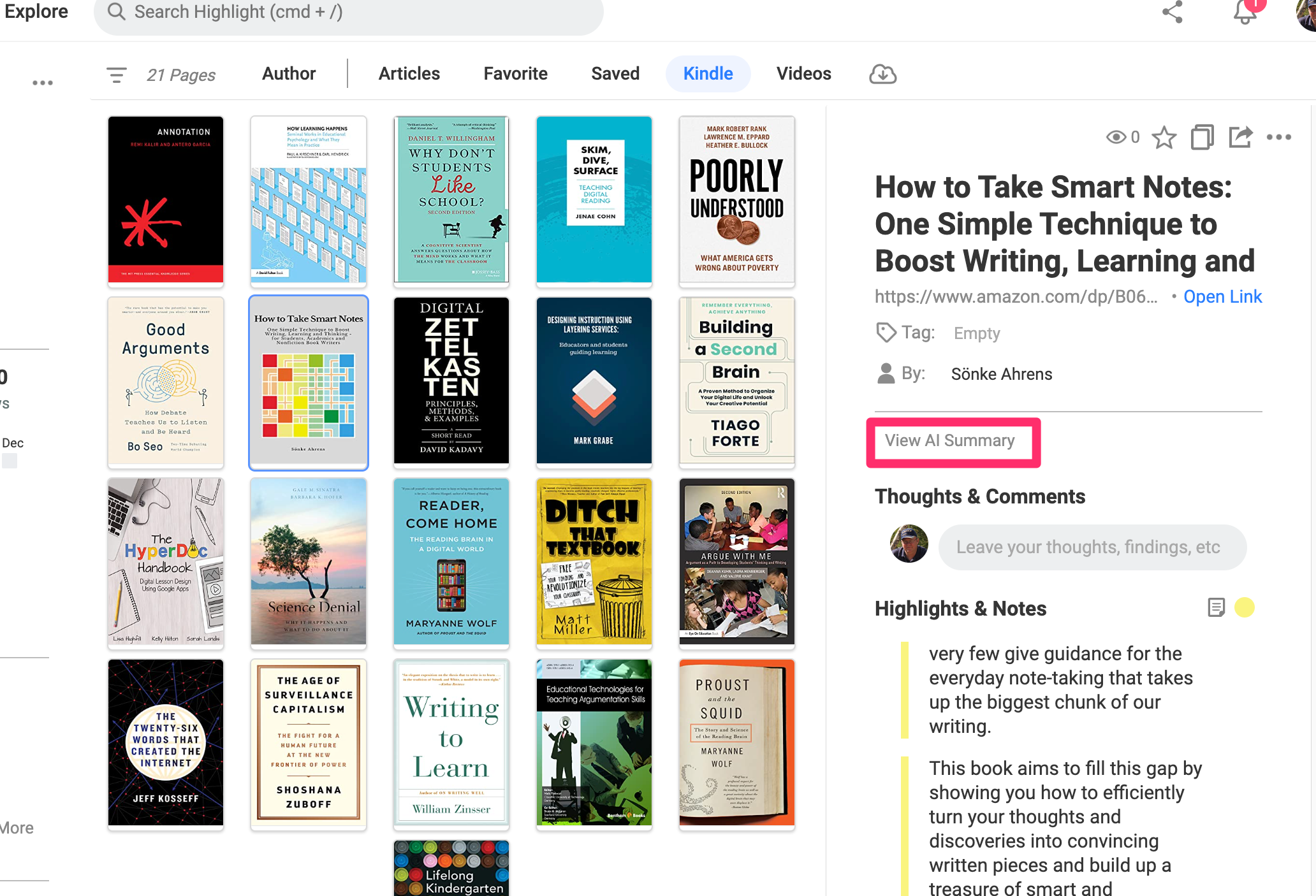
Glasp will also load the annotations and highlights I have added to Kindle books I have read. The AI summary tool can be applied to these highlights and notes. The following image shows a few of the original notes collected for a selected book (Aherns’ Smart Notes) and the link that will trigger the summarization of these notes.
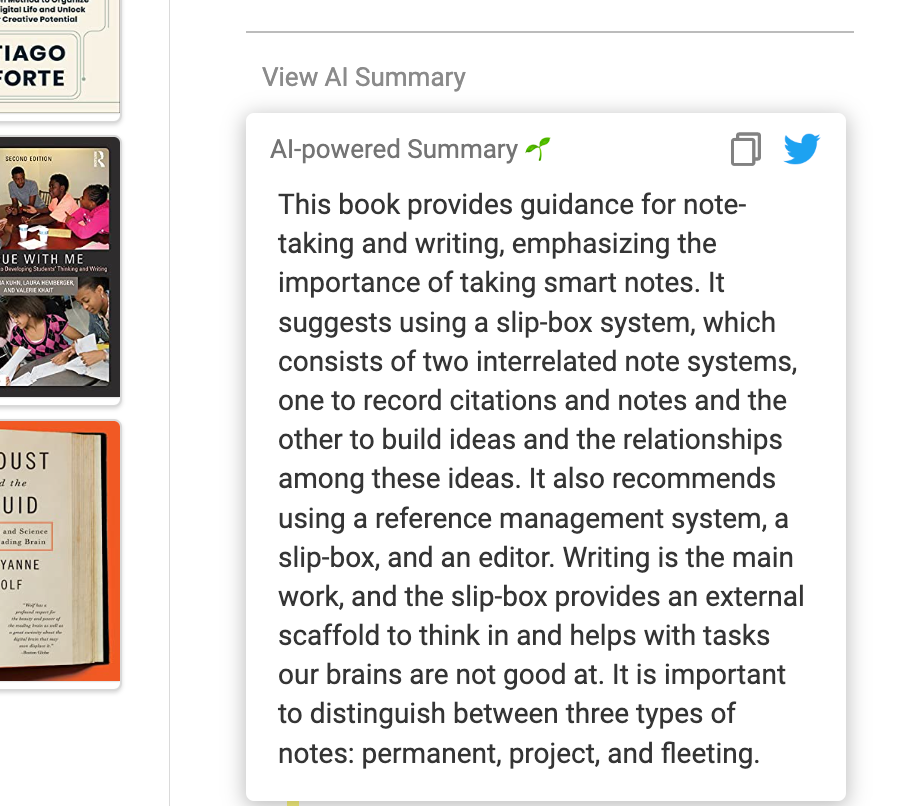
The AI summary takes a few seconds to generate and then is displayed for copying or sharing.
I could use this summary as a starting point for writing my own summary or use as is. What makes this summary different from the summary that Amazon might use to sell the book is that the AI-generated summary is dependent on my own selection of material.
Climate change is something all of us make take responsibility for, but the consequences will be most strongly experienced by the young among us. The following resources were created to explain climate change to school-age learners and to offer suggestions for what they can do in response.
Cindy scans IndieGoGo to find small projects she invests in. Some turn out and some do not. This is the nature of investing in innovations. I am not certain I have ever understood her selection criteria, but many seem to combine her interest in education and technology.
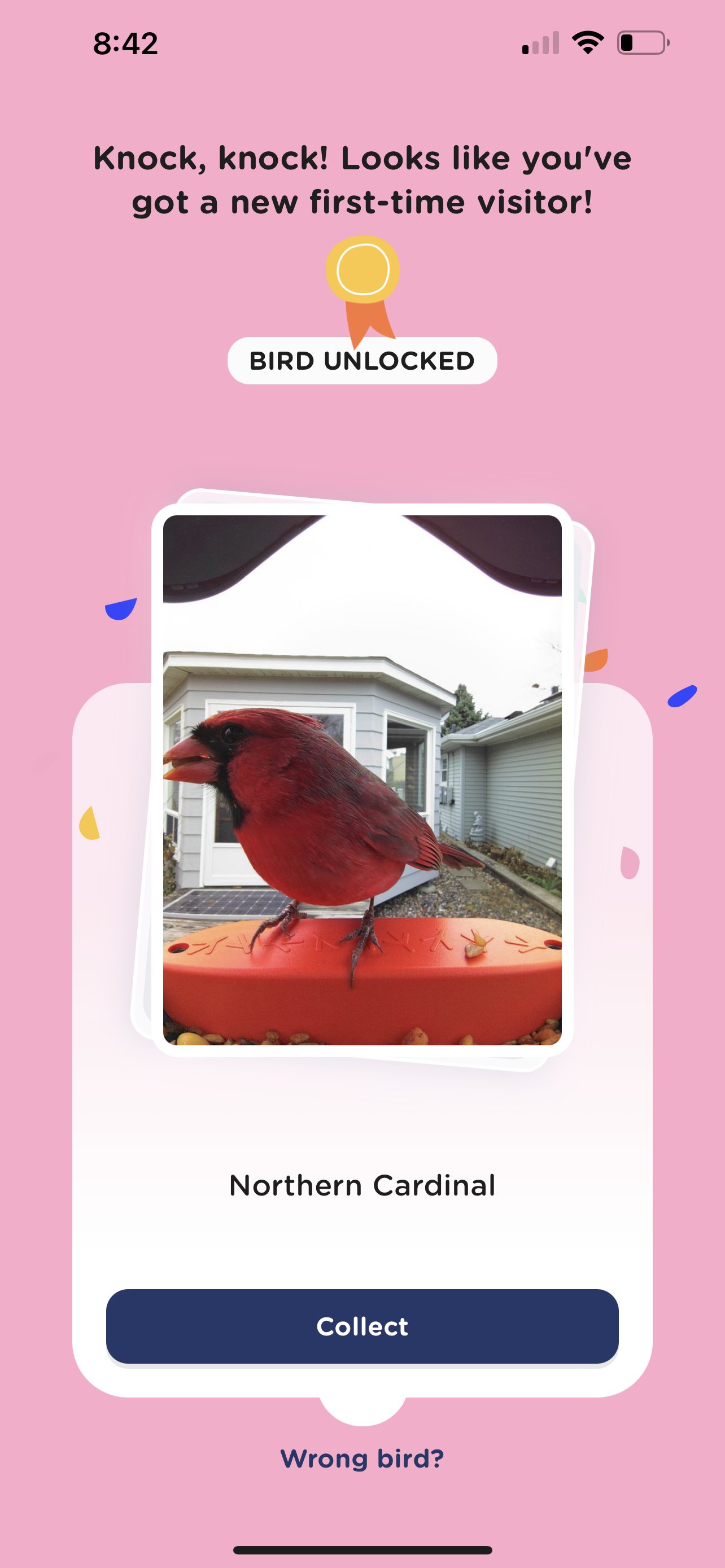
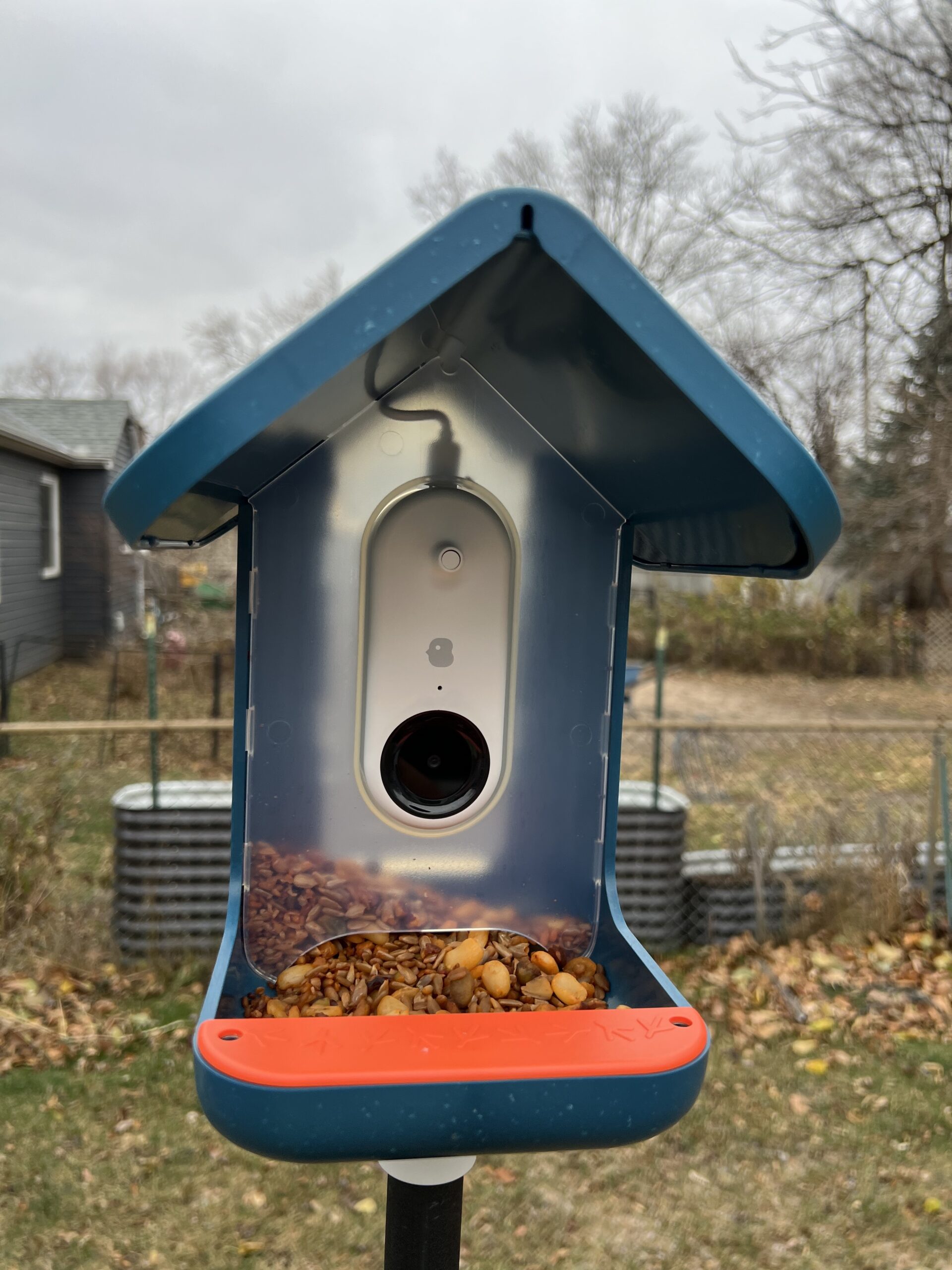
Nearly two years ago now, she invested in Bird Buddy. The project proposed the development of a combination bird feeder and motion-activated camera that would use AI to identify birds that were photographed, link to related information, and share this information with the owner of the feeder and designated buddies. This sounded like a tool that had great promise for teachers who could use the buddy for all kinds of science and writing projects.
We knew the Buddy was in production when we saw marketing to attract new customers. Finally, we received ours and got it set up. It takes a few days to get birds to come to a new feeder and ours is now attracting birds. The reviews on the product have varied with some having positive and some negative experiences. We have been among the lucky ones if product quality has been an issue, but it is a new product and attracting interesting birds can be challenging which contributes to the adventure.
Our first photo.
This is a great photo. We were probably lucky, but Cardinals are common visitors to our other feeder and frequent the pine trees near our house. So, the system works.
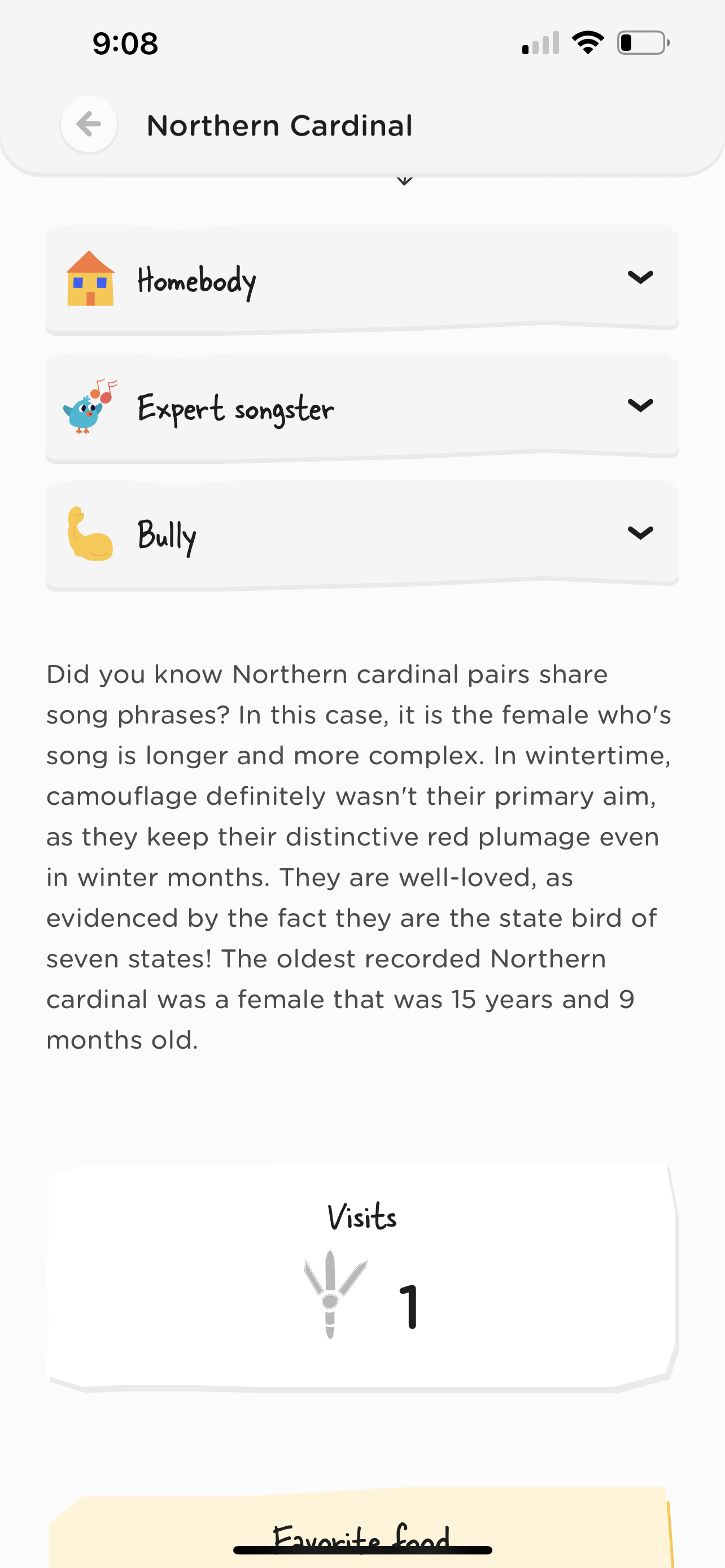
The system does correctly identify birds and it does provide additional information (some examples follow). The software that supports the feeder also allows the sharing of images with those you connect via an access code.
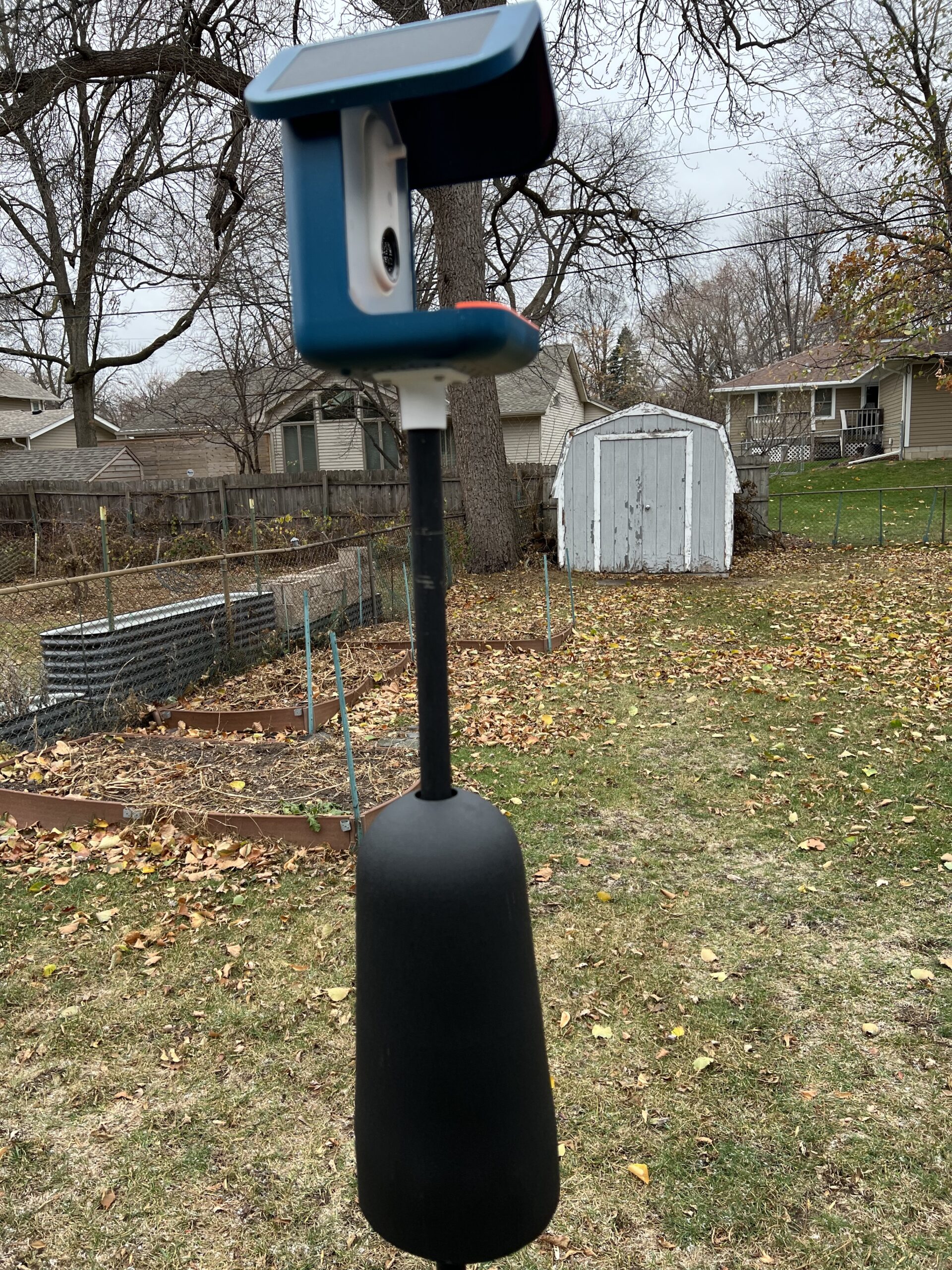
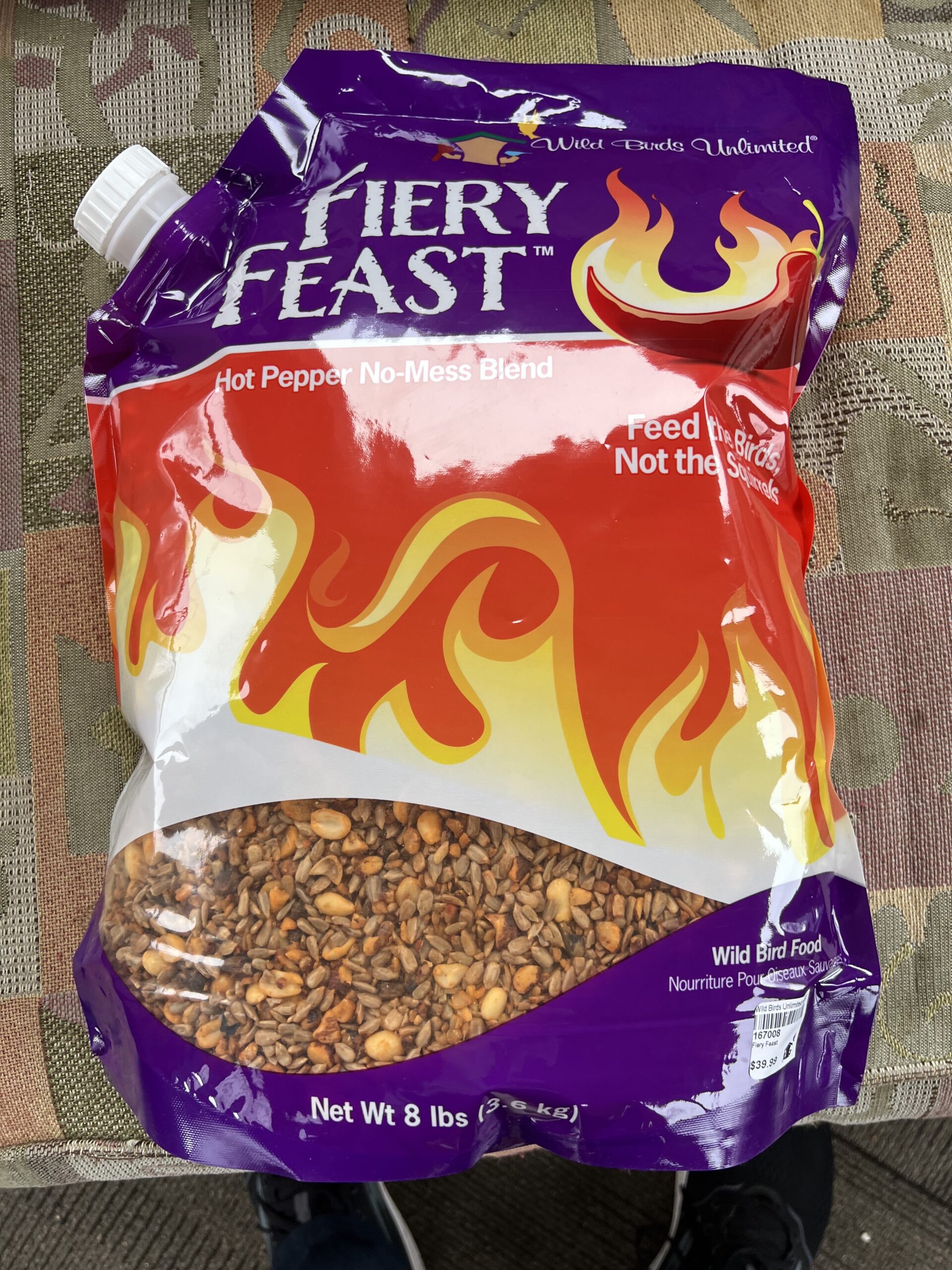
A little more about our setup. The other equipment was purchased separately and focused on limiting squirrel access. The Bird Buddy is plastic and squirrels will gnaw through plastic to get at food. The peppered seed is interesting. Evidently, birds must not have taste buds that sense spicy. This stuff must be really hot as you are not supposed to handle it without protection. The baffle on the pole is a second squirrel defense.
My recent technology exploration and writing have focused on social highlighting and annotation. The idea here is that one can expand personal reading/viewing experiences by processing the content highlighted and notes on similar topics added by others. Do others focus on similar ideas from the content both you and they have consumed? What else do these individuals who appear to have similar interests read/view that might expand my personal perspective?
The following video offers a simple explanation of how to use Glasp. The video also explains what I have found to be a unique opportunity with this online service to locate and connect with the content others have identified that is similar to my own interests.
We use cookies to ensure that we give you the best experience on our website. If you continue to use this site we will assume that you are happy with it.
You can revoke your consent any time using the Revoke consent button.



You must be logged in to post a comment.