This is an interesting discussion by those who want to understand and improve social media. As I understand the position of the guest on this podcast, two things are important for improving social media. First, we need more options with focused agenda rather than big sites that confuse many different purposes. Second, the smaller, more focused sites require more obvious norms, rules, and moderation supported by onboarding for new members so they understand this guidance.
The guest describes his research with gobo.social (which does not seem to be up at the time I wrote this post. Maybe later.)
Posted inUncategorized|Comments Off on Improving social media
Summarization is one way to encourage better reading comprehension. It is an external process (an assignment) that causes a reader to act on the information a reader gathers from a document. The idea is that this external activity encourages productive cognitive behaviors (internal activity) that may or may not have happened without the task. Summarization is one of the specific activities included in reading comprehension instructional strategies such as reciprocal teaching. Summarization is also an important skill in any note-taking strategy (e.g., Cornell notes).
Learning to summarize is the challenge. First, anyone wanting to generate a summary must identify the most important content. This decision is to some extent personal and suited to the purpose someone has for reading. However, core ideas are also more objective. Exploring what more skilled readers regard as core and discussing why such decisions are reached can be helpful.
This post from Contol-Alt-Achieve list multiple ways in which some service could generate a summary or identify core ideas. Author Eric Curts suggests that these tools could be helpful for several reasons – offering a list of key ideas for a reader to consider, offering a shorter version to process, functioning as an advance organizer.
I was most interested in a tool (Chrome extension) called Article Highlighter. The tool uses an algorithm to identify core ideas and allows a progressive approach that expands from most central to secondary level importance, etc. I see this as a tool that might be incorporated in a task in which the student first makes a prediction, checks it against article highlighter, and then explores any differences that might be evident. Writing algorithms to accomplish summarization and prioritization tasks would be difficult and even a discussion of how such an algorithm might work and what rules an individual would use would be interesting.
Once a web page to be summarized is loaded, the Article Highlighter is selected from the icon menu. Each time this icon is selected more content is added as core information.
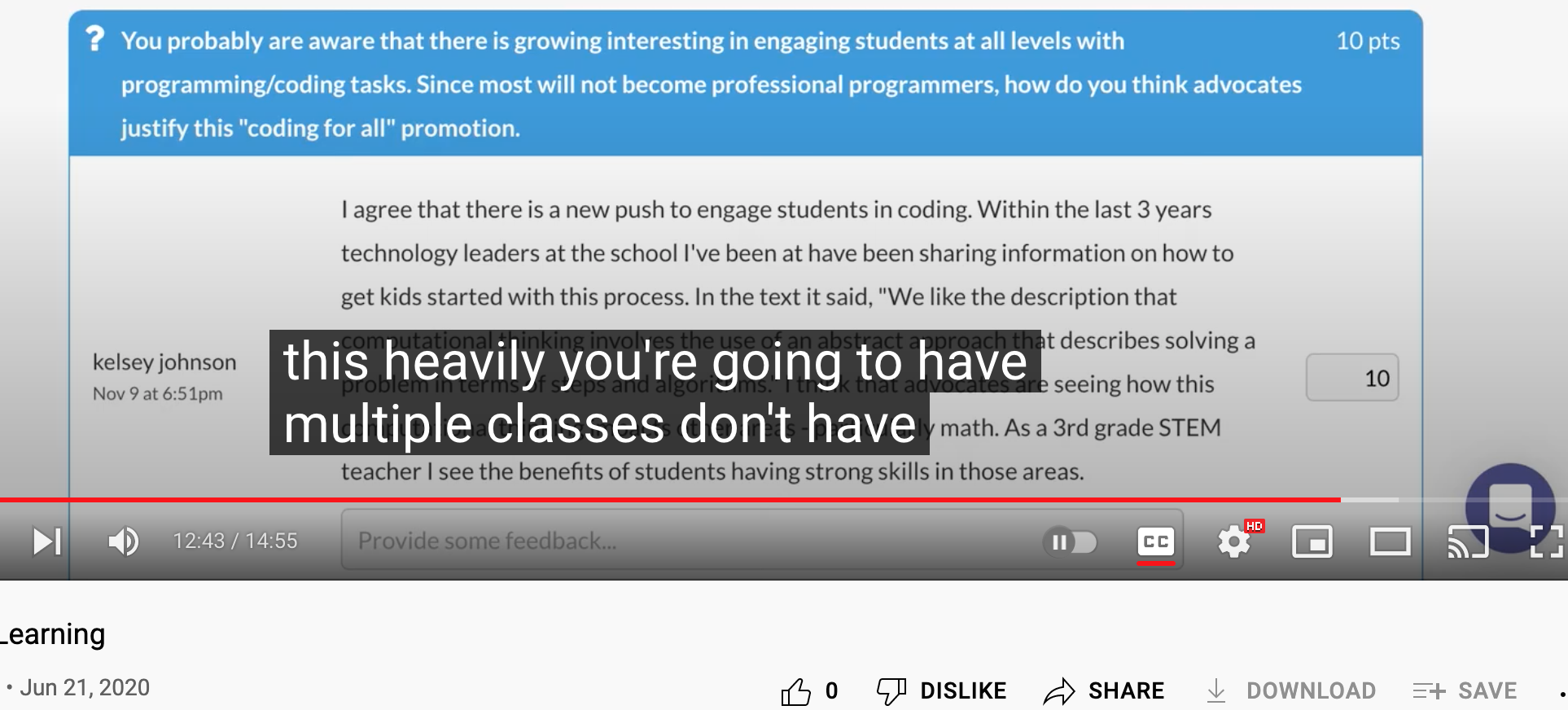
YouTube offers viewers some text transcript features I am guessing are unfamiliar to most. The following offers two examples.
To generate a transcript record you could save or use to return to specific points in the video.
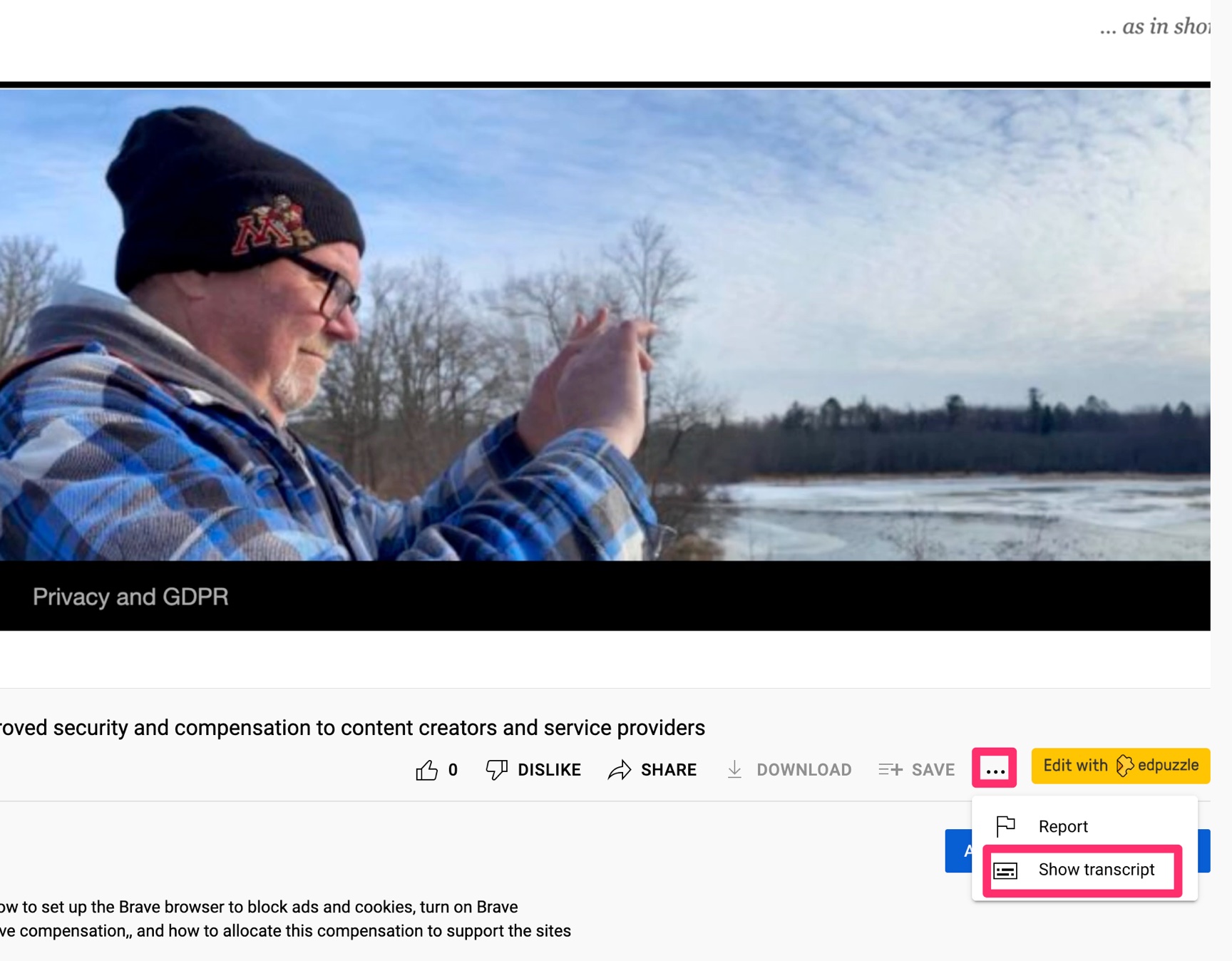
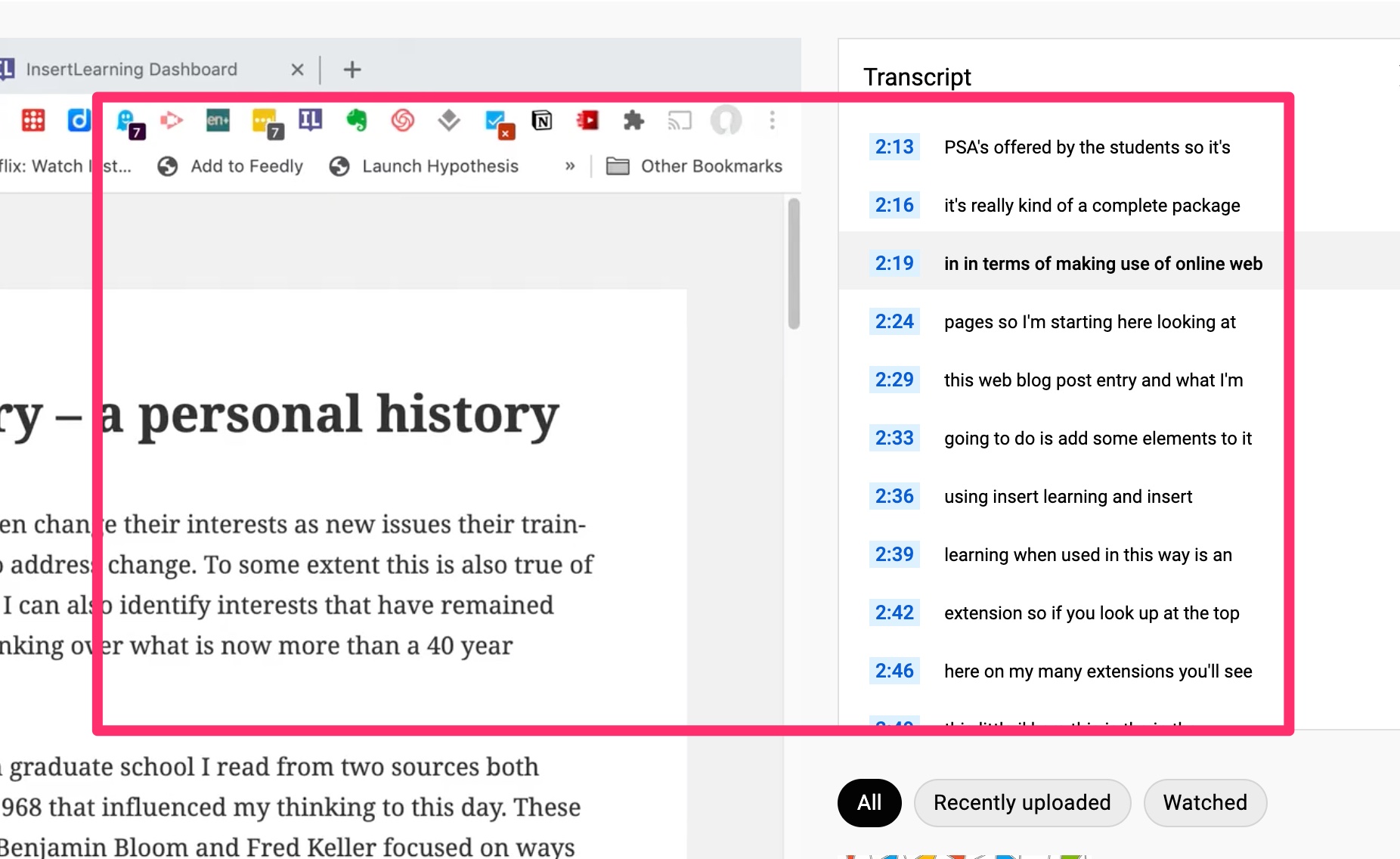
Below the video you should see three dots (…). Selecting this icon will reveal a menu allowing you to see a running transcript that will appear to the right of the video window. When the video has finished, you can copy and paste this text. You can also click on a line in the transcript to return to that point in the video. This can be helpful when you want to review a section that was particularly important or confusing.
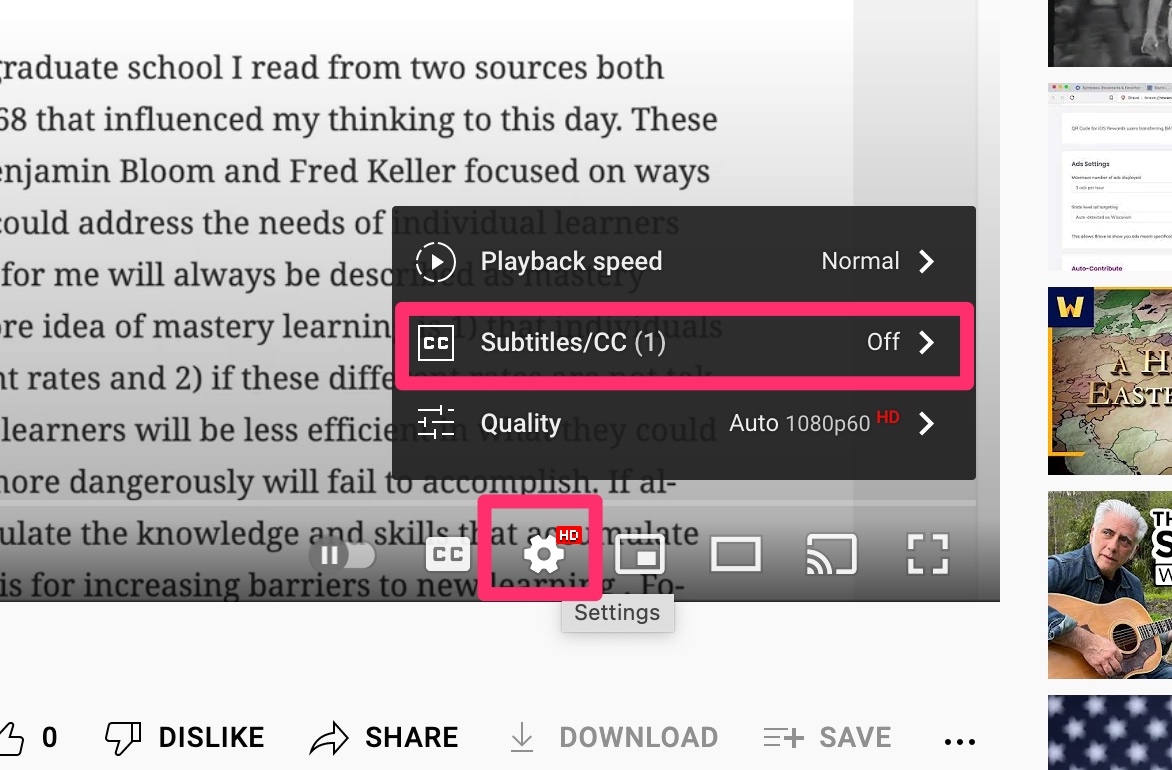
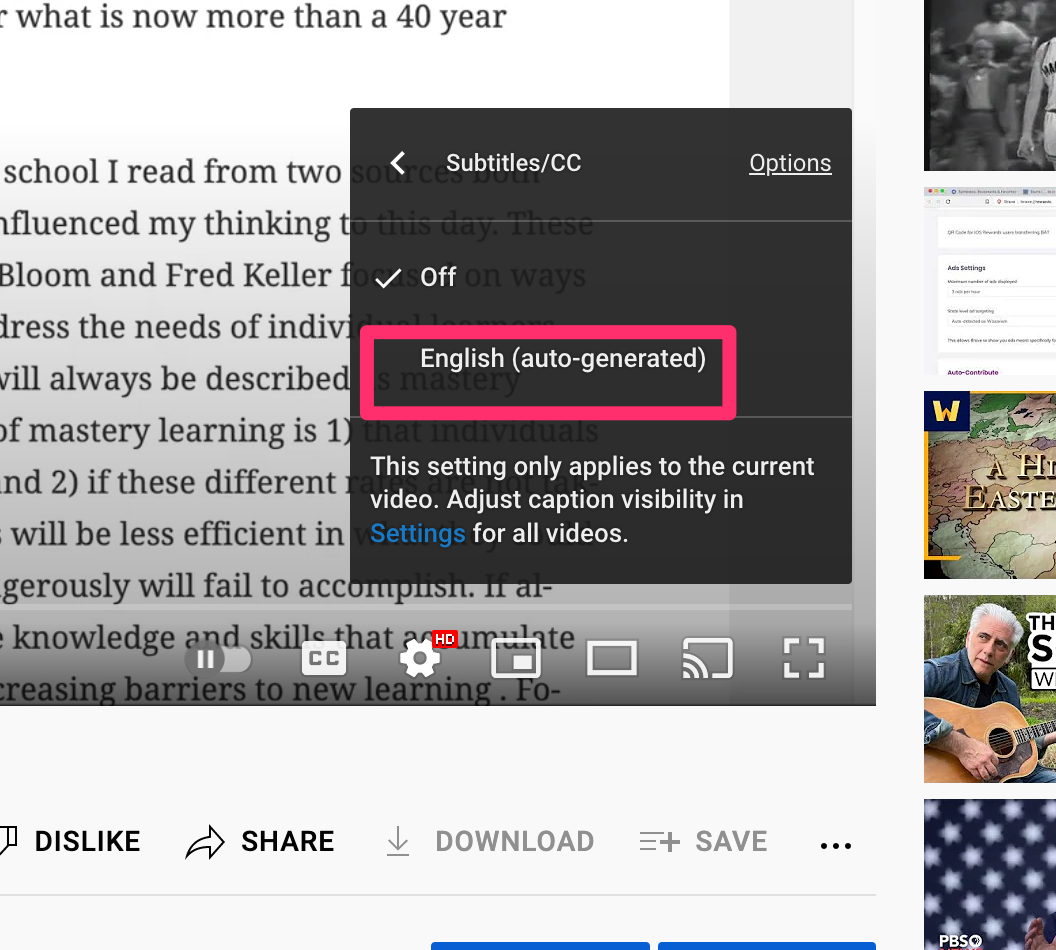
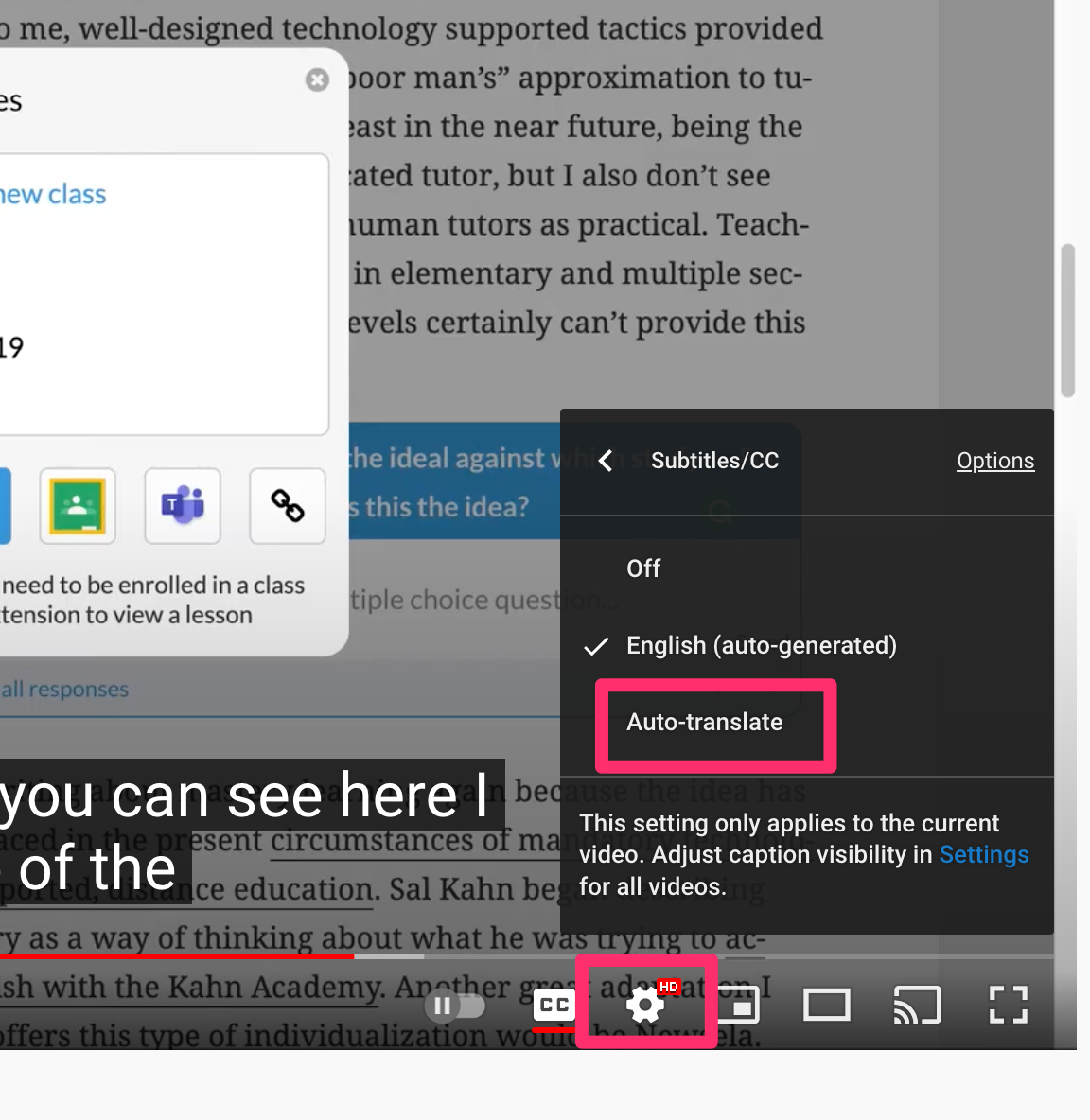
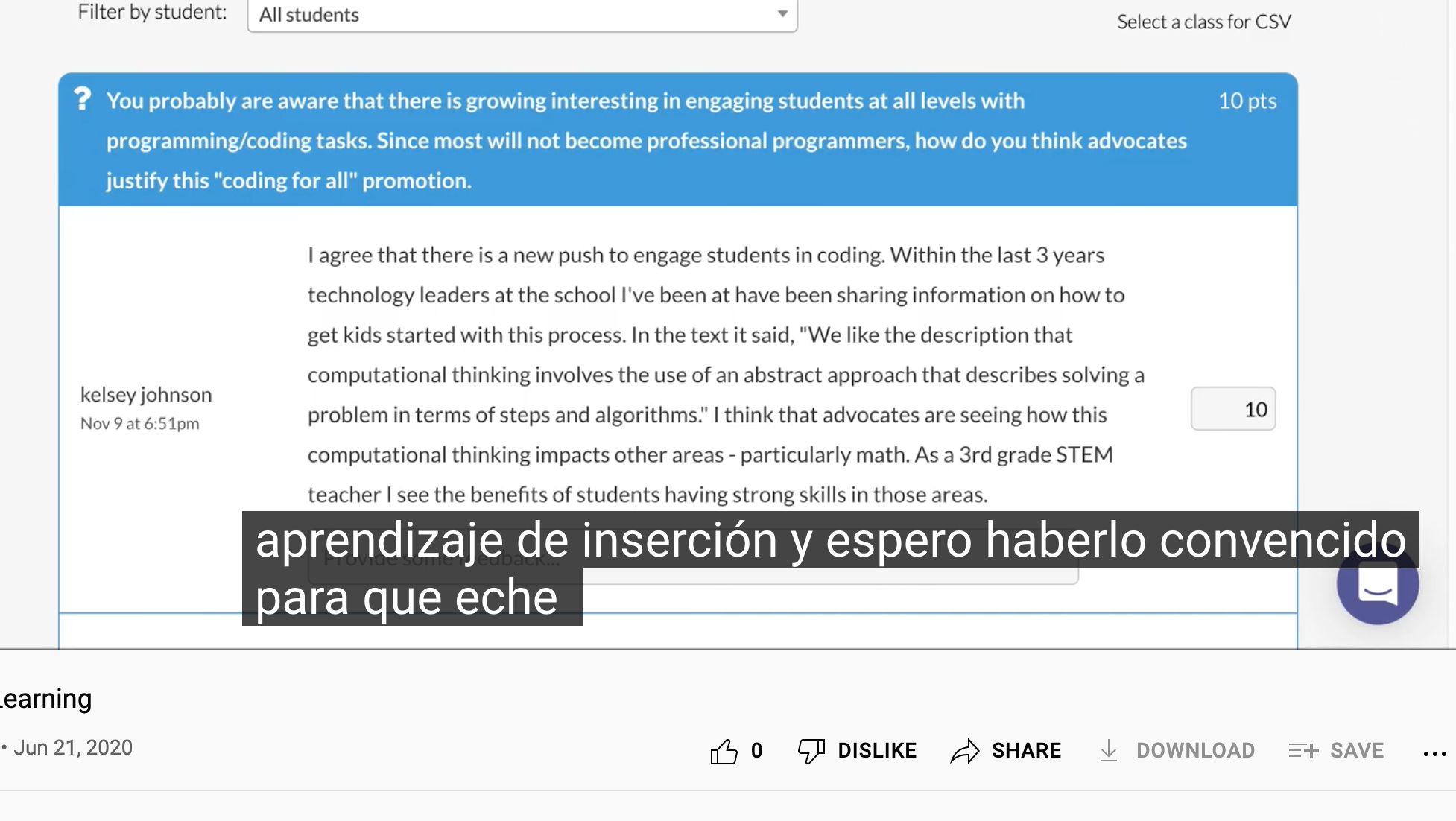
You can view the same transcript as a closed caption while watching the video. You can even watch the closed caption as Google’s translation of the text into a different language. This process starts with the gear icon beneath the video window. Selecting the gear will open a menu and you should select subtitles.
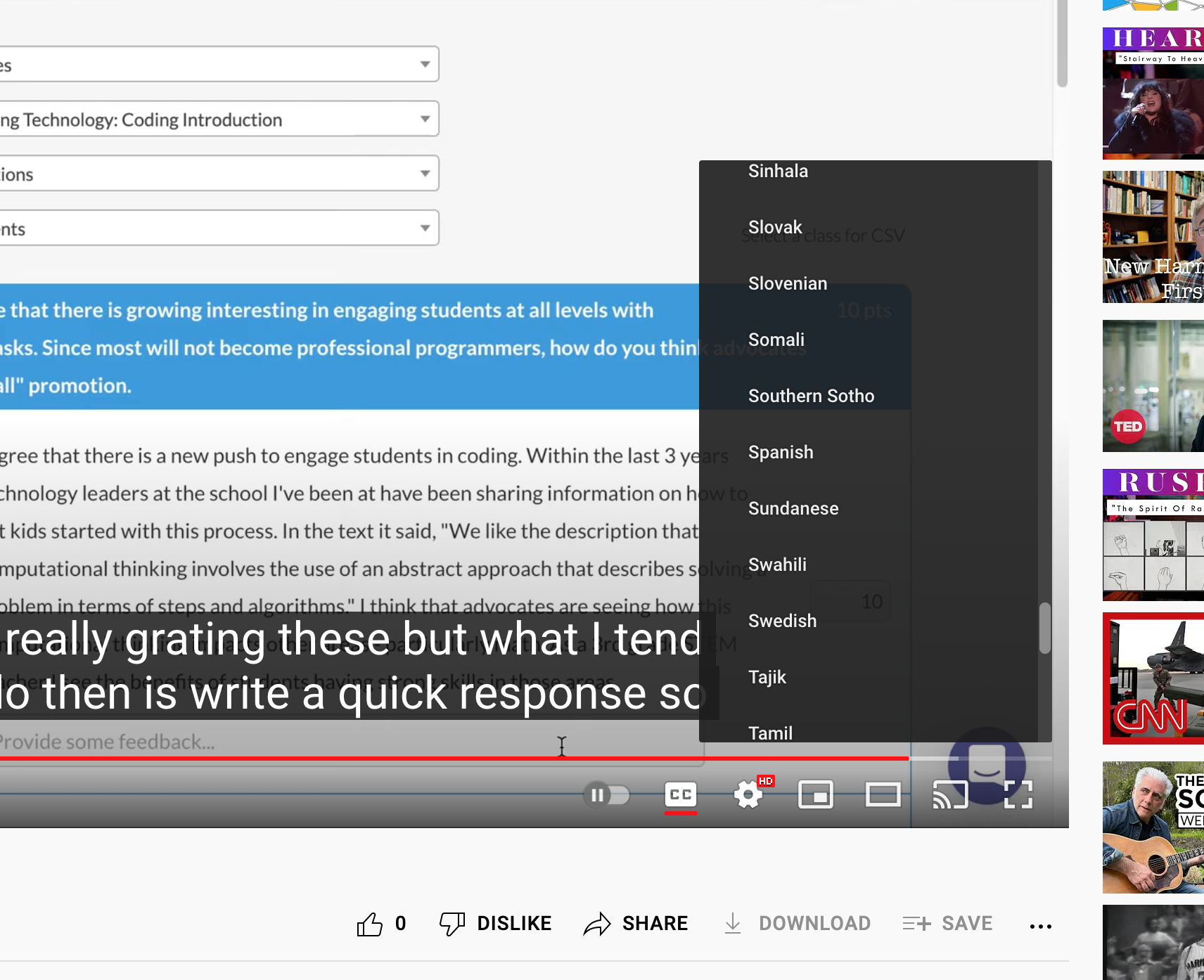
Now, if you want to see subtitles in a different language, you begin with the English version playing, but return to the gear icon. It should look different with auto-translate now visible. Select auto-translate to view language options. Select the desired language.
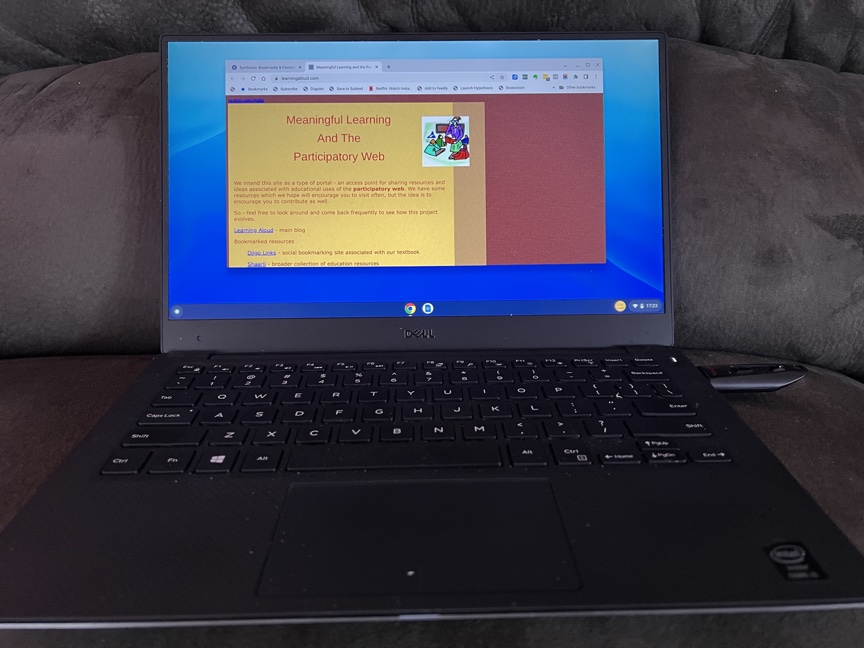
Chrome Flex has been available for a couple of months now, but I had to wait until I returned home from my winter break and had access to a couple of old computers and a flash drive. One of the few challenges to spending the winter months in Kauaii is not having access to all of my stuff.
As I understand the history, Google purchased Cloud Ready and now offers a related product, Chrome Flex, at no cost. Chrome Flex is intended to offer a solution to two problems: 1) old Macintosh and Windows computers unable to run the current operating system intended for their brand and 2) Chromebooks that have passed the date at which they are still supported. I guess this is kind of the same problem. Often these machines are still functional and the older Macs and Windows machines may have the power and storage equal to or exceeding the less expensive Chromebooks. Schools and others interested in inexpensive alternatives might repurpose older machines with an operating system that allows them to function as Chromebooks and extend the useful life of these machines before sending them to the technology dump.
I have both an old Macbook Air and an old Dell that I have not used in years, but still keep around for experiments – usually a Linux install of some type. These machines are ideal for conversion to a Chromebook.
The process is easier than you might expect. All you need is a flash drive and an existing Chrome browser to which you add the Chromebook Recovery Utility (it is a Chrome extension). This extension allows you to create a recovery disk on the Flash Drive. Follow the instructions in creating the recovery drive and then use it with the computer you want to convert. I didn’t actually convert either of the old computers to a Chromebook – running the Chrome OS from the flash drive was good enough for me. I already have a perfectly good Chromebook, but maybe you don’t.
Chrome Flex worked great. This has to be one of the most successful repurposing ventures I have tried.
What I learned
1) Don’t be cheap with the flash drive. I originally tried the install with a 32GB flash drive I found in a drawer. I had trouble with crashes and getting anything beyond very basic web browsing to work and nearly gave up on the entire adventure. They don’t offer this caution in the articles I read. I purchased a 512 GB flash drive (not cheap) and everything worked without any hiccups
2) When you access the flash drive from your older computer, you can try Chrome Flex from the drive or go ahead with the installation. I have learned from experience to try an experimental OS from the install drive first. I would get Flex to work on both the Mac and Windows machine, but I encountered problems with specific drivers on the Windows machine. It would not produce audio. I have encountered exactly this same problem when attempting linux OSs – the basic apps would work, but I would have trouble with drivers. Individuals with more experience or more patience may be to get my Dell to function without limitations, but I have never had a complete success with the Dell. Try running from the Flash Drive to identify such issues,
“The days of Usenet, IRC, the web… even email (w PGP)… were amazing,” Mr Dorsey tweeted.
“Centralising discovery and identity into corporations really damaged the internet. I realise I’m partially to blame and I regret it.”
I agree. The Internet feels like it has lost its frontier spirit and participants don’t learn much through the process of participation. Things are too easy leaving participants little insight into how things work and into the motivation of the participants. Efficiency and big company takeovers produced this outcome.
If you are looking to explore a bit, I would recommend Mastodon. Mastodon is a decentralized or federated social platform that allows short posts called “toots” that are something like Twitter tweets, but potentially a bit longer. Mastodon is decentralized because it is made up of a collection of somewhat independent communities that are controlled by different entities. You can start your own if you have a server and are somewhat technologically skilled. It is federated because these different entities cross-reference. The specific Mastodon installs, often called instances, allow interaction across instances. You can join an instance with a specific focus, but tap into the more general feed if you want. No formal ads are shown and no algorithms prioritize what you read.
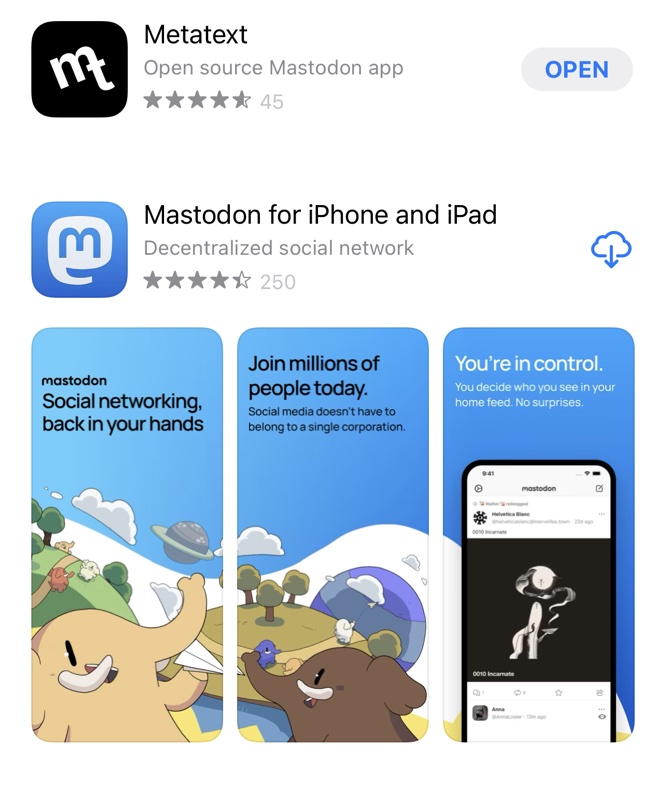
If you are interested, you start by connecting to an instance. You can do this from any device. If you use an app, you have several choices. These are a couple available for iOS.
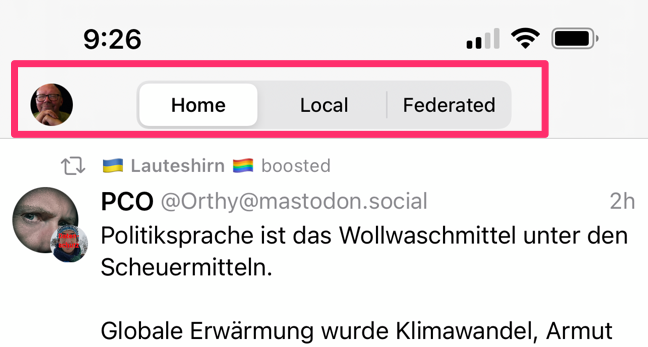
I below to several instances so I like Metatext. This app allows me to read the multiple instances through which I participate (Home), read the submissions from the instance I prioritize (Local), or tap into the federated feed.
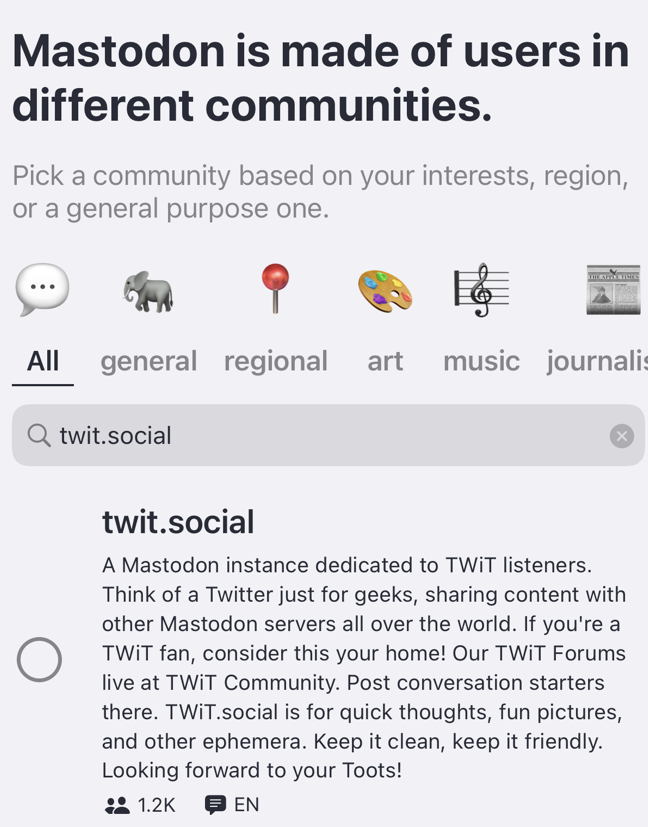
The Mastodon app is perhaps helpful to somewhat starting as it offers instances that appear to have different emphases. This might be a great way to explore. This app also allows you to search for and join an app that is not part of its directory. TWIT.SOCIAL is a favorite operated by the group responsible for TWIT (this week in tech) podcasts.
Mastodon instances can also be used from any browser. Just enter the name of the instance as the address (e.g., mastodon.social). The desktop browser-based approach may make more sense if you are just getting started.
The biggest challenge with Mastadon like any other social platform is collecting followers. My only advice would be to interact with folks and offer comments others find interesting and useful.
Posted inUncategorized|Comments Off on Decentralized Twitter
This article from Publishers Weekly offers a history of e-book issues and explains the multiple legal issues encountered along the way. Amazon, Apple, and Google have each been involved in shaping present publishing practices that while online have also drastically influenced brick and mortar companies. We forget topics such as Google’s efforts to digitize the books in print and the battles with publishing companies over whether this was violating copyright when this content was shared. There were battles between Apple and Amazon over the price to consumers of ebooks and the losses companies were taking to attempt to corner the market. Great read if you are an ebook reader or writer.
Posted inUncategorized|Comments Off on History of the e-book business
We use cookies to ensure that we give you the best experience on our website. If you continue to use this site we will assume that you are happy with it.
You can revoke your consent any time using the Revoke consent button.




You must be logged in to post a comment.