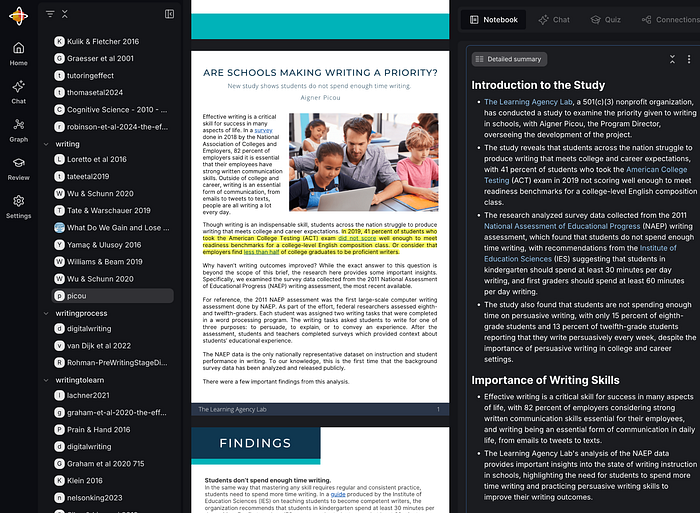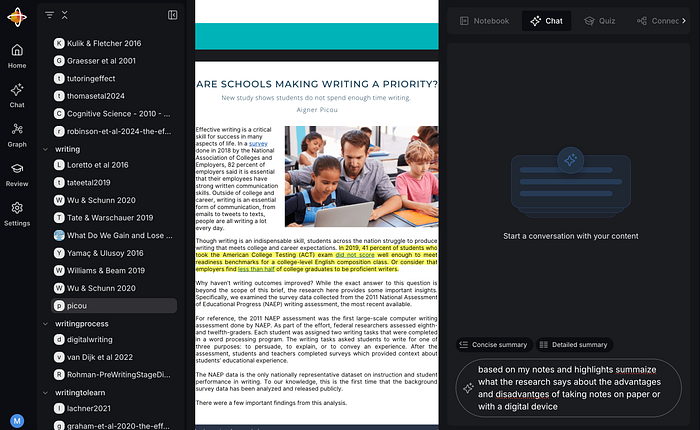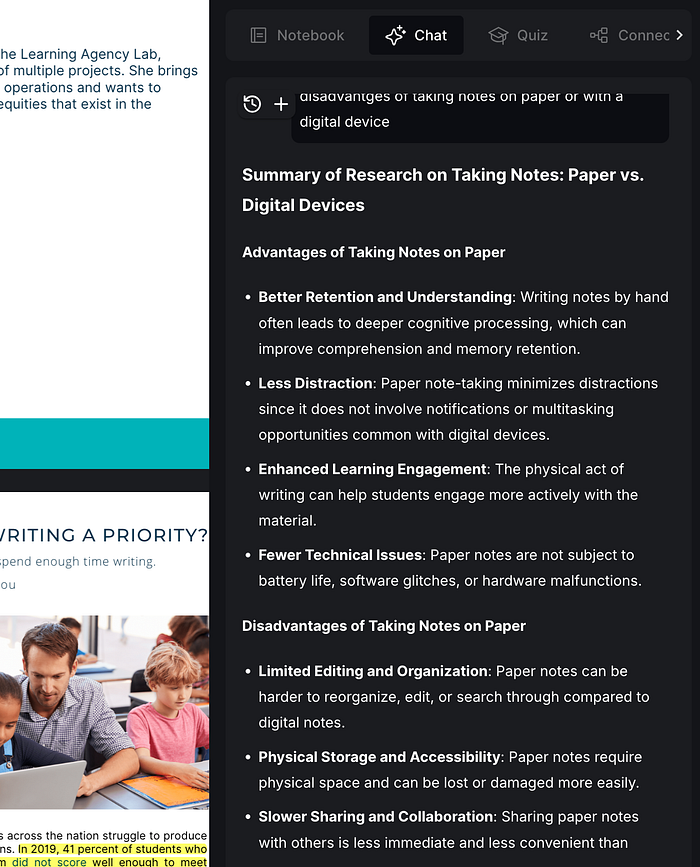

I have written previously about how AI can assist in an educationally beneficial way, such as creating a topic outline for a paper (1), evaluating something I have written (1), arguing with me (1, 2), explaining concepts to me (1, 2), and evaluating my understanding (1, 2).
The new ChatGPT study tool creates a setting for learning that limits what a learner has to request via a prompt. This is a very interesting development available in even the free version of ChatGPT and definitely a capability educators should take a look at before Fall. This version of ChatGPT might be described as a preprompted (yes, I made that word up) version of ChatGPT that attempts to create a style of interaction similar to that of a human tutor. There now seem to be many tutorials you can review, but this tool is simple enough I think i can get you started with just a couple of images.
There are two ways to access the Study Guide. You can either go directly to the Study Guide or go to ChatGPT and then select the study tools from among other specialized tools.
Your access page when using the direct approach looks like this:
Your access page when first opening ChatGPT appears below. You select the tools icon to reveal a drop down menu with the tool options. You are looking for Study and learn.
You can use the study tools with or without ChatGPT keeping track of your interactions. The advice I read suggests you should allow your interactions to provide a background. This makes some sense as the system can build a model of your background. I had some issues doing this because I wanted to create a description of what it looks like when you start from scratch and the system would not respond as if I was a complete novice.
You begin by interacting to describe your situation. In your evaluation of this tool for your students I would suggest you pick and topic and situation and create a situation as if you were a student in a class you teach. See how the study help would fit the of students you know.
I told ChatGPT I was taking a course in Cognitive Psychology. I wanted some help with XXX in preparation for an upcoming text. I asked about Information Processing Theory and then Metacognition so I could see how the system would treat topics very familiar to me. Those familiar with AI chatting understand that there is always an element of unpredictability such that the same prompt can be submitted and a different response generated. The following two images show the response the prompt I described asking about Metacognition. The first part of this response provided an overview and then ended with multiple suggestions as to what I might try next. Do I want to be asked questions? Do I want to learn about a specific theory?
One of the ideas even proposes a way to conduct a simple experiment related to the research I used to do. This research focused on using the accuracy of learner predictions about how they would perform on an upcoming assessment. I used to describe this aspect of my research in the following way. You are studying for tomorrow’s exam. How do you decide when you are prepared as you want to be? The difference between anticipated and actual performance varies between more and less successful learners. I even created an online study tool that presented multiple choice questions and allowed learners to wager on the accuracy of each response. The goal was to achieve a set point total to meet the study goal. For each question, you could wager .1, .5 or 1 point and this wager was subtracted if your response was wrong and added if you were correct. The idea was to adjust the length of the study system depending on how well a student knew the material. The task that AI proposes in the response is based on this same idea.
Again, my advice is to explore this environment. Ask the system to try something and see what happens. When you disagree with a response, offer a specific challenge and see how the AI tool responds. May the AI system was wrong and maybe it will offer a response that clears up your disagreement.
Posted inUncategorized|TaggedAI, tutor|Comments Off on The New ChatGPT Study Buddy
In a recent post, I lamented that my posts were being gathered up by AI services and I was losing the opportunity to have my thinking identified with my content. The best example I could think of was the way Google search now included an AI summary in response to queries and it seemed to me that the position of this summary before the more traditional links would reduce attention to these links. It even seemed to me that this action on Google’s part might be beneficial to Google in the short run, but not in the long run. What I speculated was that by diverting users from possible attention to the content associated with links would reduce the incentives of content creators who might discontinue their efforts or place their content behind a paywall reducing what was available to users and to Google.
What I mean by incentives could involve the funds popular bloggers receive, but there is also perceived value in the attention one receives and the sense that the content creator has offered something of personal value to others.
The PEW Research on the Inclusion of an AI Summary in Search Results
The PEW Research Center has recently conducted a study as part of its Internet & Technology initiative. The impact of AI has become a topic they study and the researchers decided to ask a question very much related to the issue I raised. Researchers gained permission to collect data from 900 volunteers as the participants made use of Google search. The researchers were interested in the differences between behavior when search results contained or did not contain AI-generated search summaries. Were there differences in the likelihood the user visited a link that appeared in what might be described as the traditional list of links? Given that the AI-summary also listed some relevant links at the end of the summary, did those who opened the full summary make use of these links?
The PEW researchers found data very much substantiating what I had anticipated.
The analysis found that Google users who encountered an AI summary were less likely to click on links to other websites than users who did not see one, with users who encountered an AI summary clicking on a traditional search result link in 8% of all visits, compared to 15% of visits for those who did not encounter an AI summary.
The study also discovered that Google users who encountered an AI summary rarely clicked on a link in the summary itself, which occurred in just 1% of all visits to pages with such a summary, and that users who encountered an AI summary were more likely to end their browsing session entirely after visiting a search page with an AI summary than on pages without a summary.
The researchers made one interesting observation about the basis the AI-summary claimed as a source. The most common link was to Wikipedia. I would be tempted to describe this observation as demonstrating that Google Search provides a secondary summary of a secondary source.
In my searching on this issue, I found that news services who have made their content accessible to search have reached a similar conclusion regarding search summaries. These organizations were already under pressure from online search and had hoped, I assume, that links would bring greater attention to their content both openly available and behind a paywall.
Posted inUncategorized|TaggedAI|Comments Off on AI Search Downside – Original Content is Ignored
When you generate digital collections, whether it be your notes or your photos, you begin to wonder if anyone but you cares or might have a use for what you have accumulated. I am part of the PKM community and have shared ideas for years about taking, using, and sharing notes. I have started generalizing some of these ideas to think about my photo library. I keep thinking some of these photos, if properly organized and maybe more importantly annotated, might be useful to others.
A few years ago, we spent a couple of weeks in southern Africa during which I had the opportunity to view and photograph the amazing wildlife of this area. I took hundreds and hundreds of photos and kept probably half. One task I took on as a project was to select from these images some I thought maybe elementary students might find useful. Yes, you could create a similar collection by going to the zoo, and such a visit by students would be superior to looking at my pictures. However, what I have done is create a collection I am making available under Creative Commons licenses. If you have a use for these photos, download them. I also linked the images to online content offering additional information. This connection between an image and information is what I think may be valuable to share.
For me, the identification of things I see, mountains, plants, and animals, is important, but necessarily something I can accomplish without assistance. Bird identification is not easy and makes a good example. I am not a birder and I easily forgot the identifications provided by our African guides. I used several online tools to try to attach accurate labels to the photos I have. There are several African birding guides available online. I found one of the best tools was Google Lens.
My initial album for students was available through Flickr, and you can take a look if interested. To increase the educational value of this image collection, I found that the “Information” metadata I could attach to each photo would allow me both to identify the animal and provide a clickable link to an online source of information. I used Wikipedia for most of my photos. The idea was that a student could view and download images from this collection and also use the link to learn more. Look below the following image to see the identification and link I added.
There is a blog post somewhere in which I explain how to create a shareable Flickr album with these characteristics. My focus here is different. My Flickr Pro license costs me $70+ a year and I understand that many who might host a collection for a local classroom may not want to spend this much money. My collection is over 20,000 images so I need this type of account. I have been exploring Google Photos to see if I could fashion an alternative.
Google Photo Albums
Google Photos, even at the free level, offers some very useful capabilities and I have been for a day or so trying to duplicate my Flickr photo album with information links for the individual photos. I can’t quite get there because of one simple capability, but perhaps what I can propose is an approach that is close enough to be useful.
The problem is that the HTML necessary to create a link is interpreted within Google as text. Yes, I know it is text, but what I mean is that when I post the same code into the Information field associated with a photo in Flickr the link is active, and this not the case with Google.
There seem to be three possibilities for adding text to a Google photo – Information metadata, text added on top of the photo, and as a comment. None of these options allow active links. So, which among these options makes the best substitute?
The approach I found most useful make use of the comment opportunity allowed when images in a photo album are shared. Comments are not available in a personal album which makes some sense, but a common strategy is to create a personal album and then share. My point – don’t look for the comment option until you first share. So, this technique is an obvious kludge and is not the intended use of comments.
The basic outline of the process follows:
Create an album with the photos you want to use
Share using the link option and load the shared version
Create a comment with what you want to add to individual photos
Turn comments and collaboration off unless you want others to add photos and additional comments
A Google photo album looks like the following image.
To complete the process of adding Information and a Comment, select one of the images which enlarges that image. The result should look like the following image (see red boxes). Selecting the Comment icon reveals the information that has been attached as a comment (next image).
You can enter a substantial amount of information as a comment if you want. You see the issue I have already described above – a link that is included is not active. The text can easily be copied and pasted into a browser to reach the source, but this workaround is not as elegant as you would find in Flickr.
For the end user, the Comment option appears when you click on a shared image. Clicking on an image shows existing comments and a blank field to add your own. I assume most of us do not want folks we don’t know messing with a resource we have provided to the general public and this is the reason you turn commenting off. This will not remove the initial comment you have provided.
To access the options necessary to block commenting, you first select your own image appearing in the upper right-hand corner of a shared document window (see following image). You then adjust the options to your liking – I prevent collaboration and comments.
Educators should find this segment from 60 Minutes informative. The focus is on how the Kahn Academy makes use of Ai. Despite the claims that AI does the work for students, Kahnmigo is designed to guide students as the learn.
One insight I took away from the year or so we suffered with COVID was that the public has a poor understanding of what I would describe as the process of science. This failed understanding allowed opportunistic politicians to attack scientists and sowed a resentment of expertise, academic institutions, and well-established scientific findings that persist to this day. Although I was involved in research as part of my profession, I had never really thought much about the assumptions nonscientists make about science. I have since decided most folks think of science as a body of knowledge – facts, causal relationships – and not as the process of accumulating such insights. The idea of best guesses (hypotheses) that get refined over time is missing. When a hypothesis is applied in a situation such as the COVID epidemic and fails, the insight that the best evidence to that point was incomplete and best guesses based on what was known are shown to be wrong is not a failure, but what some might call a feature. Science advances when what is known is refined and made more specific so that a broader range of questions can be accurately answered.
Humans are complex and their behavior, which involves personal decisions, is difficult to study
I was an educational psychologist and understand that some think of the social sciences as a different kind of science, if a science at all. I was trained as both a biologist and a psychologist and have some sense of the challenges of at least these different fields. When I taught the Introduction to Psychology course, I used to challenge the hierarchical ranking many students had about the sciences by noting that when a chemist predicts how a particular chemical reaction will proceed, she doesn’t have to give a thought to whether the chemicals might not feel like reacting today. The challenge I suggested is that human behavior is complex and can depend on so many factors that identifying useful principles to guide useful applications sometimes feels like it is impossible.
Why can’t psychologists conclude the best way to do something? Why do research studies reach conflicting outcomes?
Here is an example of this challenge that those who follow my posts may recognize. I am interested in the use of digital technologies in studying. Several recent subtopics have involved questions of whether it is better to perform a certain task using technology or a more traditional method. Is it better to take notes on paper or using a laptop? Is it better to read a paper version of a textbook or a digital version?
These research questions have gained enough popularity to reach the popular press, and in such sources, the general conclusion has been that reading and note-taking on paper are the preferred approaches. If you read the secondary sources, you might conclude that the paper/screen issue has been decisively resolved. The primary sources – the journal articles describing individual studies and also the integration of these results through what are called meta-analyses – provide a more nuanced perspective. I support the use of technology in reading and note-taking, and I think I can make a solid case based on a careful reading of many of the original studies. I make this claim because I pay attention to the methods used in the individual studies. The popular press does not describe the methods of the research associated with their summaries.
Why review the Method Section?
The methods section of a psychology paper provides a detailed description of how the study was conducted, including the participants, materials, design, and procedures used. This section is crucial because it allows other researchers to understand and potentially replicate the study.
The details can lead to important differences in the results of a study and must be considered in the interpretation of these results. For results that advocates want to suggest should guide practice, do the characteristics of the Methods match important characteristics that apply to practice?
What follows are some thoughts on topics that are addressed in most Methods descriptions that apply to my sample paper or screen topic.
Participants – The description of participants addresses who took part in the study, how they were selected, relevant characteristics (e.g., age, gender), and the sample size. I am often interested in how adults outside of a formal education setting learn from reading and attempt to retain what they have read. I also studied college students and their study behavior. There are many ways in which the characteristics of these groups differ from the learners in other situations. Their goals are different; e.g., performance on learning related to externally selected content and externally determined expectations vs. personally selected content and goals. There may be differences in previous experiences that are relevant. Have participants read many books in a digital format before participation in the research study, and have they highlighted and taken notes while reading in this way?
Materials – If you read the research coming out of different labs, you may note that a particular lab will use the same story or chapter from a given book over and over in a series of experiments. I have had the experience of trying to extend the research from such labs and find that with different materials, I cannot even get what seems like a direct replication to produce the same results. My experience has not been that a completely opposite outcome occurs (a different treatment is found to be superior), but rather that no difference is demonstrated in my attempt at a replication. This is one of the reasons that replication and meta-analyses are important. Consider the different types and topics of reading material that are involved in educational settings and how differences may be important. For example, you can take notes more quickly using a keyboard. Would transcription speed differences matter when taking notes in a biology and a philosophy class, where factual density and level of abstraction could be very different?
Procedure – The procedure outlines the step-by-step process of how the study was conducted, including instructions given to participants and any interventions or tasks performed. I think an important consideration is whether the procedure involves the participant in a task with characteristics similar to those of the task to which results will hopefully generalize. For example, if a note-taking study is to generalize to the study process of students preparing for a course exam, the time between the note-taking activity and the review activity in preparation for an examination may be important. Many studies include the note-taking, note-reviewing, and assessment activity within the same research setting. Obviously, running a study in which participants would take notes during one session, review notes a week later, and then complete an examination the following day would be cumbersome and very rare. Yet, notes are obviously more useful in prompting recall after a delay, and if this factor is not part of the Method the results may not be as useful. Older students can type faster than they can write by hand, resulting in more notes when using a digital device. It makes sense that more notes would provide a greater advantage after a delay, encouraging the expectation that taking digital notes would be an advantage. Yet, this seems a less frequent research outcome. Perhaps the mismatch between the common research procedure and the intended application (what approach should college students take) leads to flawed advice.
Nearly all of the research involves a procedure intended to mimic the classroom setting in which the content to be learned is provided, and the examination of learning is designed to assess mastery of this assigned content. Those of us who take notes outside of the classroom have far less certain goals. The concepts of Personal Knowledge Management and the creation of a Second Brain involve the recording of notes at one point in time without a clear use for such notes and an uncertain timeline. The application of the notes is something as vague as “I might find this concept or idea useful in a future writing project”, but the type of ideal note taken under such circumstances (e.g., atomic notes or permanent notes) might have different characteristics than notes taken for next week’s examination. There is very little research focused on non-academic note-taking, and it seems possible that using conclusions from the copious literature on academic note-taking should be applied with care.
One final point about Methods
There is one further point of a more general nature I would like to offer. We are in a time when summarization tools are being promoted as an alternative to reading the studies scholars cite or even just the entirety of any article one might encounter. Yes, the actual reading of say the 20-30 studies cited at the end of a research paper or textbook chapter takes a very long time and summaries are often good enough. However, the details do matter and the details revealed in a careful analysis of the Method section are often quite useful in understanding the frequent inconsistencies reported in the literature. If you have only a vague understanding of the Methods that were involved, you have only a vague understanding of why the results turned out as they did.
*****
Sample studies related to the paper vs keyboard topic
Clinton, V. (2019) Reading from paper compared to screens: A systematic review and meta-analysis. Journal of Research in Reading, 42: 288–325. https://doi.org/10.1111/1467-9817.12269.
Delgado, P., Vargas, C., Ackerman, R., & Salmerón, L. (2018). Don’t throw away your printed books: A meta-analysis on the effects of reading media on reading comprehension. Educational Research Review, 25, 23-38.
Kong, Y., Seo, Y. S., & Zhai, L. (2018). Comparison of reading performance on screen and on paper: A meta-analysis. Computers & Education, _123_, 138-149.
Mueller, P. A., & Oppenheimer, D. M. (2014). The pen is mightier than the keyboard: Advantages of longhand over laptop note taking. Psychological science, 25(6), 1159-1168.
Posted inUncategorized|Comments Off on Understanding how research is conducted is important
This post will likely come off as a complaint and I don’t really mean it as such. I could make the same statement regarding multiple digital tools I have used. My guess is that developers don’t have the resources/time to communicate their intentions and what they have in mind may be easy to misinterpret. Smart Connections happens to be the most recent example of the issue I have encountered and perhaps describing the situation from my perspective may have some value.
My experience with Smart Connections has been as an Obsidian plugin. Obsidian is an open source tool for storing, connecting, and searching notes. The Smart Connections plugin adds to these capabilities by 1) identifying possible connections among notes and 2) providing a way to use AI to chat with notes. When used for its AI capabilities, Smart Connections provides AI capabilities through an API to AI services (e.g., OpenAI) and you pay the AI service for the AI capabilities used. You commit to a certain fee and can add more funds for the month if you exceed the limit. I have yet to exceed the $3 limit per month I set. I have written about my use of Smart Connections several times (e.g., finding connections, AI chat with notes). So, to summarize the pricing issue, to this point Obsidian and the Smart Connections plugin are free and open source, the AI capability is provided through an API at a low monthly cost.
Very recently, Smart Connections provided an update. This happens frequently. However, in addition to the update, the company appealed for supporters and provided a pricing plan. The supporter goals are beyond my resources and the capabilities of the $20 a month plan seem reasonable. My issue is that I already have multiple ways to apply AI to my resources (Mem.ai, NotebookLM, and Recall.ai). I also have an AI source (Abacus.ai). The capabilities of Smart Connections would be largely redundant with Mem.ai and NotebookLM services in which I have already loaded my curated content. It does not make sense to add another $20 to my monthly commitments. My complaint is essentially that these companies provide redundant capabilities in what is close to a winner take all market. To me, since Smart Connections is late to the game, why not charge a smaller monthly fee ($5) for the plugin.
We use cookies to ensure that we give you the best experience on our website. If you continue to use this site we will assume that you are happy with it.
You can revoke your consent any time using the Revoke consent button.
You must be logged in to post a comment.